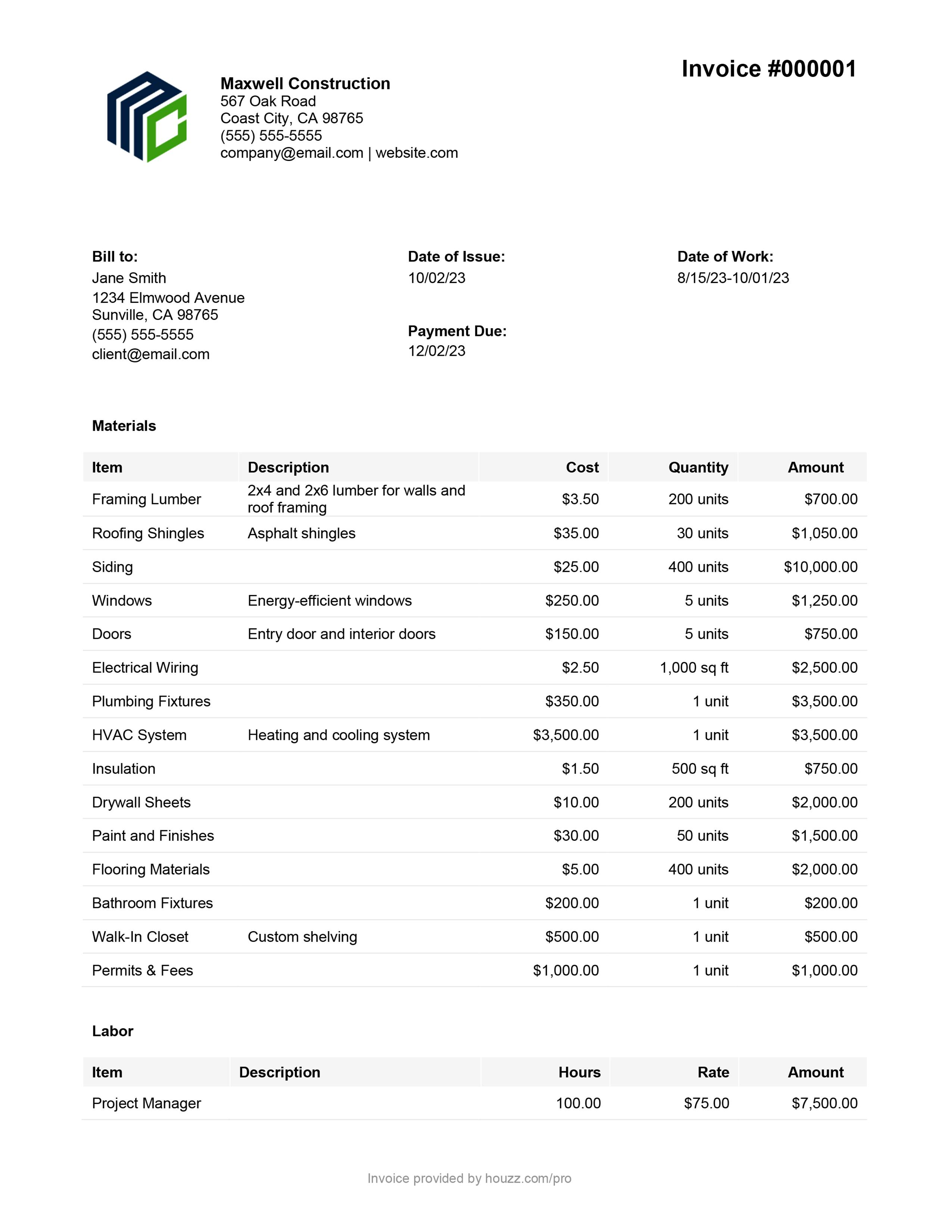










Blank Contractor Invoice Template Excel Overview
You just pasted a big list into Excel and now half the rows are empty, so you need to excel remove blank rows quickly. You can start by using Excel’s filter to hide blank rows, which is the first step in excel remove blank rows.
First, select your data range and turn on the filter from the Data tab; then click the drop‑down arrow on any column header and uncheck the blank option to hide them. After you filter, you can delete the hidden rows, or copy the visible rows to a new sheet to finish the delete empty rows excel cleanup.
How to excel remove blank rows and keep data tidy
When you paste a large list into Excel, many rows can appear empty because of trailing spaces or hidden cells. Turning on the filter lets you hide those rows instantly. Using filter blank rows gives a quick visual check of which rows are truly blank.
After filtering, you have two options: delete the hidden rows or copy the visible rows to a new sheet. Both give a dataset without empty lines, which makes sorting and charting smoother. The delete empty rows excel command can be added to a toolbar for fast access.
If you prefer a one‑click delete, select the filtered rows, right‑click and choose Delete Rows, or use the Delete key after selecting the entire range.
If you work with a table, convert the range first; tables update automatically and keep blank rows out of future imports.
What you need before you start (Excel version and account)
The filter method works in Excel 2016 and newer, including Excel for Microsoft 365 and Excel 2019. If you are on an older version, you can still hide rows manually, but the built‑in filter arrow will not appear. Make sure the file is a workbook (.xlsx) and not protected, because protection blocks row deletion.
Before deleting, turn on the filter from the Data tab. In a Microsoft 365 corporate account, an admin may have disabled the filter. Ask the administrator to enable it or copy the data to a personal workbook where you have control.
If the filter still shows blank rows, check for hidden columns that contain data; unhide them before filtering to ensure all empty rows are detected.
For very large sheets, consider splitting the data into multiple workbooks; each smaller file loads faster and reduces filter lag.
Step‑by‑step method to delete empty rows
Use the filter to hide blank rows, then delete them in Excel quickly.
- Select any cell in your data range and click Filter on the Data tab to show dropdown arrows.
- Click a column dropdown, scroll to the bottom, and uncheck the blank option; repeat for any other column you want to filter.
- Excel will hide rows with no data in the selected columns. Verify that only the rows you need remain visible.
- To delete the hidden rows, select the row numbers, right‑click and choose Delete Rows, or press Delete after selecting the entire row range.
- If you prefer not to delete, copy the visible rows to a new sheet by selecting, copying, and pasting them into a blank workbook for backup.
Save the workbook to keep the changes. Your data now contains only rows with actual content.
Why it may not work and what to check
If blank rows still appear after filtering, check these common causes in Excel quickly before trying other methods to save time.
- Make sure the column you filter actually contains data; an empty column will not show the blank option.
- Verify the filter dropdown arrow is visible; a missing arrow means the filter is disabled for that sheet.
- If the workbook is protected, you cannot delete rows; unprotect it via the Review tab before proceeding.
- Trailing spaces can hide data from the filter; run trim whitespace excel on the column to remove them.
- Hidden columns may contain data; unhide them before filtering so the blank rows become visible and can be removed.
After fixing the issue, run the filter again to confirm no blank rows remain, then save the file.
If you still see blank rows, try sorting the column; sorted order often reveals hidden empty cells that the filter missed.
Safer alternative and how to prevent blank rows next time
A more durable way to excel remove blank rows is to convert your range into an Excel table. Tables automatically expand when you add data and have a built‑in filter that shows only non‑blank rows, so you never have to repeat the cleanup process.
To avoid blank rows in the first place, clean the source data before pasting: use Find & Select > Replace to remove extra spaces, then paste into the sheet. After pasting, run the Remove Blank Cells command from the Home tab to purge any lingering empty rows. Keeping a table and refreshing its data range also prevents stray blank lines from reappearing.
Flag blanks in a helper column, filter, and delete rows in one step.
Menus can look a bit different depending on your Excel version, so if something doesn’t match the screenshots just hunt for the similar command. You can also browse other quick Office tips for more handy tricks.
If this helped, feel free to bookmark the page for the next time you need to clean up blank rows.
Related: Bathroom Remodeling Contractor Essential Guide
I was standing in my bathroom, staring at the dated tiles and worn-out fixtures, when it hit me: it's time for a renovation! I started thinking about finding a bathroom remodeling contractor and all the possibilities that come with it. So, here's a little guide to help you navigate this exciting process.
What's a Bathroom Remodeling Contractor?
A bathroom remodeling contractor is your go-to expert for transforming your bathroom into a stylish and functional space. They handle everything from design to construction, ensuring your vision becomes a reality. It's like having a personal bathroom makeover team!
The Cost Factor
When it comes to costs, it's a bit of a wild card. Prices can vary widely depending on the scope of your project. A simple update might be more affordable, while a full-scale renovation could be a bigger investment. It's all about balancing your dream bathroom with your budget.
Finding the Right Contractor
Hiring a bathroom remodeling contractor is a big decision. You want someone reliable, experienced, and aligned with your vision. Check their past projects, ask for references, and ensure they have the necessary licenses and insurance. It's also a good idea to get multiple quotes to compare prices and services.
Naming Your Business
If you're in the construction business, choosing a catchy name is crucial. It should be memorable and reflect your services. Some ideas could be:
- Build-it-Right Construction
- Renovate & Revive
- Home Transformation Team
- Modern Bath Solutions
Remember to check name availability and secure your domain and local registration.
Construction Jobs and Salaries
The construction industry offers a range of roles, from estimators to project managers. Salaries can vary based on experience and the specific job. If you're looking for opportunities, check online job boards and local construction companies. It's a great field with plenty of growth potential.
Tools of the Trade
In the world of construction, tools like RSMeans can be a game-changer. It's a cost database that helps contractors estimate project expenses accurately. It's a valuable resource for both small and large-scale projects.
The Big Picture
The construction industry is diverse, with companies of all sizes. Larger firms often have more resources and can take on bigger projects, while smaller companies might offer more personalized service. It's all about finding the right fit for your needs.
Local Connections
When it comes to bathroom remodeling contractors, local knowledge can be a plus. They understand the unique challenges and regulations of your area. For example, in Atlanta, you might need to consider specific building codes. It's always a good idea to check with your local building department for any specific requirements.
So, there you have it! A little insight into the world of bathroom remodeling contractors. It's an exciting process, and with the right team, you can create a bathroom that's truly yours.
Related: General Contractor Names Essential Guide
"Hmm, I need to find a good general contractor for my home renovation. Any ideas on where to start?"
Understanding General Contractor Names
When you're planning a construction project, whether it's a new build or a renovation, one of the first steps is finding the right general contractor. General contractor names can be a bit of a mystery, but it's an important part of the process. These names are like a window into the company's identity and can give you a sense of their expertise and reputation.
So, how do you go about finding and choosing the right one? Well, it's not just about the name, but what it represents. A good general contractor will have a solid team, the right skills, and a track record of successful projects.
Choosing the Right Contractor
When you're searching for a general contractor, it's essential to do your research. Look for companies with a strong online presence and read reviews from previous clients. Check their portfolio to see if they've worked on similar projects to yours. You want to ensure they have the necessary experience and can handle the scope of your job.
Ask for references and contact previous clients to get an honest opinion on the contractor's work. It's also a good idea to meet with the contractor in person to discuss your project and get a feel for their communication style and approach.
Pricing and Quotes
One of the biggest concerns when hiring a general contractor is the cost. Pricing can vary greatly depending on the scope of the project, materials, and labor costs. It's crucial to get several written quotes to compare and ensure you're getting a fair deal.
When comparing quotes, look beyond the bottom line. Consider what's included in the price, the timeline, and any potential hidden costs. A detailed, itemized quote is often a good indicator of a professional and transparent contractor.
Naming Your Construction Business
If you're in the construction business, choosing a name for your company is a big decision. It's your brand and can impact how potential clients perceive you. A good name should be memorable, unique, and reflect your company's values and services.
Here are a few name ideas to get you started:
- BuildCraft
- HomeRemodel Pros
- Constructive Solutions
- Renova
- The Build Team
- Crafted Spaces
Remember, before settling on a name, check its availability for domains and local registration to avoid any legal issues down the line.
Industry Tools and Data
In the construction industry, tools like RSMeans can be valuable resources. RSMeans provides cost data and estimating tools, helping contractors and clients understand the financial aspects of a project. It's a great way to ensure accurate pricing and manage expectations.
The Construction Industry
The construction industry is diverse, with companies of all sizes. Larger firms often have the resources to take on bigger projects and may specialize in certain areas. Smaller companies can offer a more personalized service and may be more flexible with pricing.
Wrapping Up
Finding the right general contractor is a crucial step in any construction project. It's all about research, comparing quotes, and understanding what you want and need. Remember, the name is just the beginning; it's the company's reputation and expertise that truly matter.
So, take your time, do your due diligence, and you'll be on your way to a successful construction project. Good luck!