
Clean Dog Walking Invoice Template Doc Overview
A dental chart dog is a handy tool for anyone dealing with canine dental health. It's a simple yet effective visual guide, offering a quick reference to understand a dog's teeth. This guide will walk you through the basics, covering what these charts reveal and how to interpret them accurately.
You'll find these charts useful for identifying teeth, understanding their development, and even getting insights into common dental issues. While the specifics may vary slightly depending on the source, the core information remains consistent, providing a reliable framework for dog owners and professionals alike.
What is a Dental Chart Dog?
A dental chart dog is a reference tool used by veterinarians and dog owners to understand and identify a dog's teeth. It provides a visual representation, often in the form of a diagram or table, that helps locate and name each tooth in a dog's mouth. This chart is an essential guide for anyone involved in canine dental care, offering a quick and easy way to identify teeth and their positions.
Key Details and Categories
The dental chart dog typically displays a comprehensive layout of a dog's dentition, including both permanent and deciduous (baby) teeth. It often follows a standard tooth notation system, which uses specific symbols or letters to represent different teeth. For instance, 'I' might represent incisors, 'C' for canines, and 'PM' for premolars. Additionally, the chart may include information on the tooth's position in the mouth, its side (left or right), and sometimes even its specific quadrant. It's important to note that while there are international standards, slight variations in notation and layout may exist between different veterinary organizations or regions.
How to Read and Apply the Chart
Reading a dental chart dog is straightforward:
- Identify the tooth symbol or notation on the chart. For example, 'I' for incisors.
- Locate the corresponding tooth in your dog's mouth based on the chart's visual guide or written description.
- Note any issues or abnormalities, such as missing, damaged, or misaligned teeth, and compare them to the standard layout on the chart.
- Record the findings for future reference or to share with your veterinarian.
Variations and Differences
Variations in dental chart dog standards can occur due to several factors. Different veterinary associations or regions may have their own specific tooth notation systems and layouts. Additionally, the chart's design might vary depending on the breed of dog it is intended for, as tooth structure and positioning can differ between breeds. For instance, a chart designed for a small breed like a Chihuahua might have a different layout compared to one for a large breed like a Great Dane. It's crucial to ensure you are using the correct chart for your dog's breed and that you understand the specific notation system it employs.
Common Mistakes and How to Avoid Them
One common mistake is using the wrong dental chart dog for your dog's breed, which can lead to incorrect tooth identification. Always ensure you have the appropriate chart for your dog's breed and that you understand the specific notation system it uses. Another pitfall is failing to account for individual variations within a breed. While charts provide a standard layout, individual dogs may have slightly different tooth positions or structures. Regular dental check-ups with a veterinarian can help identify and address any abnormalities. Finally, remember that dental chart dogs are tools for identification and reference. They should not replace professional veterinary advice or treatment. If you notice any dental issues, consult a veterinarian for proper diagnosis and care.
Well, there you have it! A handy dental chart dog guide to keep things simple and clear. Remember, when it comes to these charts, it's important to ensure you're using the right one for your specific needs. Exact values and details can vary, so always double-check the relevant standards or guidelines for your context.
Consider bookmarking this page for future reference. It's a quick and easy way to ensure you have the right info at your fingertips when you need it most. Happy charting!
Related: A Simple Dog Growth Chart Guide
A common misconception about dog growth charts is that they are solely for show, a decorative element on a vet's wall. In reality, these charts are practical tools, offering valuable insights into your dog's development.
While the values and formats may vary, the purpose remains the same: to provide a quick reference guide for pet owners and professionals alike. With a dog growth chart, you can track your furry friend's progress, ensuring they are on a healthy growth trajectory. It's a simple yet effective way to monitor their well-being, especially during those crucial early months.
Understanding Dog Growth Charts
Dog growth charts are a handy tool for pet owners to monitor their furry friend's development. These charts provide a visual representation of a dog's growth journey, offering insights into their weight, height, and overall progress.
Key Details and Categories
The dog weight chart typically includes two main axes: one for age and another for weight or height. Age is often measured in weeks or months, while weight is in pounds or kilograms, depending on the standard used. Some charts also include height measurements, usually in inches or centimeters. It's essential to know your dog's breed and age to choose the right chart and interpret the data accurately.
Reading and Applying the Chart
Here's a step-by-step guide to using a dog growth chart:
- Identify your dog's breed and age. Different breeds have unique growth patterns, so ensure you're using the correct chart.
- Locate your dog's age on the chart's horizontal axis.
- Find the corresponding weight or height range on the vertical axis.
- Compare your dog's actual weight or height with the chart's values. If they fall within the range, your dog is likely growing as expected.
- Track your dog's progress over time by marking their weight or height on the chart regularly. This helps identify any deviations from the average growth rate.
Variations and Differences
It's important to note that dog growth charts are general guidelines and may not apply to every dog. Several factors can influence a dog's growth, leading to variations:
- Breed: Different breeds have distinct growth patterns and sizes.
- Gender: Male and female dogs may have slightly different growth trajectories.
- Nutrition: A dog's diet and overall health play a significant role in their growth.
- Environment: Factors like exercise and living conditions can impact development.
- Individual variations: Just like humans, dogs can have unique growth rates and milestones.
Common Mistakes and How to Avoid Them
When using a dog growth chart, avoid these common pitfalls:
- Relying solely on the chart: While charts provide valuable insights, they are not a substitute for professional advice. Consult a veterinarian if you have concerns about your dog's growth.
- Ignoring individual variations: Every dog is unique. Don't compare your dog's growth directly to another dog's; focus on their personal progress.
- Using the wrong chart: Ensure you select a chart specific to your dog's breed and age group.
- Overinterpreting data: Growth charts offer a general overview; they may not capture all nuances of a dog's development.
- Neglecting regular check-ups: Schedule routine visits to the vet to monitor your dog's overall health and growth accurately.
Remember, dog growth charts are a tool to assist, not a strict rulebook. Stay vigilant, and enjoy watching your furry companion grow and thrive!
So, there you have it, a handy guide to understanding your dog's growth and keeping track of their development. Remember, while these charts provide a great reference, every dog is unique, and growth rates can differ. It's always a good idea to consult your vet for personalized advice.
Before you go, make sure to check the specific standards and guidelines relevant to your breed and region. There's a wealth of information on our site to explore, so feel free to browse and discover more practical guides and fun reads!
Related: remove duplicates excel Easy guide for clean data
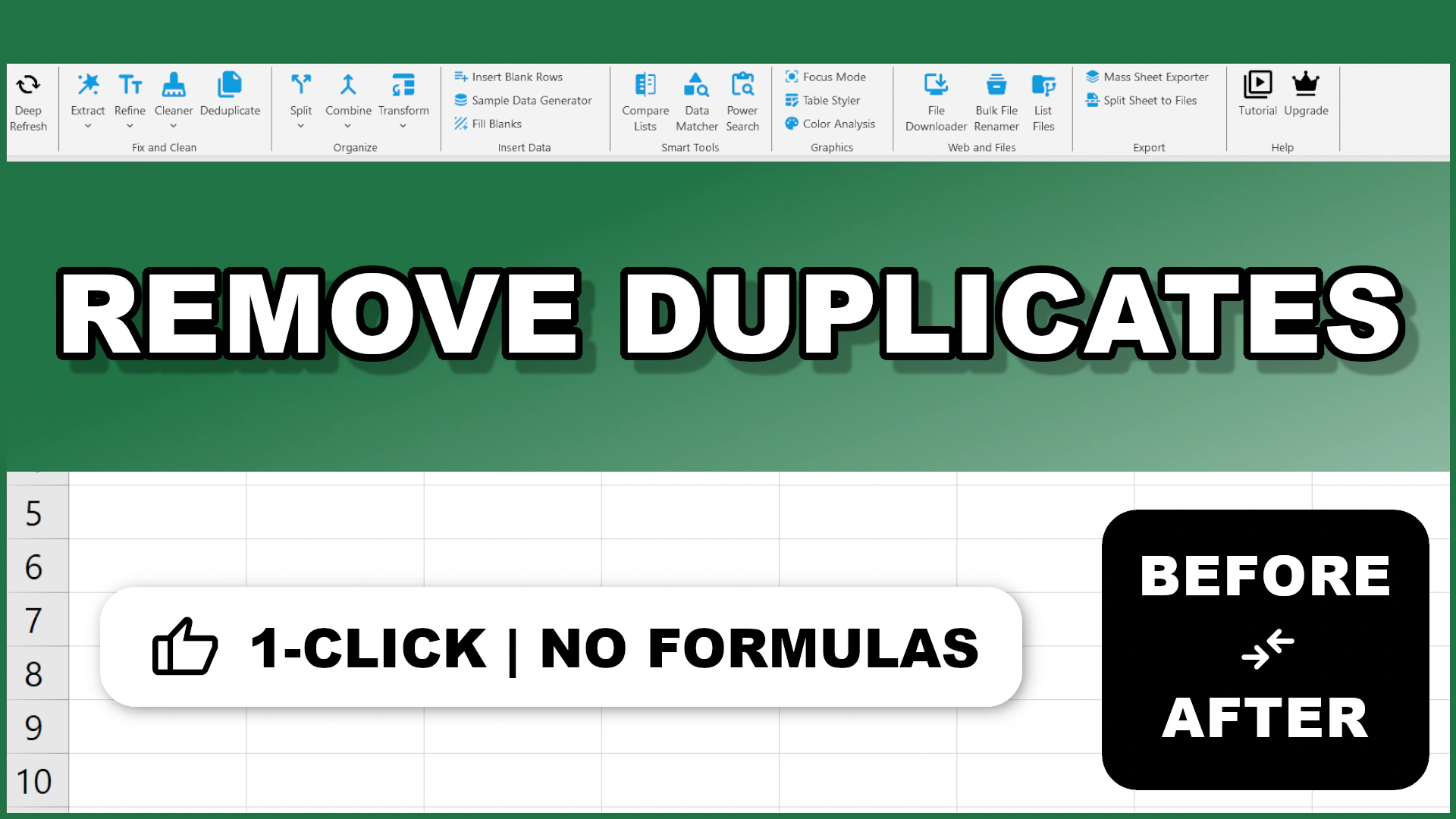
Ugh, duplicates in Excel. We've all been there, staring at a massive spreadsheet with rows and rows of data, only to realize there are multiple entries for the same thing. Remove duplicates Excel to the rescue! Let's get into how this handy feature works and why it's a lifesaver for anyone dealing with data.
So, you've got your Excel sheet open, and it's a mess of similar entries. Maybe it's a list of contacts, products, or sales data, and you need to clean it up. The "Remove Duplicates" feature is like a magic wand, but it's not as simple as clicking a button. You've got to set it up right to get the results you need.
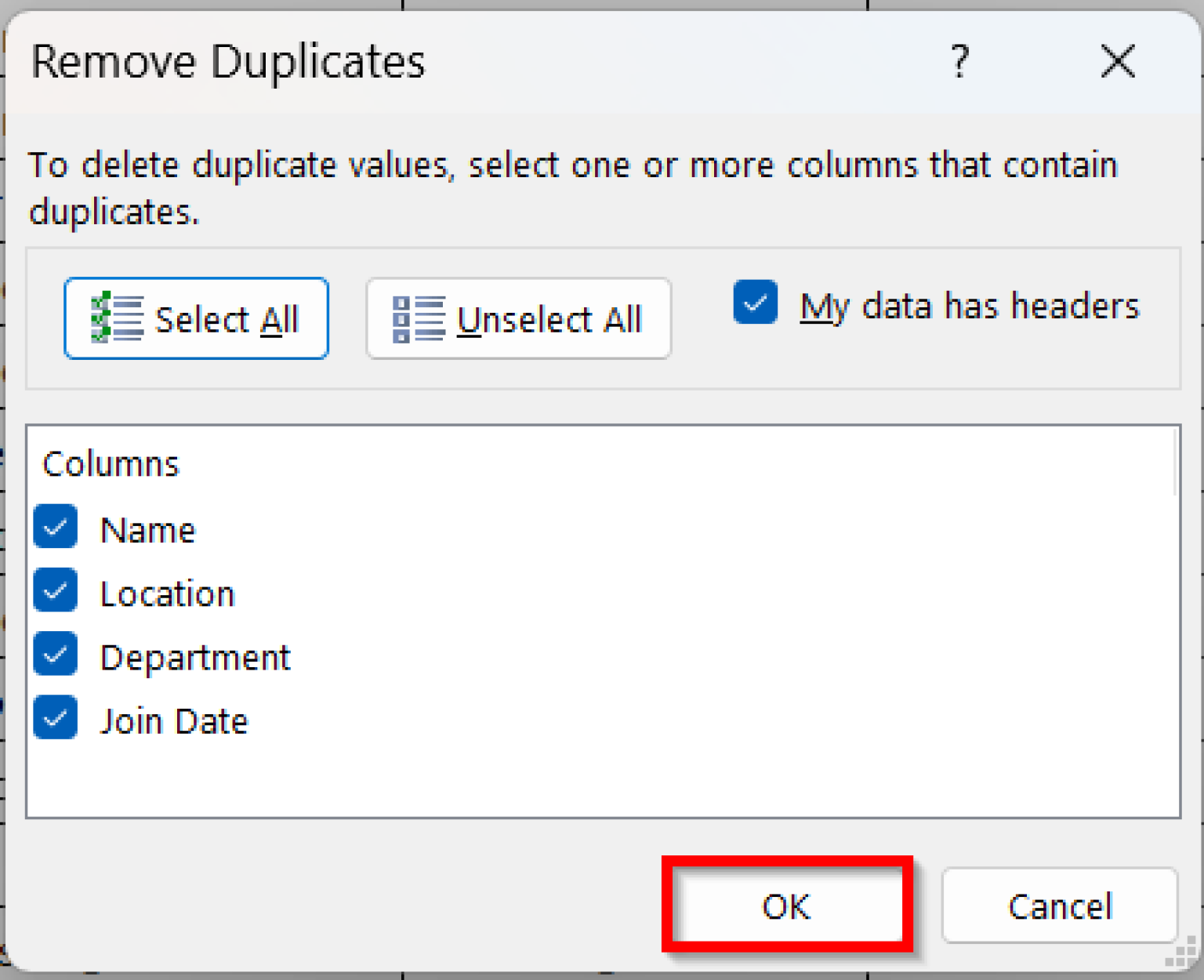
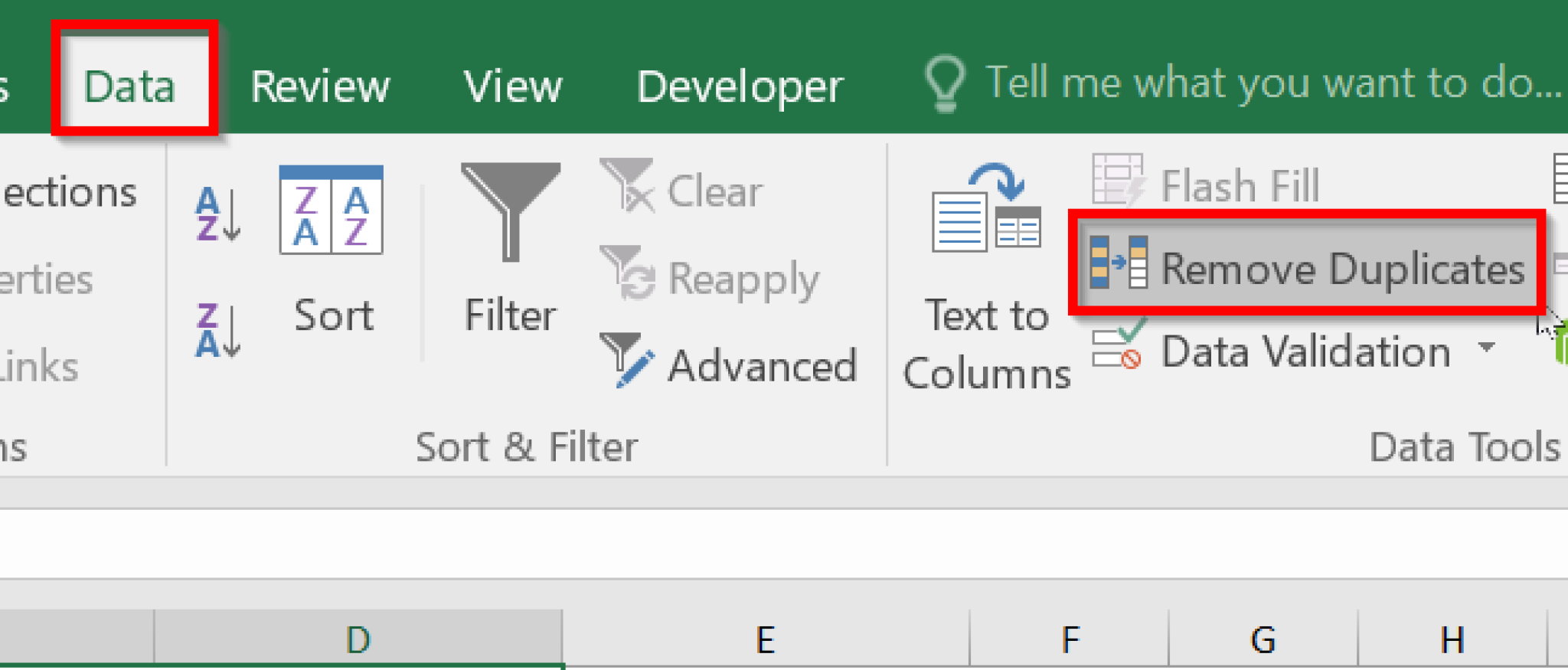
First, let's talk about how Excel identifies duplicates. It looks at the values in the cells and compares them. But here's the catch: by default, it only checks the active column. So, if you have duplicate entries across multiple columns, you need to tell Excel which columns to consider. You do this by selecting the range of cells you want to check, then heading to the "Data" tab and clicking "Remove Duplicates." A pop-up will appear, showing you the columns Excel will check. Make sure to select all the relevant columns, and voila! You're on your way to a cleaner sheet.
Setting it Up: A Step-by-Step Guide
Now, let's get into the nitty-gritty. After selecting your range, click "Remove Duplicates," and that pop-up will appear. Here, you can choose which columns to check. But be careful! If you have multiple columns with similar data, Excel might remove entries you want to keep. For example, if you have a contact list with names and email addresses, and someone has the same name but a different email, Excel might see it as a duplicate and remove one entry. To avoid this, you can use a formula like =IF(ISERROR(MATCH(B2,$B$2:$B$100,0)),"","Duplicate") in a helper column. This formula checks if the email address in column B is a duplicate within the range B2 to B100. If it is, it returns "Duplicate"; otherwise, it leaves the cell blank. This way, you can easily identify and keep the entries you need.
Another tip: before removing duplicates, consider using conditional formatting to highlight potential duplicates. This way, you can visually inspect the data and make sure you're not losing important entries. Excel's "Conditional Formatting" feature lets you format cells based on their values, so you can quickly spot and address any issues.
Keeping Your Data Clean
Maintaining a tidy spreadsheet is crucial, and remove duplicates Excel is just one tool in your belt. Regularly review and clean your data to avoid messy formatting and broken cells. Use Excel's built-in tools like SUMIFS for quick calculations and XLOOKUP for finding specific values. These formulas, along with drop-down lists and other features, can keep your sheet organized and efficient.
In a nutshell, remove duplicates Excel is a powerful feature, but it's just one part of the Excel toolkit. With a bit of practice and these tips, you'll be a pro at managing your data and keeping your spreadsheets shipshape. So, next time you open that massive contact list, remember these tricks and tackle those duplicates like a boss!