
Clean Electrician Invoice Template Overview
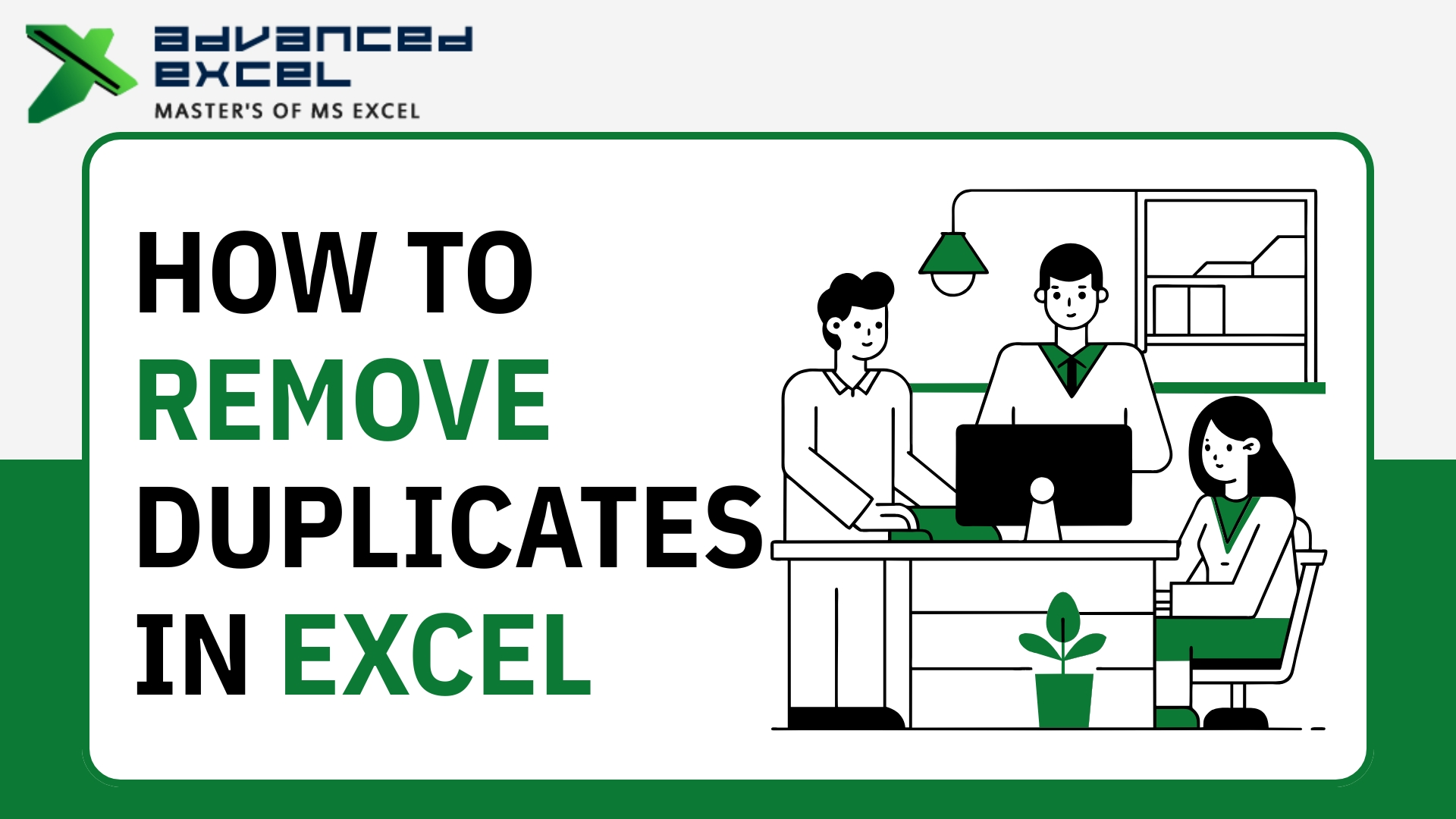
Ugh, duplicates in Excel. We've all been there, staring at a massive spreadsheet with rows and rows of data, only to realize there are multiple entries for the same thing. Remove duplicates Excel to the rescue! Let's get into how this handy feature works and why it's a lifesaver for anyone dealing with data.
So, you've got your Excel sheet open, and it's a mess of similar entries. Maybe it's a list of contacts, products, or sales data, and you need to clean it up. The "Remove Duplicates" feature is like a magic wand, but it's not as simple as clicking a button. You've got to set it up right to get the results you need.
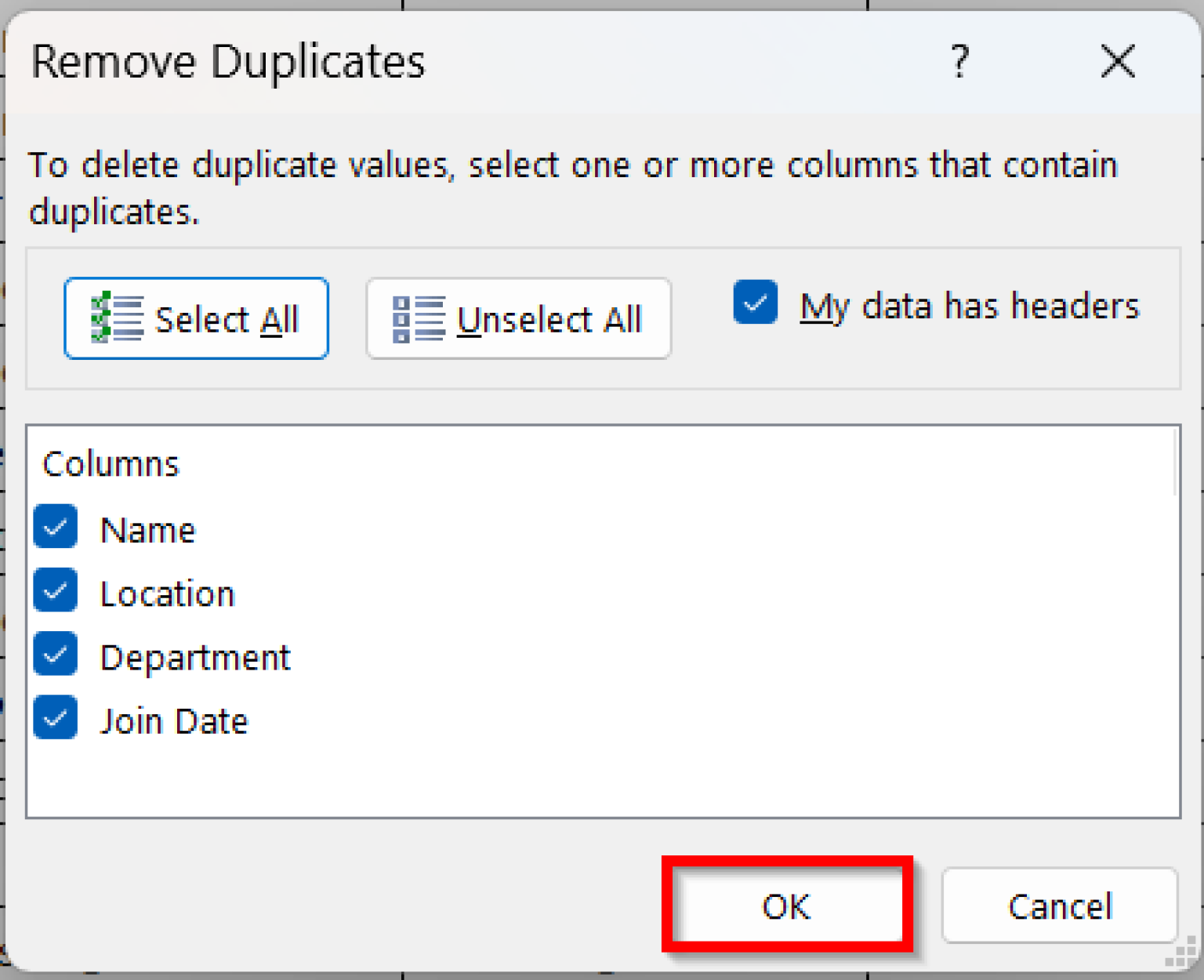
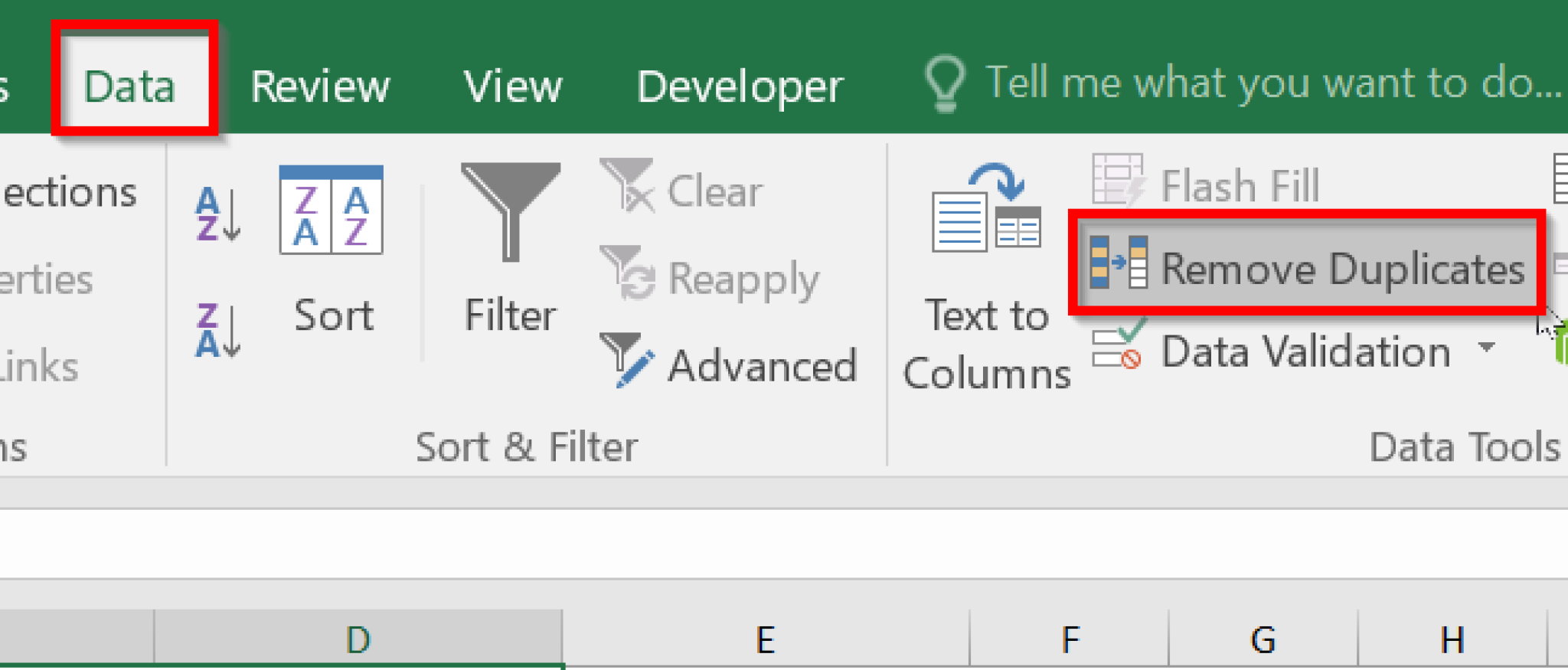
First, let's talk about how Excel identifies duplicates. It looks at the values in the cells and compares them. But here's the catch: by default, it only checks the active column. So, if you have duplicate entries across multiple columns, you need to tell Excel which columns to consider. You do this by selecting the range of cells you want to check, then heading to the "Data" tab and clicking "Remove Duplicates." A pop-up will appear, showing you the columns Excel will check. Make sure to select all the relevant columns, and voila! You're on your way to a cleaner sheet.
Setting it Up: A Step-by-Step Guide
Now, let's get into the nitty-gritty. After selecting your range, click "Remove Duplicates," and that pop-up will appear. Here, you can choose which columns to check. But be careful! If you have multiple columns with similar data, Excel might remove entries you want to keep. For example, if you have a contact list with names and email addresses, and someone has the same name but a different email, Excel might see it as a duplicate and remove one entry. To avoid this, you can use a formula like =IF(ISERROR(MATCH(B2,$B$2:$B$100,0)),"","Duplicate") in a helper column. This formula checks if the email address in column B is a duplicate within the range B2 to B100. If it is, it returns "Duplicate"; otherwise, it leaves the cell blank. This way, you can easily identify and keep the entries you need.
Another tip: before removing duplicates, consider using conditional formatting to highlight potential duplicates. This way, you can visually inspect the data and make sure you're not losing important entries. Excel's "Conditional Formatting" feature lets you format cells based on their values, so you can quickly spot and address any issues.
Keeping Your Data Clean
Maintaining a tidy spreadsheet is crucial, and remove duplicates Excel is just one tool in your belt. Regularly review and clean your data to avoid messy formatting and broken cells. Use Excel's built-in tools like SUMIFS for quick calculations and XLOOKUP for finding specific values. These formulas, along with drop-down lists and other features, can keep your sheet organized and efficient.
In a nutshell, remove duplicates Excel is a powerful feature, but it's just one part of the Excel toolkit. With a bit of practice and these tips, you'll be a pro at managing your data and keeping your spreadsheets shipshape. So, next time you open that massive contact list, remember these tricks and tackle those duplicates like a boss!
Related: Unraveling the DVC Points Chart: A Simple Guide
A DVC points chart is a handy tool for Disney Vacation Club members, offering a clear and concise way to visualize and understand their points system. This guide will take you through the essentials, covering what you need to know to navigate and utilize the DVC points chart effectively.
It's a simple yet powerful resource, providing an at-a-glance overview of your points and their potential, with variations depending on your region and membership type.
Understanding the DVC Points Chart
The DVC points chart is your guide to navigating the Disney Vacation Club (DVC) points system. It's a handy tool that helps you understand the value of your DVC points and how they can be used across different Disney resorts and accommodations. This chart is a reference for members to plan their vacations and make the most of their points.
Comparing Point Values and Categories
The DVC points chart typically displays point values for various Disney properties, categorized by resort and room type. You'll find columns for different resorts, with rows indicating the point cost for each room category. These categories might include standard rooms, preferred rooms, or even villas, each with its own point value. It's important to note that point values can vary based on the resort's location, amenities, and demand.
Reading the Points Chart: A Step-by-Step Guide
Start by identifying the resort you're interested in. Each resort will have its own column on the chart. Next, locate the specific room category you prefer. The corresponding point value will be displayed in that cell. For example, if you want a standard room at Resort A, find "Resort A" on the chart, then look for the "Standard Room" category. The point value in that cell is what you'll need for your stay. Remember, these points are flexible and can be used across different resorts, so you have options!
Avoiding Common Misreadings
One common pitfall is assuming that all resorts and room types have the same point values. This is not the case; each resort's point values are unique. Another mistake is not considering the time of year. Point values can fluctuate based on seasonality and demand, so always check the chart for the specific dates you're planning to travel. It's also important to note that the DVC points chart may not cover every single resort or room type. Some specialty accommodations or unique experiences might have their own point values, so it's wise to double-check with Disney or a DVC guide for these exceptions.
Factors Affecting Point Variations
Point values on the DVC points chart can vary due to several factors. Here are some key influences:
- Resort Location: Resorts in high-demand areas, like popular theme park locations, often have higher point values.
- Seasonality: Point costs can increase during peak travel seasons, such as school holidays or summer months.
- Room Amenities: Rooms with special features, like a balcony or a better view, may require more points.
- Resort Facilities: Resorts with extensive amenities, like water parks or multiple dining options, might have higher point values.
- Room Size and Capacity: Larger rooms or those accommodating more guests usually require more points.
Adapting the Chart for Your Needs
While the standard DVC points chart is a great starting point, you might need to adapt it for your specific vacation plans. Here are some tips:
- If you're planning a large family vacation, consider the room's capacity and ensure it aligns with your needs.
- For a more luxurious stay, look for resorts with higher-end amenities and check their point values.
- If you're flexible with dates, you can save points by choosing off-peak travel periods.
- Use a DVC points calculator or consult a Disney points conversion guide to estimate the points needed for your desired resort and room type.
- Keep an eye on vacation club points charts for any updates or changes, especially if you're planning far in advance.
Well, there you have it! A comprehensive guide to navigating the world of DVC points. We've covered the basics, compared the options, and provided a step-by-step process to ensure you're on the right track.
Remember, every situation is unique, so be sure to tailor these insights to your specific needs. Double-check the factors that impact your context, and you'll be well on your way to making informed decisions. This chart is a handy reference, so bookmark this page for future use. It's always good to have a quick reminder when you need it!
Related: What's the Right Pillow Size for You?
Many people assume that pillow sizes are a one-size-fits-all affair, but that's not the case! A pillow size chart is your go-to resource for understanding the diverse world of pillow dimensions. It's a simple yet powerful tool, offering a quick glance at the various sizes and their intended uses. From standard pillow dimensions to specialty sizes, this chart ensures you find the perfect fit for your needs.
Pillow Size Chart: A Quick Overview
A pillow size chart is a handy reference tool that provides a clear and visual guide to the various dimensions of pillows. It's like a map to help you navigate the world of pillow sizes, ensuring you get the right fit for your needs. This chart is a valuable resource for anyone looking to buy new pillows or pillowcases, as it offers a quick and easy way to understand the standard sizes available.
Comparing Standard and Custom Sizes
The beauty of a pillow size chart is that it presents both standard and custom sizes in a simple format. Standard sizes are the most common and widely used, and they often follow specific measurements and categories. These sizes are consistent across many brands and manufacturers, making it easy to find matching pillowcases or covers. On the other hand, custom sizes offer more flexibility and can accommodate unique preferences or specific requirements. Custom sizes might be necessary for specialty pillows, such as those designed for travel or medical purposes.
Step-by-Step Guide to Using the Chart
Using a pillow size chart is straightforward and can save you time and effort when shopping for pillows. Here's a simple process:
- Identify the Type: First, determine the type of pillow you need. Common types include standard, queen, king, and travel-sized pillows.
- Locate the Size: Find the corresponding size on the chart. The chart typically displays width and length measurements for each size.
- Check the Dimensions: Compare the chart's dimensions with the pillow or pillowcase you need. Ensure you match the width and length accurately.
- Consider Depth: Some charts also provide depth measurements, which is especially useful for pillows with varying thicknesses.
- Choose Your Size: Once you've found the size that matches your needs, you're ready to make an informed purchase.
Avoiding Common Misreadings
While a pillow size chart is user-friendly, it's essential to avoid a few common pitfalls:
- Unit Confusion: Always check the units of measurement. Some charts use inches, while others might use centimeters. Ensure you're comparing like with like.
- Rounding Errors: Charts often provide rounded measurements for simplicity. Be aware that actual products might have slight variations, so always check the exact specifications if precision is critical.
- Size Labels: Pay attention to size labels. For example, a "standard" size might not always be the same across different charts or regions.
Factors Affecting Accuracy
Several key factors can influence the accuracy of a pillow size chart and its real-world application:
- Regional Differences: Pillow sizes can vary between regions and countries. For instance, a "king" size in the US might differ from a "king" in Europe.
- Manufacturer Variations: Even within a region, manufacturers might have slight variations in their standard sizes. Always check the brand's specifications.
- Pillow Type: Different pillow types, like decorative or orthopedic pillows, might have unique size categories.
- Materials: The materials used can affect the overall size and shape of a pillow, especially over time as it ages and settles.
Choosing the Right Format for Your Needs
When it comes to pillow size charts, one size doesn't fit all. Here are some tips for choosing the right format:
- Standard vs. Custom: If you're looking for a quick and easy solution, a standard size chart is ideal. However, for specialized needs, a custom size chart might be more suitable.
- Online vs. Physical: Online charts are convenient, but having a physical chart or reference guide can be handy when shopping in-store.
- Visual Aids: Some charts use visual representations, like images or diagrams, to show size differences. These can be especially helpful for visual learners.
Keeping Your Reference Reliable
To ensure your pillow size chart remains a reliable reference, consider the following:
- Update Regularly: Pillow size standards can evolve over time. Periodically check for updated charts to ensure you have the latest information.
- Multiple Sources: Cross-reference charts from different sources to verify the accuracy of the measurements.
- Manufacturer Guides: Many pillow manufacturers provide their own size guides. Refer to these for specific product lines.
- Personal Notes: If you have unique pillow requirements, make a note of the sizes you need and keep them with your chart for easy reference.
So, there you have it! A handy pillow size chart can be a real game-changer for getting the perfect fit and comfort. But remember, it's always a good idea to double-check your specific needs and measurements to ensure you're getting the right size for your bed and sleeping style.
Feel free to explore our other guides and resources on similar topics. We've got plenty of practical tips and tricks to help you create a cozy and comfortable sleep space. Happy snoozing!