

Clean Roofing Invoice Template Xlsx Overview
Ugh, duplicates in Excel. We've all been there, staring at a massive spreadsheet with rows and rows of data, only to realize there are multiple entries for the same thing. Remove duplicates Excel to the rescue! Let's get into how this handy feature works and why it's a lifesaver for anyone dealing with data.
So, you've got your Excel sheet open, and it's a mess of similar entries. Maybe it's a list of contacts, products, or sales data, and you need to clean it up. The "Remove Duplicates" feature is like a magic wand, but it's not as simple as clicking a button. You've got to set it up right to get the results you need.
First, let's talk about how Excel identifies duplicates. It looks at the values in the cells and compares them. But here's the catch: by default, it only checks the active column. So, if you have duplicate entries across multiple columns, you need to tell Excel which columns to consider. You do this by selecting the range of cells you want to check, then heading to the "Data" tab and clicking "Remove Duplicates." A pop-up will appear, showing you the columns Excel will check. Make sure to select all the relevant columns, and voila! You're on your way to a cleaner sheet.
Setting it Up: A Step-by-Step Guide
Now, let's get into the nitty-gritty. After selecting your range, click "Remove Duplicates," and that pop-up will appear. Here, you can choose which columns to check. But be careful! If you have multiple columns with similar data, Excel might remove entries you want to keep. For example, if you have a contact list with names and email addresses, and someone has the same name but a different email, Excel might see it as a duplicate and remove one entry. To avoid this, you can use a formula like =IF(ISERROR(MATCH(B2,$B$2:$B$100,0)),"","Duplicate") in a helper column. This formula checks if the email address in column B is a duplicate within the range B2 to B100. If it is, it returns "Duplicate"; otherwise, it leaves the cell blank. This way, you can easily identify and keep the entries you need.
Another tip: before removing duplicates, consider using conditional formatting to highlight potential duplicates. This way, you can visually inspect the data and make sure you're not losing important entries. Excel's "Conditional Formatting" feature lets you format cells based on their values, so you can quickly spot and address any issues.
Keeping Your Data Clean
Maintaining a tidy spreadsheet is crucial, and remove duplicates Excel is just one tool in your belt. Regularly review and clean your data to avoid messy formatting and broken cells. Use Excel's built-in tools like SUMIFS for quick calculations and XLOOKUP for finding specific values. These formulas, along with drop-down lists and other features, can keep your sheet organized and efficient.
In a nutshell, remove duplicates Excel is a powerful feature, but it's just one part of the Excel toolkit. With a bit of practice and these tips, you'll be a pro at managing your data and keeping your spreadsheets shipshape. So, next time you open that massive contact list, remember these tricks and tackle those duplicates like a boss!
Related: Construction Escalation Calculator Essential Guide
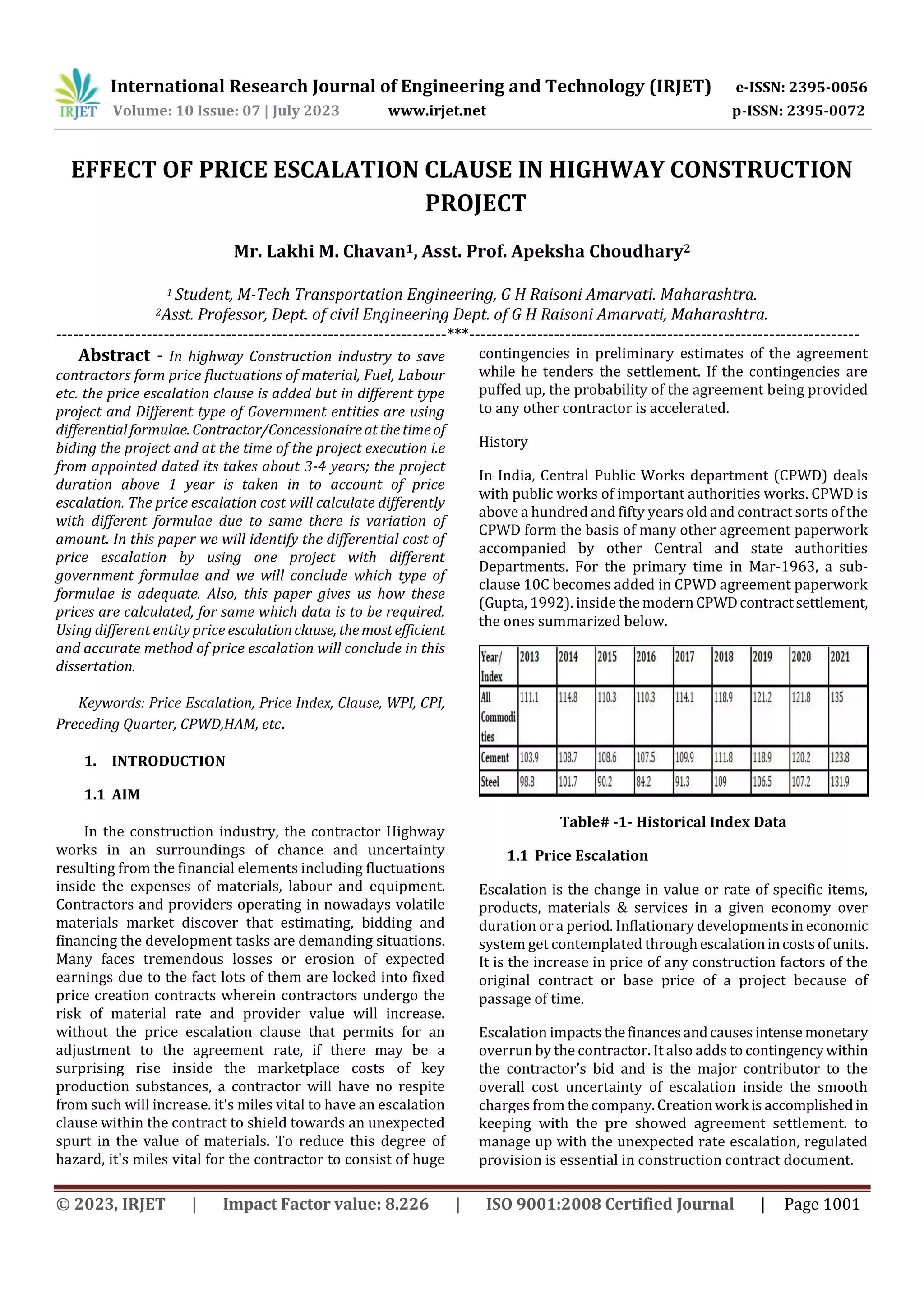
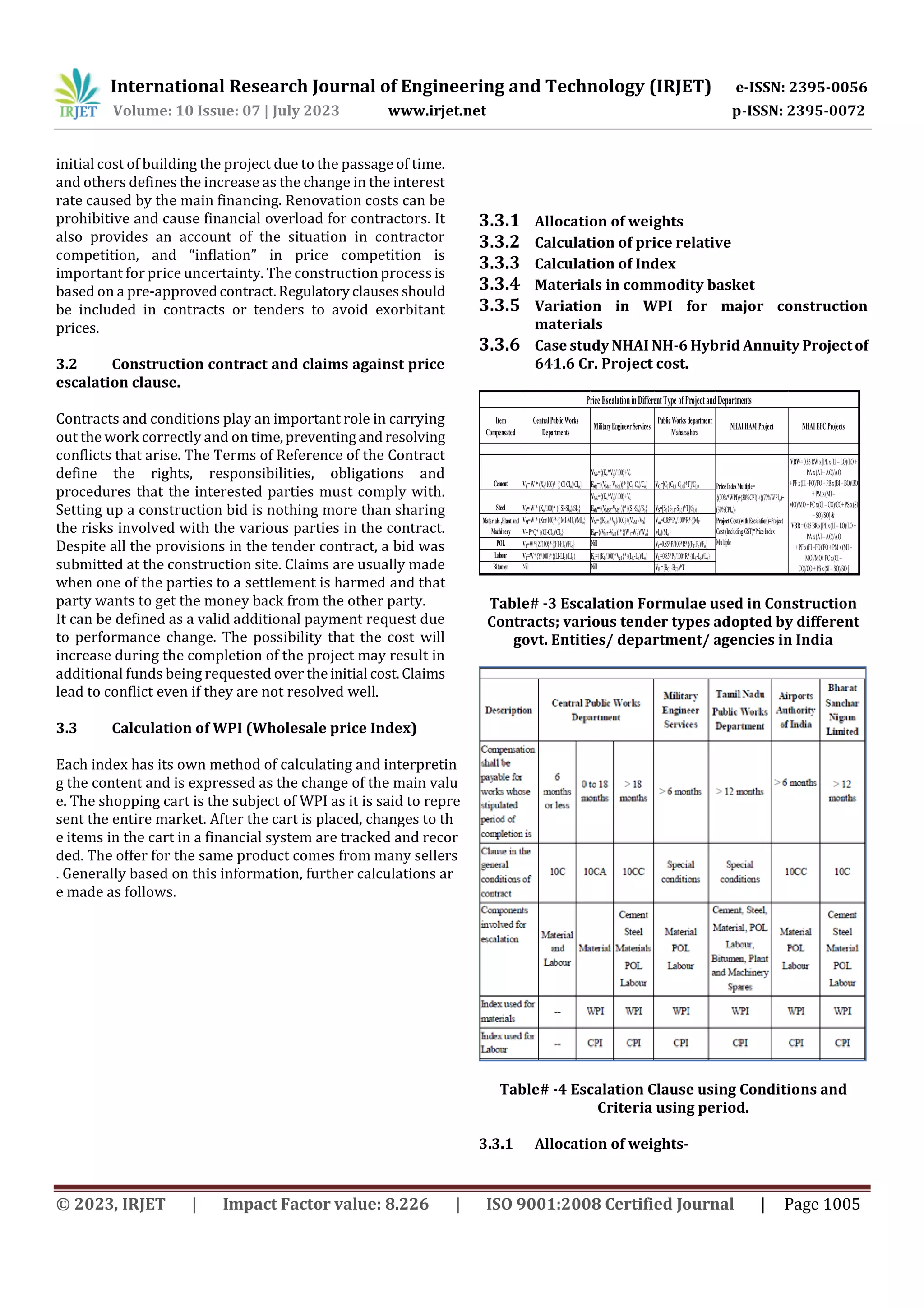
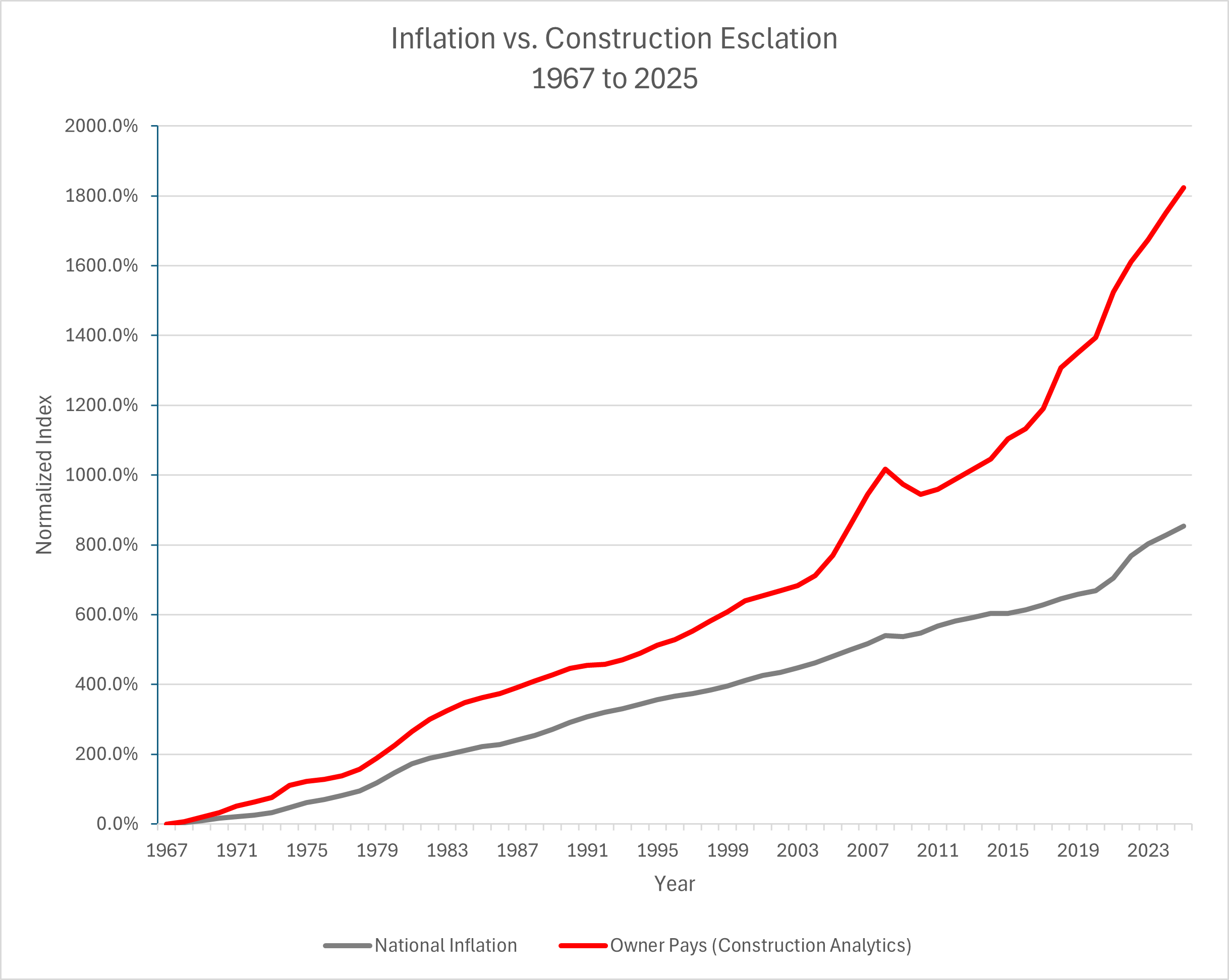
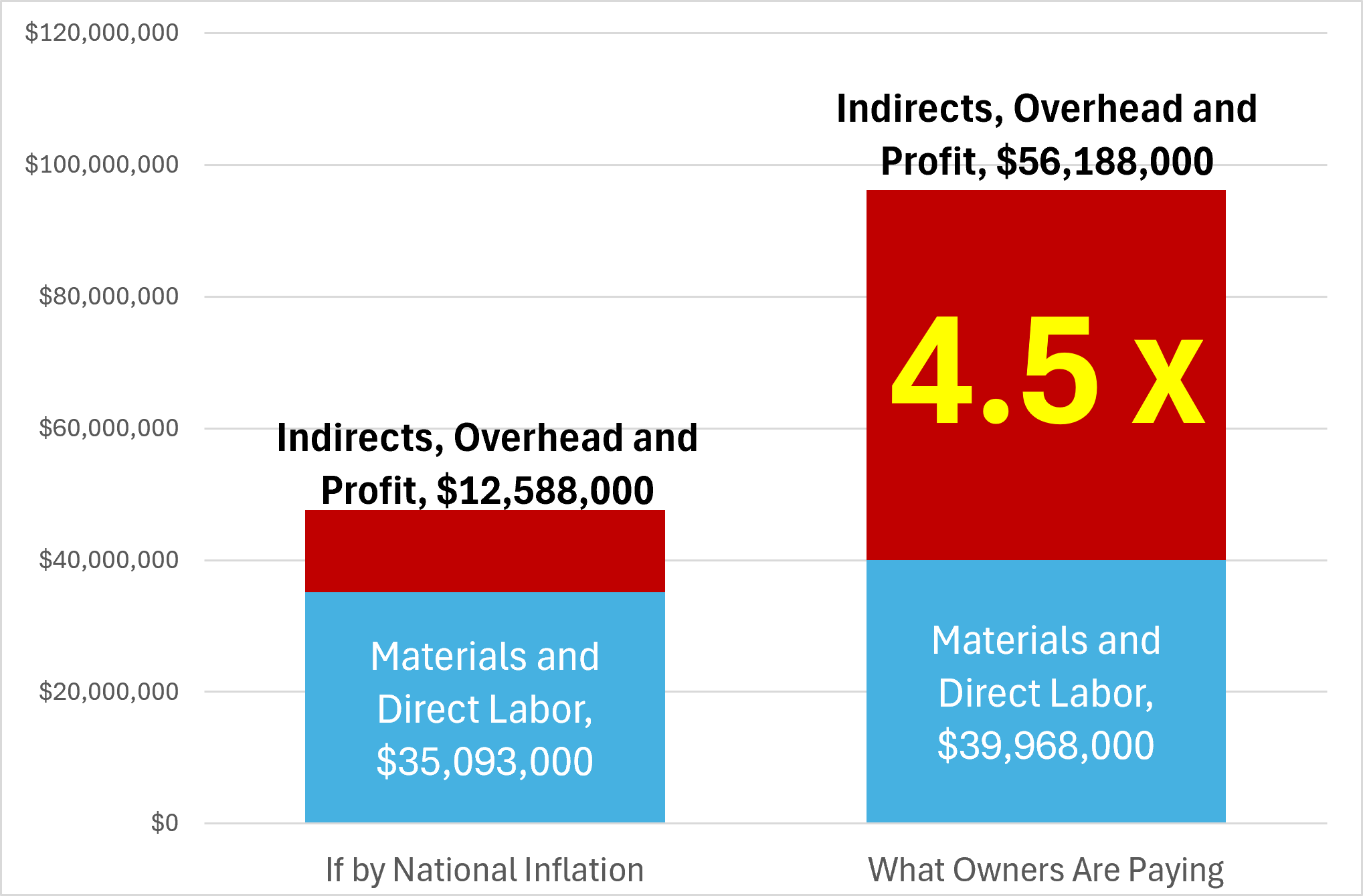
I've got a question for you: how do you keep track of those ever-changing construction costs? You know, the ones that seem to go up every time you turn around? Well, that's where the construction escalation calculator comes in handy! It's like a secret weapon for anyone in the building game, and I'm here to spill the beans on how it works.
Understanding Construction Escalation
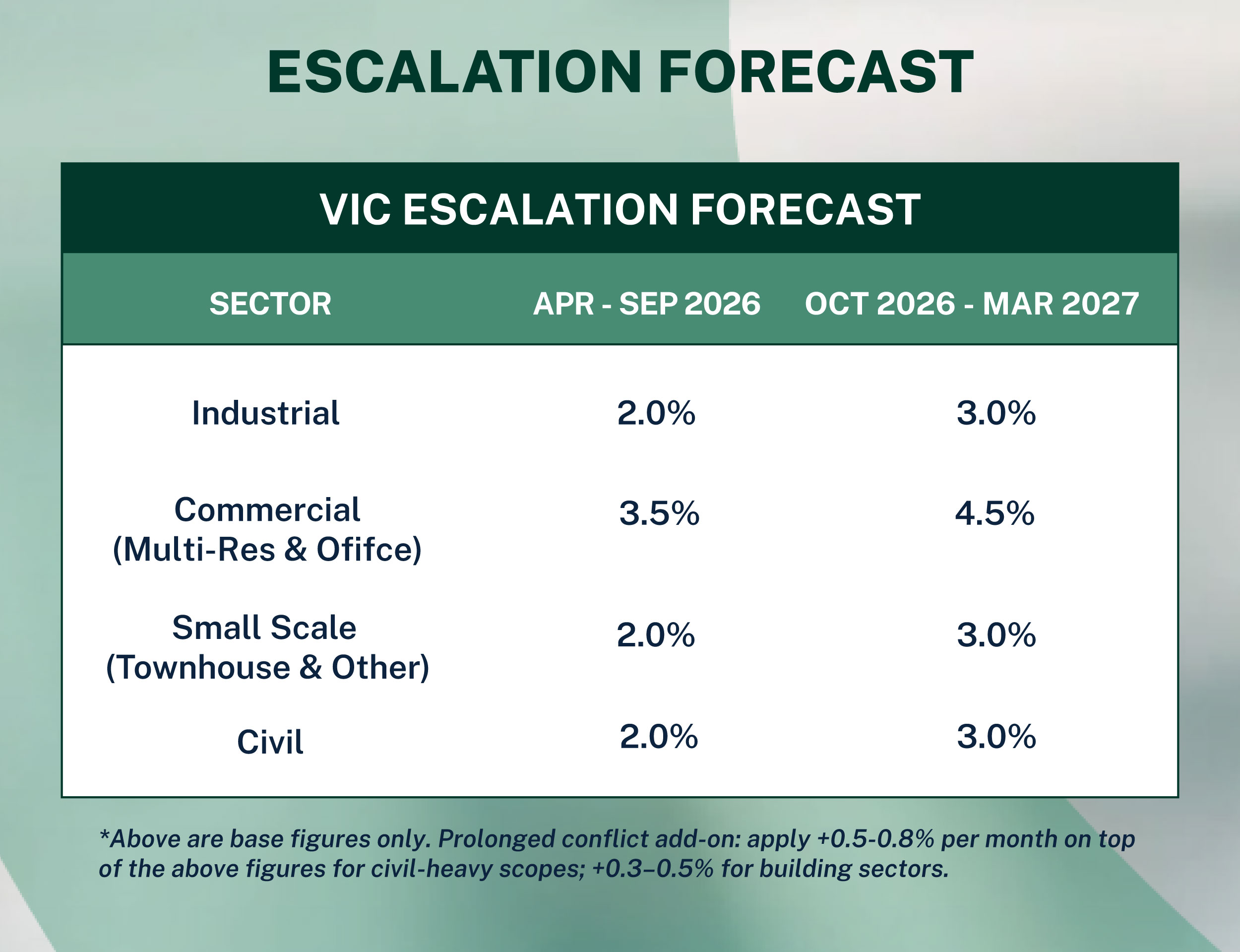
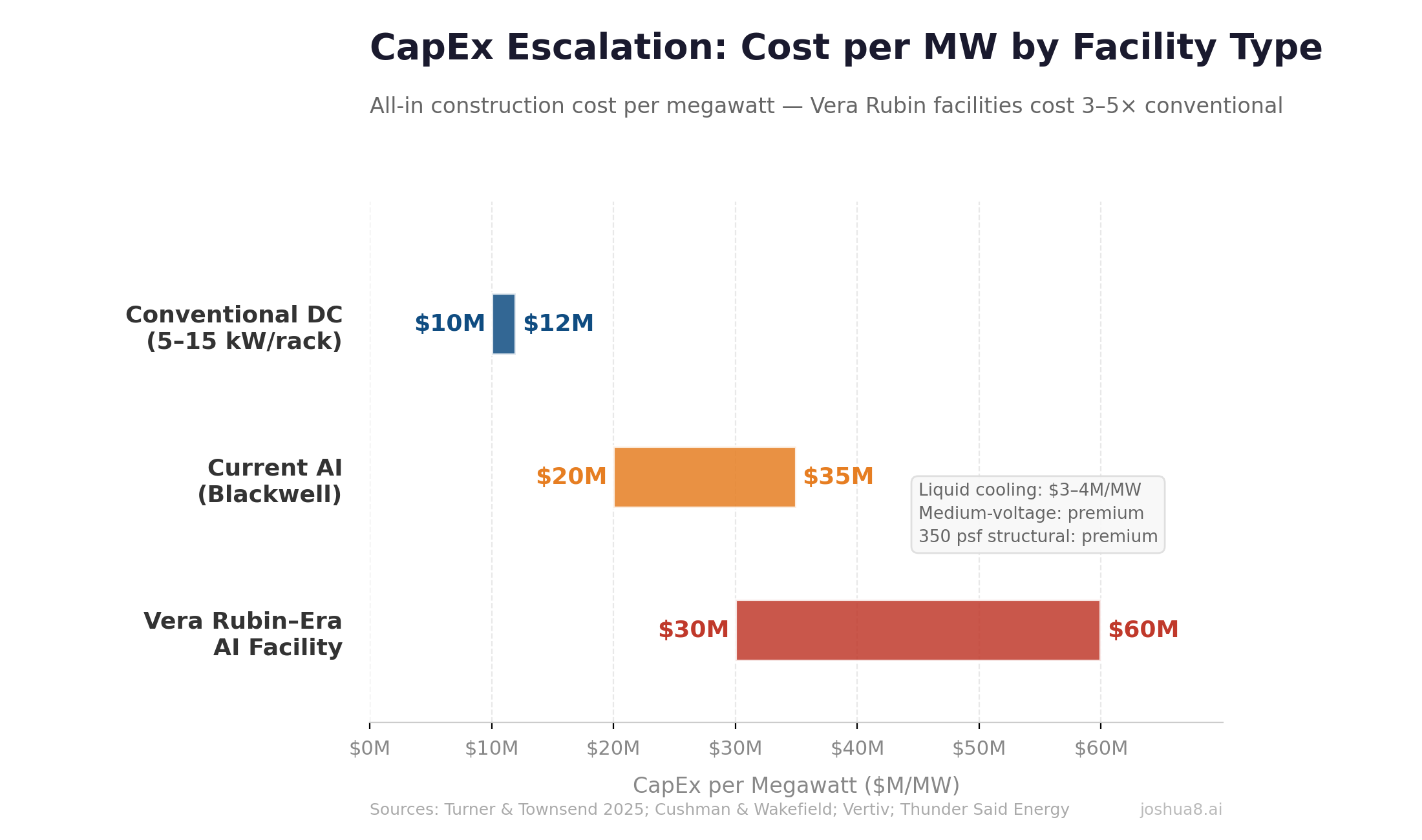
So, what's this construction escalation calculator all about? In a nutshell, it's a tool that helps you predict and manage the rising costs of construction projects. You see, things like materials, labor, and even the cost of living can change over time, and these changes can affect your budget. The calculator takes into account these potential increases, giving you a more accurate picture of what your project might cost in the future. It's a handy way to stay ahead of the game and avoid any nasty surprises down the line.
How It Works for You
The construction escalation calculator is a simple yet powerful tool. You input the current costs of your project, including materials, labor, and any other relevant expenses. Then, you choose an escalation rate, which is basically an estimate of how much costs might increase over time. This rate can vary depending on the project's duration and the market conditions. Once you've got your escalation rate, the calculator does its magic, giving you a projected cost for the future. This way, you can plan your budget and negotiate contracts with a clearer idea of what's to come.
Benefits for Contractors and Homeowners
For contractors, a construction escalation calculator is a lifesaver. It helps you provide more accurate quotes to clients, ensuring you don't undercut yourself. It also allows you to build a more reliable schedule, taking into account potential cost increases. As for homeowners or businesses planning renovations, this tool gives you a clearer idea of the overall cost of your project. You can use it to compare quotes from different contractors and ensure you're getting a fair deal. It also helps you plan your finances, so you're not caught off guard by unexpected expenses.
Naming Your Construction Business
If you're in the market for a catchy name for your construction business, you've got a few things to consider. First, think about what sets your company apart. Is it your specialty in certain types of projects, your unique approach, or maybe your commitment to sustainability? Your business name should reflect this. Keep it simple, memorable, and, if possible, a bit catchy. Here are a few ideas to get you started:
- BuildRight
- Green Construction Co.
- Solid Foundations
- Skyward Builders
- Renova Renovations
Remember, before you settle on a name, check its availability for domains and local registration. You don't want any legal headaches down the line!
Construction Jobs and the Industry
The construction industry offers a wide range of job opportunities, from general contractors and estimators to project managers and specialists in various trades. Estimators, for example, are crucial in putting together accurate quotes and managing costs. They work closely with project managers and clients to ensure the financial side of things runs smoothly. If you're looking for construction jobs, online job boards and industry-specific websites are great places to start. You can also check with local construction companies or reach out to recruitment agencies that specialize in the industry.
The Big Picture: Industry Outlook
When it comes to the construction industry, size matters. Larger firms often have the resources to take on bigger projects and may have more specialized departments, like dedicated cost-estimating teams. They might also have access to better deals on materials and equipment due to their scale. However, smaller companies can offer more personalized service and may be more flexible in their approach. They might be better suited to smaller-scale projects or those with unique requirements. It's all about finding the right fit for your needs.
In conclusion, the construction escalation calculator is a valuable tool for anyone involved in the building industry. It helps you plan, budget, and stay ahead of those pesky cost increases. Whether you're a contractor or a homeowner, it's a simple yet effective way to keep your projects on track. So, the next time you're tackling a construction project, remember to give this calculator a try! It might just save you some headaches down the line.
Related: What is the Redken Color Chart?
You're likely here because you're seeking clarity on the Redken color chart, a valuable resource for anyone wanting to navigate hair color options effectively. This chart is your go-to guide, offering a simple yet comprehensive overview of Redken's color range. It provides an easy-to-understand visual representation, ensuring you can make informed choices about your hair color journey.
Understanding the Redken Color Chart
The Redken color chart is a comprehensive guide to their hair color range, offering a visual representation of the various shades and tones available. It provides a standardized way to choose and mix colors, ensuring consistent results. This chart is an essential tool for professionals and enthusiasts alike, offering a clear reference for achieving desired hair colors.
Standard Color Notation: Comparing Options
The Redken color chart follows a simple and intuitive system. Each color is represented by a unique code, typically a combination of letters and numbers. For example, the code "GG" represents a specific shade of golden blonde. This notation allows for easy identification and mixing of colors. The chart also displays the intensity and tone of each color, helping users choose the right shade for their desired look.
Practical Application Tips: Step-by-Step Guide
To use the Redken color chart effectively, follow these steps:
- Identify your desired color family. The chart is organized into sections, making it easy to navigate.
- Choose the specific shade within that family. Consider the natural hair color and the desired level of lift or deposit.
- Note the color code and intensity. This information is crucial for accurate mixing.
- Follow the recommended mixing ratios and application techniques provided by Redken.
- Test a small strand to ensure the desired result before full application.
Common Misreadings and Pitfalls
While the Redken color chart is straightforward, there are a few potential pitfalls to avoid:
- Ensure you are using the correct chart for your region or standard. Redken may offer different charts for various markets.
- Pay attention to the color intensity and tone. A slight variation in these can lead to significantly different results.
- Be aware of the natural hair color and its impact on the final result. Pre-lightening or pre-pigmentation may be necessary for certain shades.
- Always refer to the Redken color wheel or swatches for a more visual representation of the final color.
- Remember, practice and experience are key to mastering color application.
Remember, while this guide offers a comprehensive overview, it's always beneficial to cross-reference with your specific needs. The Redken color chart is a versatile tool, but its application may vary depending on your unique circumstances.
Feel free to explore our other guides for a deeper understanding of hair care and styling. We've got plenty of resources to help you navigate the world of hair coloring and beyond!