

Coloring Pages For Bunnies Overview
You've likely landed here with a specific goal: to find a clear, concise deer feeding chart that offers reliable information at a glance. This chart is your go-to resource, a simple yet powerful tool for understanding deer nutrition and feeding practices. It provides a quick reference, ensuring you can make informed decisions about deer diet and care. While the exact values and formats may vary, depending on factors like region and specific needs, the deer feeding chart serves as an essential guide, offering insights into deer nutrition and the seasonal changes in their diet.
Understanding the Deer Feeding Chart
The deer feeding chart is a valuable tool for anyone managing deer populations or interested in their nutrition. It provides a comprehensive overview of the dietary needs of deer, offering insights into their feeding habits and requirements. This chart is designed to simplify the process of understanding deer nutrition and ensuring their proper care.
Comparing Chart Formats and Standards
There are various formats and standards for deer feeding charts, often influenced by regional differences and specific use cases. These charts typically present information on the nutritional composition of deer diets, including the percentage of protein, fiber, and other essential nutrients. They may also provide guidelines on the recommended daily intake and the types of forage available during different seasons.
Step-by-Step Guide to Using the Chart
To utilize the deer feeding chart effectively, follow these steps:
Identify the age and weight of the deer you are caring for. This information is crucial as nutritional requirements vary based on these factors.
Locate the relevant section on the chart that corresponds to the deer's age and weight. The chart often has distinct categories for fawns, yearlings, and adult deer.
Read the nutritional values and guidelines provided for each category. Pay attention to the recommended daily intake and the types of forage suggested.
Adjust the feeding plan based on the chart's recommendations. Ensure a balanced diet by providing the right proportion of protein, fiber, and other nutrients.
Monitor the deer's health and behavior. If any issues arise, consult an expert or adjust the feeding plan accordingly.
Avoiding Common Misinterpretations
It's essential to note that deer feeding charts provide general guidelines, and individual deer may have unique needs. Here are some common misinterpretations to avoid:
Assuming that the chart covers all scenarios: Always consider the specific context and environment in which the deer are living. Factors like weather, habitat, and available forage may require adjustments to the feeding plan.
Neglecting individual variations: Each deer is unique, and their nutritional needs can vary. Keep a close eye on their health and behavior to ensure they are receiving adequate nutrition.
Overlooking seasonal changes: Deer's dietary requirements often change with the seasons. The chart should be used as a dynamic tool, adapting to the changing needs of deer throughout the year.
Factors Affecting Accuracy and Real-World Application
When using a deer feeding chart, keep in mind the following key factors that can influence its accuracy and practical application:
Forage availability: The type and amount of forage available in a deer's habitat can greatly impact their diet. Ensure you understand the local forage options and their nutritional value.
Weather conditions: Extreme weather events can affect the nutritional content of forage. Be prepared to adjust feeding plans during droughts, floods, or other weather-related challenges.
Deer diet composition: While the chart provides a guide, deer may have preferences for certain foods. Observe their feeding habits and adjust the diet accordingly.
Special considerations: Pregnant or nursing does, as well as injured or sick deer, may have unique nutritional needs. Consult experts for specialized feeding plans in such cases.
Remember, while the deer feeding chart is a valuable resource, it should be used flexibly and adapted to the specific needs of the deer in your care. Regular monitoring and expert advice can ensure the health and well-being of these magnificent animals.
Remember, every deer and its needs are unique, so while this chart provides a fantastic starting point, you may need to make small adjustments to find the perfect feeding routine for your furry friends. It's all about finding that sweet spot!
We've got a whole library of practical guides just like this one, covering various topics to help you navigate the wonderful world of wildlife care. So, feel free to explore and discover more tips and tricks to enhance your outdoor adventures and make the most of your time with nature's creatures. Happy reading and happy feeding!
Related: excel sum formula easy guide for fast totals
Understanding the Excel Sum Formula
The Excel Sum Formula is an essential tool for any Excel user, providing a simple yet powerful way to calculate sums and totals. Its versatility allows users to perform basic arithmetic operations and more advanced calculations with ease. By understanding and utilizing this formula, you can transform raw data into valuable insights, aiding in decision-making processes.
When employing the Excel Sum Formula, you initiate a series of calculations that aggregate data based on your specified criteria. This formula is particularly useful when dealing with large datasets, as it automates the process of adding up values, saving time and reducing the risk of errors. For instance, consider a scenario where you have a dataset containing sales data for various products over a month. You want to calculate the total sales for each product to identify the top-performing ones. The Excel Sum Formula comes to the rescue, allowing you to quickly sum up the sales figures for each product, providing a clear overview of your sales performance.
A Practical Example
Let's dive into a real-world application of the Excel Sum Formula in the context of a sales analysis. Imagine you're a marketing analyst, and you have a spreadsheet with columns for "Product", "Units Sold", and "Price per Unit". You want to calculate the total sales for each product to determine which products are performing well.
Here's a step-by-step guide:
- In a new column, labeled "Total Sales", input the formula
=SUM(Units Sold Price per Unit). - Ensure that the formula correctly references the "Units Sold" and "Price per Unit" columns. For example, if your data starts in row 2, the formula could be
=SUM(B2:B100C2:C100)where B and C represent the columns for "Units Sold" and "Price per Unit" respectively. - Drag the formula down to apply it to each row, calculating the total sales for each product.
Now, you have a column with the total sales for each product, allowing you to identify the top-selling products and make informed decisions regarding marketing strategies.
Common Mistake and How to Avoid It
One common mistake when using the Excel Sum Formula is failing to use absolute references when copying formulas across rows or columns. This can lead to incorrect calculations as the formula may reference unintended cells.
To avoid this mistake, use absolute references by adding a dollar sign ($) before the column and row references. For instance, if you want to lock the reference to column A and row 2, you would use $A$2. This ensures that when you copy the formula, it always refers to the same cell, regardless of its position in the spreadsheet.
Enhancing Your Excel Skills
Excel offers a wide range of features to enhance your data analysis capabilities. One such feature is the drop-down list, which can greatly improve the usability of your spreadsheets. By creating a drop-down list using the Data Validation feature, you can allow users to select from a predefined list of options, reducing data entry errors and ensuring consistency.
Additionally, the IF function is a powerful tool for conditional calculations. This function allows you to check a condition and return different values based on whether the condition is true or false. For example, you can use the IF function to highlight cells that meet certain criteria, automate data validation, or perform dynamic calculations based on specific conditions.
Final Thoughts
The Excel Sum Formula is a fundamental tool for data analysis, offering a simple and efficient way to calculate sums and totals. Its versatility and ease of use make it an indispensable skill for anyone working with data. As you continue to explore Excel's capabilities, you'll discover a wealth of advanced functions and features that will further enhance your data analysis skills. Remember, practice and experimentation are key to mastering Excel, so don't hesitate to dive deeper into its vast toolkit. Happy spreadsheeting and happy data analysis!
Related: RSMeans Construction Essential Guide For Builders
"rs means construction" is a phrase that might pop up when you're planning a home renovation or building project. It's a mouthful, but it's a useful tool for anyone wanting to understand construction costs. So, let's break it down and see what it's all about!
Understanding RSMeans and Construction Costs
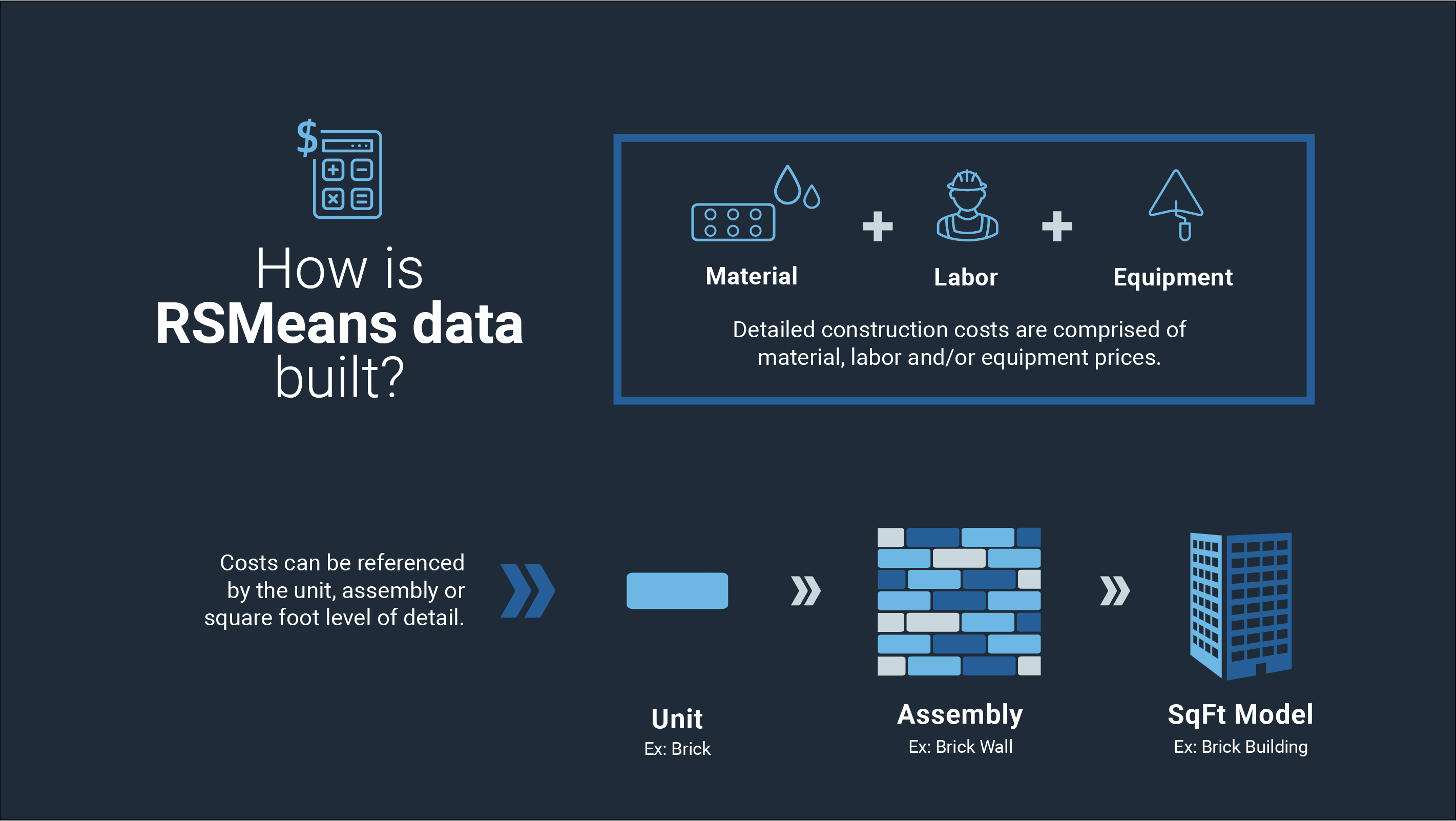
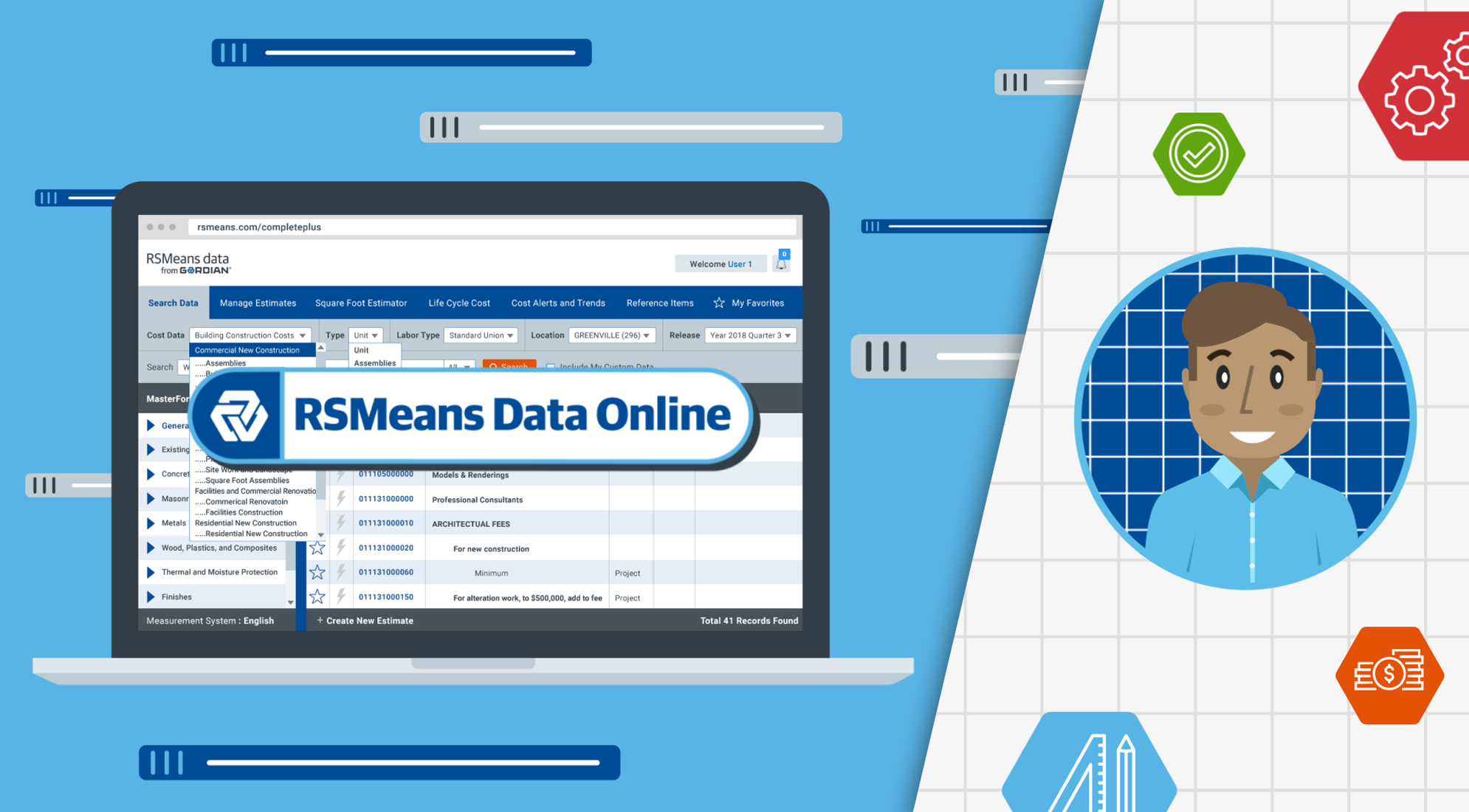
RSMeans is a database and resource for construction professionals and homeowners alike. It provides detailed information on construction costs, helping you estimate and plan your project's budget. This tool is a go-to for many in the industry, offering insights into labor, materials, and other expenses. It's especially handy for comparing quotes and ensuring you get a fair deal.
When using RSMeans, you can get a good idea of what your project might cost. It considers various factors like the size of the project, the materials you choose, and the local labor rates. This data helps you set a realistic budget and understand the costs involved. It's a great way to ensure you're not overspending or underestimating the expenses.
Hiring a Contractor: What to Look For
When it comes to hiring a contractor, RSMeans can be a valuable ally. It can help you understand the typical costs for your project, so you know if a quote is reasonable. Before hiring, always check the contractor's references and licenses. Ask for a detailed breakdown of the costs and what's included in the quote. A good contractor will be transparent and provide this information.
You should also consider the scope of the project and whether the contractor has experience with similar work. Don't be afraid to ask questions and get a clear picture of what you're paying for. It's your project, and you want to ensure it's done right!
Construction Company Names and Branding
Naming a construction company is an important step. It's the first impression you give to potential clients and should reflect your business's values and services. A good name is memorable, unique, and gives a hint at what you do. For example, "BuildStrong", "Renovate Right", or "HomeCrafters" are catchy and descriptive.
When choosing a name, consider registering it and checking domain availability. You want to ensure your online presence is secure and that your name isn't already taken locally. It's a small but crucial step in building your brand and standing out in a competitive industry.
Jobs and Opportunities in Construction
The construction industry offers a range of roles, from estimators who use tools like RSMeans to project managers and skilled laborers. These jobs are in demand, and you'll often find opportunities advertised online or through local trade associations. It's a varied industry, and you can specialize in different areas, whether it's residential construction, commercial projects, or specific trades like plumbing or electrical work.
Data and Tools for the Industry
RSMeans is just one of the many tools and resources available to construction professionals. These tools help manage projects, estimate costs, and keep track of industry trends. For example, cost indexes provide an overview of construction costs over time, helping businesses and homeowners plan and budget effectively. Escalation, another term for cost increases, is also an important factor to consider when planning long-term projects.
Big Companies and the Industry
In the construction world, you'll find a mix of small, local businesses and large, national firms. The size of the company often reflects the scale of projects it takes on. Big companies may have the resources to tackle large-scale developments, while smaller businesses might focus on local renovations and additions. It's a diverse industry, and both types of companies play a crucial role in building our communities.
So, there you have it! RSMeans construction is a useful tool for anyone involved in construction, whether you're a homeowner, a contractor, or a business owner. It's a great way to stay informed and ensure your projects are on track and within budget.