



Easy Paper Craft For Kindergarten Blank Overview
I've got a question for you: when you think of a construction company, what's the first thing that pops into your mind? Is it the name? I mean, let's be real, some of those names are pretty memorable, right? But for those of us starting out or rebranding, finding the perfect name can be a challenge. So, let's dive into construction company name suggestions and uncover some tips and ideas to help you out.
Unlocking the Perfect Name
When it comes to naming your construction business, there's more to it than just coming up with a catchy phrase. You want a name that represents your company's values, services, and maybe even your unique selling point. It should be memorable and professional, leaving a lasting impression on potential clients. So, how do you achieve this? Well, let's explore some key considerations.
First, think about the services you offer. Are you a general contractor, a remodeling expert, or do you specialize in a particular area like green building or historic restoration? Your name can reflect this, giving customers an instant idea of what you do. For example, "Green Build Construction" hints at an eco-friendly focus, while "Classic Renovations" suggests a company that specializes in restoring older homes.
Next, consider your target audience. Are you aiming for a local, neighborhood feel, or do you want a name that conveys a more regional or national reach? A name like "Baltimore Builders" might appeal to a local audience, while "Nationwide Construction" could attract a wider client base.
Standing Out and Staying Legal
A unique and memorable name is great, but you also want to avoid any legal issues. Check the availability of your chosen name with your local business registration office and domain name registrars. You don't want to spend time and effort building a brand only to discover someone else has already claimed the name!
It's also worth considering the tone and imagery your name conveys. You might want to avoid anything too playful or lighthearted if you're aiming for a more serious, high-end clientele. On the other hand, a fun and catchy name could be perfect for a company targeting younger, more casual customers.
A Few Name Ideas to Inspire
Here's a short list of name suggestions to get your creative juices flowing:
- Build & Beyond
- Renovate & Restore
- Constructive Solutions
- Home Crafters
- BuildTech Innovations
- Skyrise Builders
Remember, these are just a few ideas, and you can get creative and come up with something truly unique to your business.
Wrapping Up
Naming your construction company is an important step in building your brand. It's a chance to make a great first impression and showcase your business's personality and services. So, take your time, consider your options, and don't be afraid to get creative. And, of course, always check the legal aspects to ensure a smooth start to your business journey.
Related: French Door Installation Cost Easy Guide
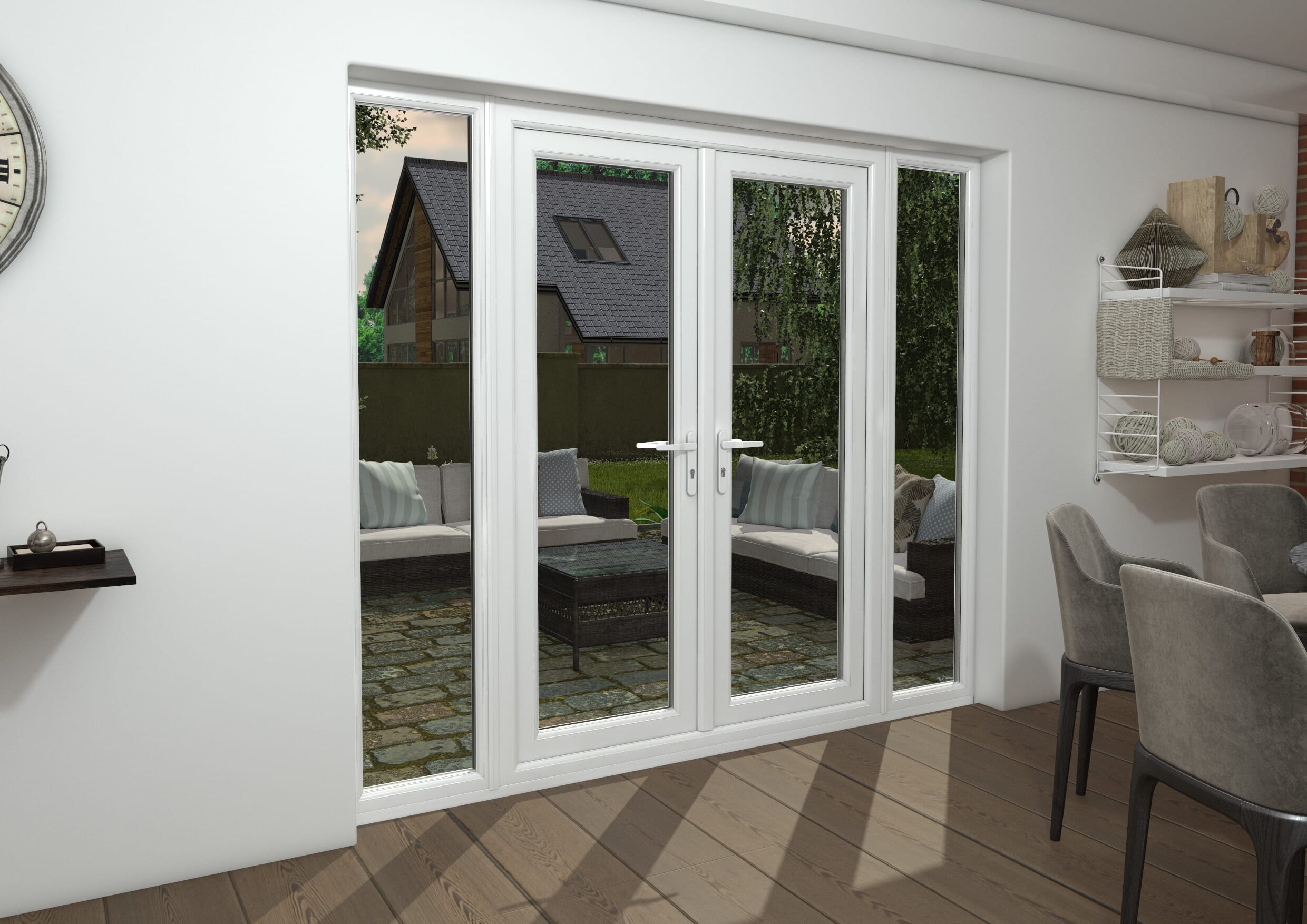
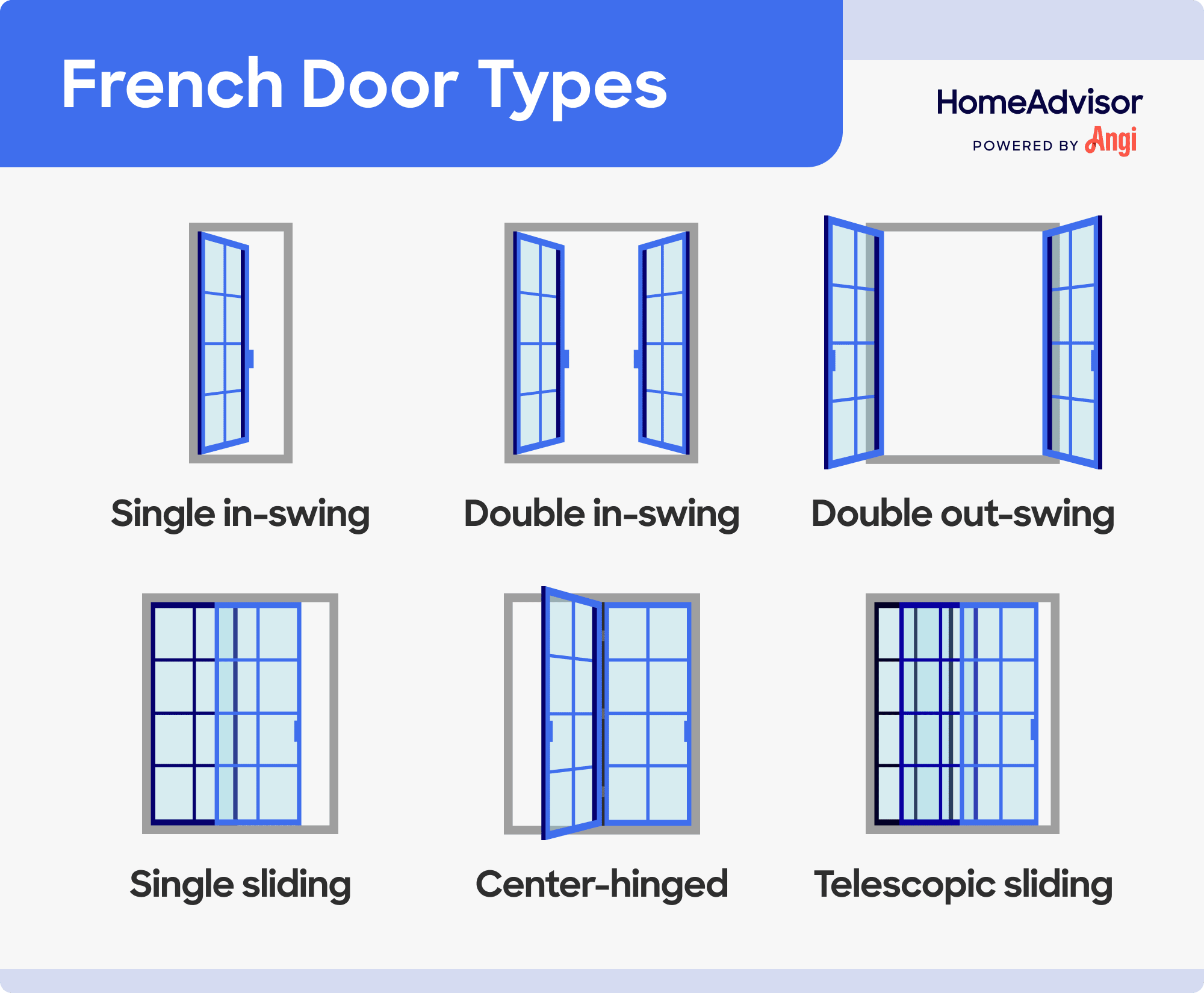
I was browsing home improvement ideas online when I stumbled upon the phrase "french door installation cost." It got me thinking about how much it would cost to install those elegant, wide-opening doors in my own home. So, I decided to do some research and share my findings with fellow homeowners.
Understanding French Door Installation Costs
When it comes to installing French doors, there are a few key factors that can influence the overall cost. Firstly, the size and style of the doors themselves play a significant role. French doors come in various materials, including wood, fiberglass, and vinyl, each with its own price range. The size of the opening and the number of doors you need will also impact the final cost.
Another major factor is the labor involved. Installing French doors requires skilled labor, and the complexity of the job can vary. If the installation is straightforward, with no major structural changes needed, the labor costs will likely be lower. However, if additional work is required, such as modifying the door frame or making adjustments to the surrounding walls, the labor costs will increase accordingly.
Getting Quotes and Comparing Prices
To get an accurate idea of the french door installation cost, it's essential to obtain quotes from multiple contractors or remodeling companies. When requesting quotes, be sure to provide detailed information about your project, including the size and style of doors you want, the current state of your door frame, and any specific requirements or preferences you have.
When comparing quotes, look beyond the bottom line. Consider the reputation and experience of the companies, their warranties and guarantees, and the level of detail provided in their quotes. A comprehensive quote should include a breakdown of costs, covering materials, labor, and any additional expenses like permits or disposal fees.
Choosing a Contractor or Company
Selecting the right contractor or company for your French door installation is crucial. Here are a few tips to help you make an informed decision:
- Check their credentials and licensing. Ensure they are properly licensed and insured for the work they will be performing.
- Ask for references and read online reviews. Previous customers' experiences can provide valuable insights.
- Inquire about their experience with French door installations. Ask to see examples of their work and how they handle potential issues or challenges.
- Get a clear understanding of their warranty and guarantee policies. This will give you peace of mind in case any issues arise after the installation.
Company Names and Naming Ideas
When it comes to naming a construction or remodeling business, simplicity and clarity are often best. A name should reflect the services offered and be easy to remember. Here are a few original name ideas for construction companies:
- BuildCraft
- HomeCrafters
- Structure Solutions
- Renovate & Revive
- DoorWay Innovations
- Framing Future
Remember to check the availability of the name, domain, and local registration before finalizing your choice.
Wrapping Up
Understanding the factors that influence french door installation cost and taking the time to research and compare quotes will help you make an informed decision. Whether you're looking to enhance your home's curb appeal or improve functionality, French doors can be a beautiful addition. So, take that first step, gather some quotes, and start planning your home improvement project!
Related: excel spill error Easy guide to fix and prevent issues
Excel spill error happens when a formula returns multiple values, but the cells below are already in use. It’s that frustrating #SPILL! message that stops your sheet cold. This usually pops up with dynamic array functions like FILTER or SORT, which can spill results into adjacent cells. If those cells are occupied, Excel throws the flag. It’s a modern problem since dynamic arrays rolled out, but the fix is straightforward once you know where to look.
Most people run into this when they’re trying to clean up a dataset or pull specific rows. For example, if you’re filtering a sales log for certain products, the FILTER function might return 20 rows, but if the 5 cells below your output are filled, you’re stuck. The error isn’t about the formula itself—it’s about the real estate on your sheet. Clear the way, and the spill works fine.
Dynamic Arrays and Why They Spill
Dynamic array functions like FILTER, UNIQUE, and SORT are a game-changer for handling lists. They automatically resize results without array formulas or manual ranges. For instance, =FILTER(A2:C100, B2:B100="Active") grabs all rows where column B says “Active.” The catch? If the output area isn’t free, you get an excel spill error. These functions don’t stop at one cell—they expand vertically or horizontally, depending on the data.
Set up your sheet with a clear output zone. I’d skip merged cells here, as they’re a recipe for spills. Use a table (Ctrl+T) for your source data, and dedicate a separate column or area for results. For example, if filtering a customer list, place the formula in cell E2 and let it spill down column E. Keep rows below empty until you’re sure how many results will appear.
| Name | Status | Date |
|---|---|---|
| John Doe | Active | 2023-01-15 |
| Jane Smith | Inactive | 2023-02-10 |
| Sam Lee | Active | 2023-03-05 |
Formula: =FILTER(A2:C4, B2:B4="Active")
This returns the first and third rows in the next column, but if cells below are filled, it triggers an excel spill error. The fix? Clear cells E2:E4 before applying the formula.
A common mistake is hard-coding values near the output area. For example, if cell E3 contains a note like “Active Customers,” the spill stops there. Delete or move static text to another column, then reapply the formula.
Troubleshooting Spills in Large Datasets
When working with hundreds of rows, an excel spill error can hide in plain sight. Maybe you filtered a dataset but forgot about hidden totals at the bottom. Or, you copied a template that had placeholder text in the spill zone. The error doesn’t care if the conflicting cell is visible—it just knows the space is taken.
For large datasets, freeze panes (View > Freeze Panes) to keep headers visible while checking the output area. Use COUNTIFS to confirm how many rows your formula should return, then compare that to the available space. For example, =COUNTIFS(B2:B100, "Active") tells you how many “Active” rows exist, so you know if your spill zone is big enough.
| Product | Sales | Region |
|------------||-----------|------------|
| Widget A | 150 | East |
| Widget B | 200 | West |
| Widget A | 180 | East |
Formula: =SORT(UNIQUE(C2:C4))
This returns unique regions in sorted order, but if cells below contain a footer, the spill fails. Use conditional formatting (Home > Conditional Formatting > Highlight Cells Rules > Blank) to spot filled cells quickly.
Another mistake is using merged cells in the output area. Excel can’t spill into a merged range, so unmerge them first (Home > Alignment > Merge & Center > Unmerge Cells).
Preventing Spills with Data Validation
Data validation isn’t just for dropdowns—it can stop spills before they start. If you know your output will never exceed 50 rows, set a validation rule to block input below that range. Go to Data > Data Validation > Settings, choose “Whole number” and set the criteria to “between” 1 and 50. This won’t stop the excel spill error, but it reminds users to clear the area first.
For a checklist or tracker, use IF and ISERROR to flag potential spills. For example, =IF(ISERROR(FILTER(A2:A10, A2:A10<>"")), "Clear cells below", "Ready") checks if the spill zone is free. Place this in a status cell to alert users.
| Task | Due Date | Status |
|---|---|---|
| Report | 2023-10-01 | Pending |
| Meeting | 2023-10-05 | Completed |
Formula: =FILTER(A2:C3, B2:B3<TODAY())
This filters overdue tasks, but if the output area contains a summary row, it fails. Add data validation to the summary row to prevent accidental input.
A common oversight is applying validation to the wrong range. Always select the exact cells below your formula, not the entire column.
Combining Spills with Pivot Tables
Pivot tables don’t cause excel spill errors, but they can work around them. If a spill zone is too crowded, summarize the data in a pivot instead. Select your table, go to Insert > PivotTable, and drag fields to Rows and Values. For example, pivot the sales data by region without worrying about spills.
For a hybrid approach, use UNIQUE to extract distinct values, then reference them in a pivot. Formula: =UNIQUE(C2:C100). This spills unique regions into a column, which you can then use as a source for your pivot table.
| Region | Sales |
|---|---|
| East | 330 |
| West | 200 |
The pivot table summarizes without needing a spill zone, but if you still want dynamic arrays, link the UNIQUE output to a separate tab.
One mistake is mixing pivot data with spill ranges. Keep pivots on their own sheet or tab to avoid conflicts.
Try setting up a small tracker with FILTER and intentionally trigger an excel spill error. Then, clear the output area and watch the formula work. It’s a quick way to see how spills behave in your own file.