Hull Tide Chart A4 Overview
You're probably here because you need a quick fix, a reliable source to refer to, or a simple guide to understanding the ds2 iframe chart. It's a handy tool, a chart or table, that provides you with those essential dimensions and specifications. The ds2 iframe chart is your go-to reference, offering a clear and concise overview of the standard sizes and measurements you need. Whether you're looking for precise ds2 iframe dimensions or a quick check on common ds2 sizes, this chart has got you covered.
The DS2 Iframe Chart: A Guide to Standard Sizes
The DS2 iframe chart is a handy reference tool for anyone working with DS2 equipment. It provides a clear overview of the standard dimensions and sizes of DS2 iframes, which are essential for various applications. This chart is a quick and practical way to ensure you're using the right sizes and avoiding potential issues.
Key Details and Categories
The DS2 iframe chart typically displays two main categories: the iframe dimensions and the corresponding DS2 model or type. The dimensions are given in inches or centimeters, depending on the standard being used. You'll find the width, height, and sometimes the depth of the iframe, ensuring you get a precise fit for your setup. The DS2 model column helps identify the specific equipment or application the iframe is designed for.
Reading and Applying the DS2 Iframe Chart
Using the DS2 iframe chart is straightforward. First, identify the DS2 equipment you're working with and find the corresponding model or type on the chart. Then, locate the dimensions for that model. These dimensions represent the standard size of the iframe needed for that specific equipment. Ensure you note down the width, height, and depth (if provided) to ensure a perfect fit. It's as simple as that!
Common Variations and Practical Tips
While the DS2 iframe chart provides standard dimensions, there can be variations based on specific use cases or manufacturer preferences. Here are some key factors to consider:
Model Variations: Different DS2 models might require slightly adjusted iframe sizes. Always double-check the exact specifications for your specific equipment.
Regional Standards: Iframe dimensions can vary based on regional standards. Ensure you're using the correct chart for your region or convert the measurements if needed.
Manufacturer Preferences: Some manufacturers might have unique requirements. Always refer to their guidelines or consult their specific DS2 size guide.
Tolerance Levels: Keep in mind that there might be slight variations or tolerances allowed within the standard dimensions. These are usually minimal but can impact fit, especially for precise applications.
Remember, the DS2 iframe chart is a valuable tool, but it's always good to cross-reference with other resources or guidelines to ensure accuracy, especially for critical applications.
Hey there! I hope this ds2 iframe chart guide has been helpful and easy to follow. Remember, while the core principles remain the same, the exact values and details might shift slightly depending on your specific context or the standard you're working with.
So, the next time you need a quick refresh on this topic, feel free to bookmark this page for easy access. I've got a few more practical guides up my sleeve, covering various topics, so stay tuned and happy learning!
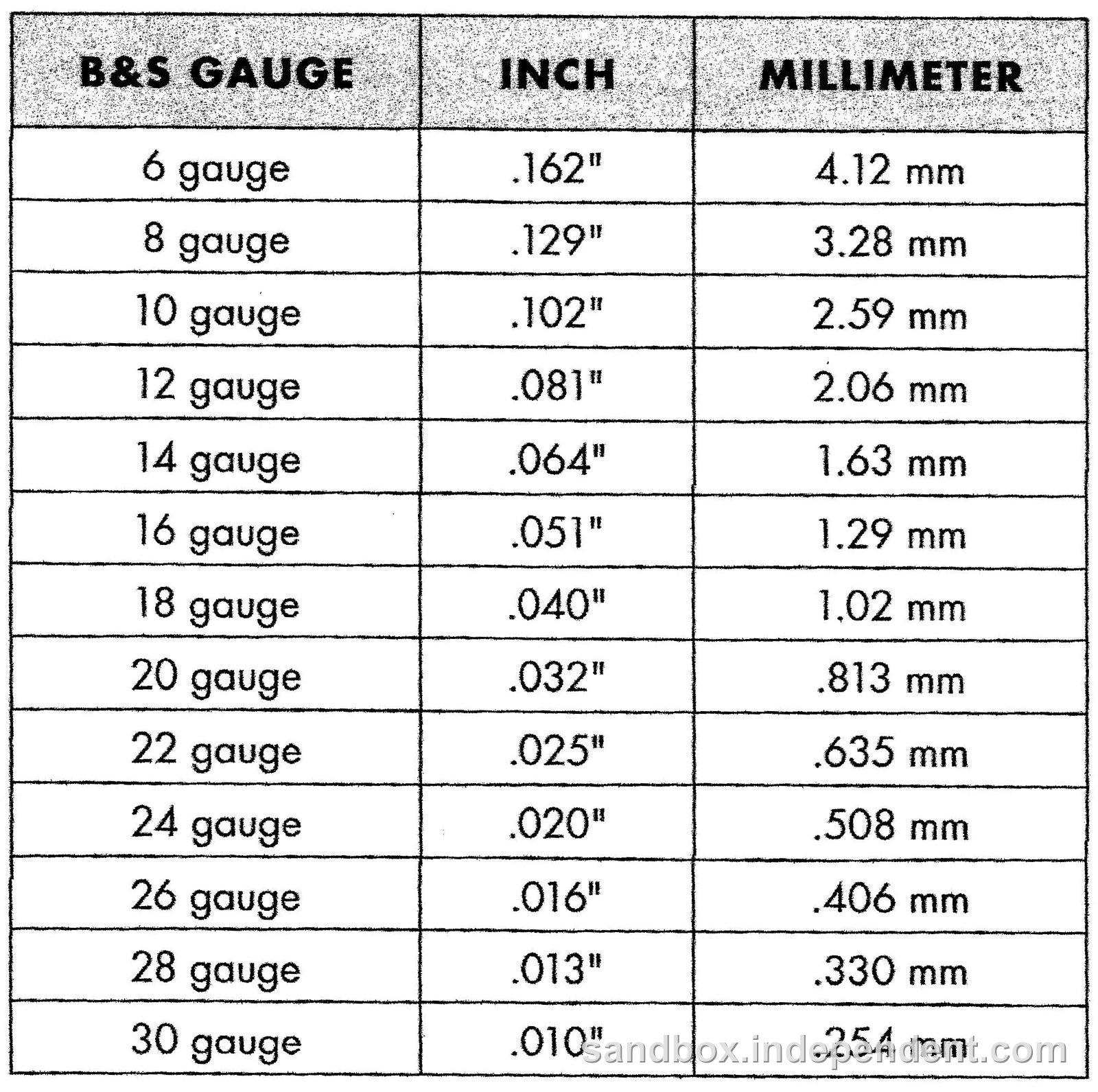
Related: Get Your Accurate Inch to MM Chart
You're probably here because you need a quick conversion fix, and who can blame you? The inch to mm chart is your go-to resource for an accurate and fast length conversion. It's a handy tool, especially when you're in a pinch and need to understand measurements across different systems. This chart is a simple yet effective way to ensure you get your conversions right, whether you're dealing with inches to centimeters or imperial to metric.
Understanding the Inch to mm Chart
The inch to mm chart is a handy reference tool for quickly converting inch measurements to millimeters. It's a practical way to ensure accurate conversions, especially when working with different measurement systems. This chart provides a simple visual guide, making it accessible for everyday use.
Key Details and Units
Before we dive in, let's clarify some basics. The chart typically displays inches on one axis and millimeters on the other, with corresponding values for each unit. You'll find a range of values, often starting from 0 and going up in small increments, like 0.1 inches or 1 mm. It's essential to know that the chart follows a specific standard, usually the imperial to metric conversion, ensuring consistency.
Step-by-Step Conversion Process
Using the inch to mm chart is straightforward. First, locate the inch value you want to convert on the chart. Then, follow the corresponding line or column to find the equivalent millimeter value. For instance, if you have 2 inches, find the 2-inch mark and read across to see it equals approximately 50.8 mm. That's it! Simple and quick.
Variations and Differences
While the inch to mm chart is a reliable tool, variations can occur due to different standards and contexts. For example, some charts might offer more precise conversions, especially for smaller increments. Additionally, certain industries or regions might have specific requirements, leading to slight variations. It's crucial to double-check if you're working with precise measurements or specialized fields.
- Here are some key factors that can cause variations:
- Standard deviations: Different countries or industries might use slightly different conversion factors.
- Precision needs: More detailed charts are available for precise measurements.
- Specialized fields: Certain professions, like engineering, might require unique charts.
Common Mistakes and How to Avoid Them
One common mistake is misreading the chart, especially when dealing with small increments. Always ensure you're following the correct line or column for your measurement. Another pitfall is assuming all charts are the same. Remember, variations exist, so double-check if precision is critical. Lastly, be aware of the conversion direction. The chart usually converts inches to mm, so be clear on which unit you're starting with.
To summarize, the inch to mm chart is a valuable tool for quick and accurate conversions. By understanding the basics, following a simple step-by-step process, and being aware of potential variations, you can ensure precise measurements. Remember, when in doubt, always refer to the specific standards or guidelines for your field. Happy converting!
Hey there! I hope this inch to mm chart has been a helpful resource for you. It's always good to have these handy conversions at your fingertips, especially when you need to quickly reference measurements.
Remember, while this chart provides a reliable guide, exact values can vary slightly depending on the standard or source you use. So, it's always a good idea to double-check your specific requirements and context before finalizing any measurements.
Feel free to bookmark this page for future reference. It's a simple yet practical tool to have in your back pocket for those unexpected measurement needs!
Related: What is the DMC Color Chart All About?
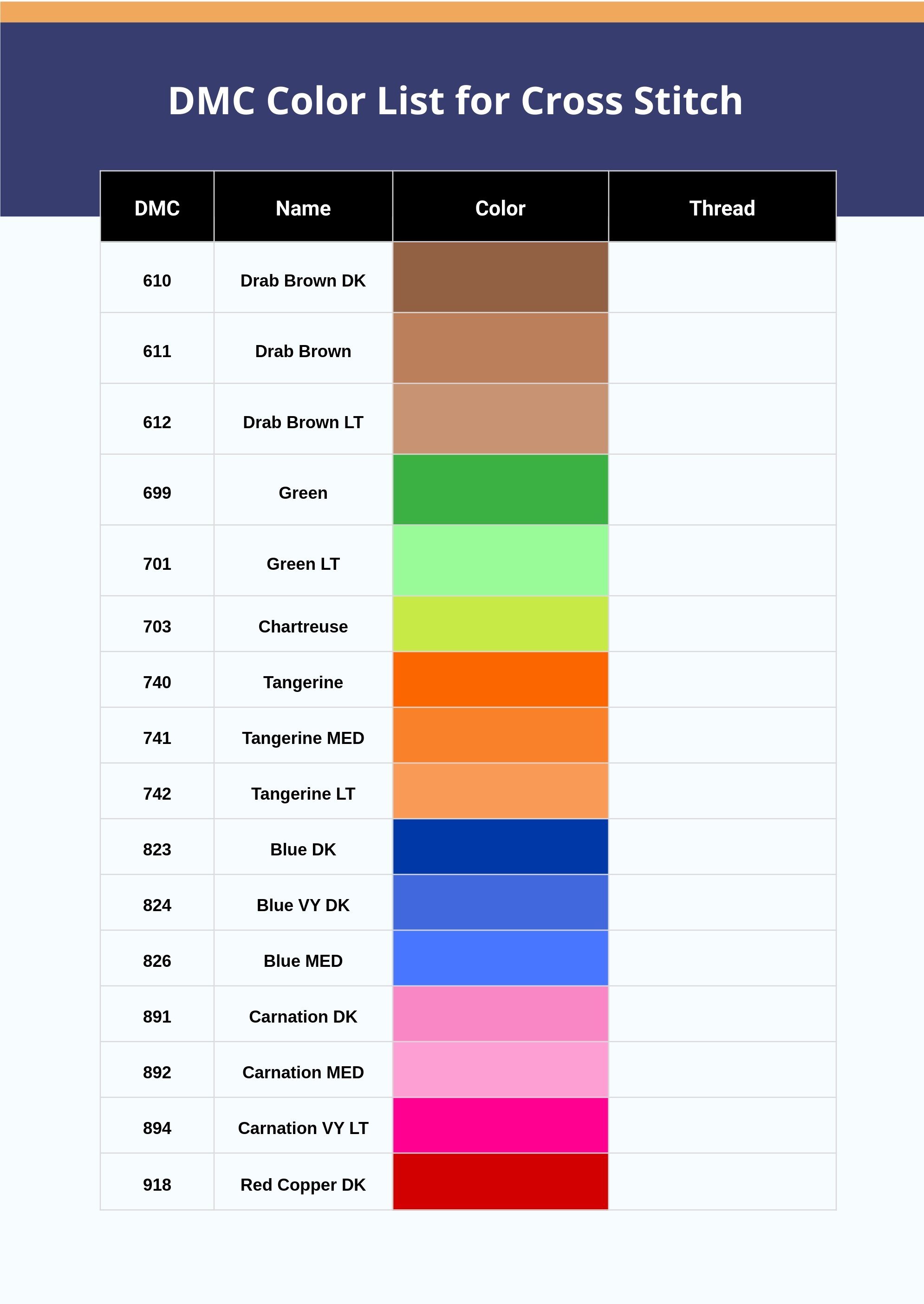
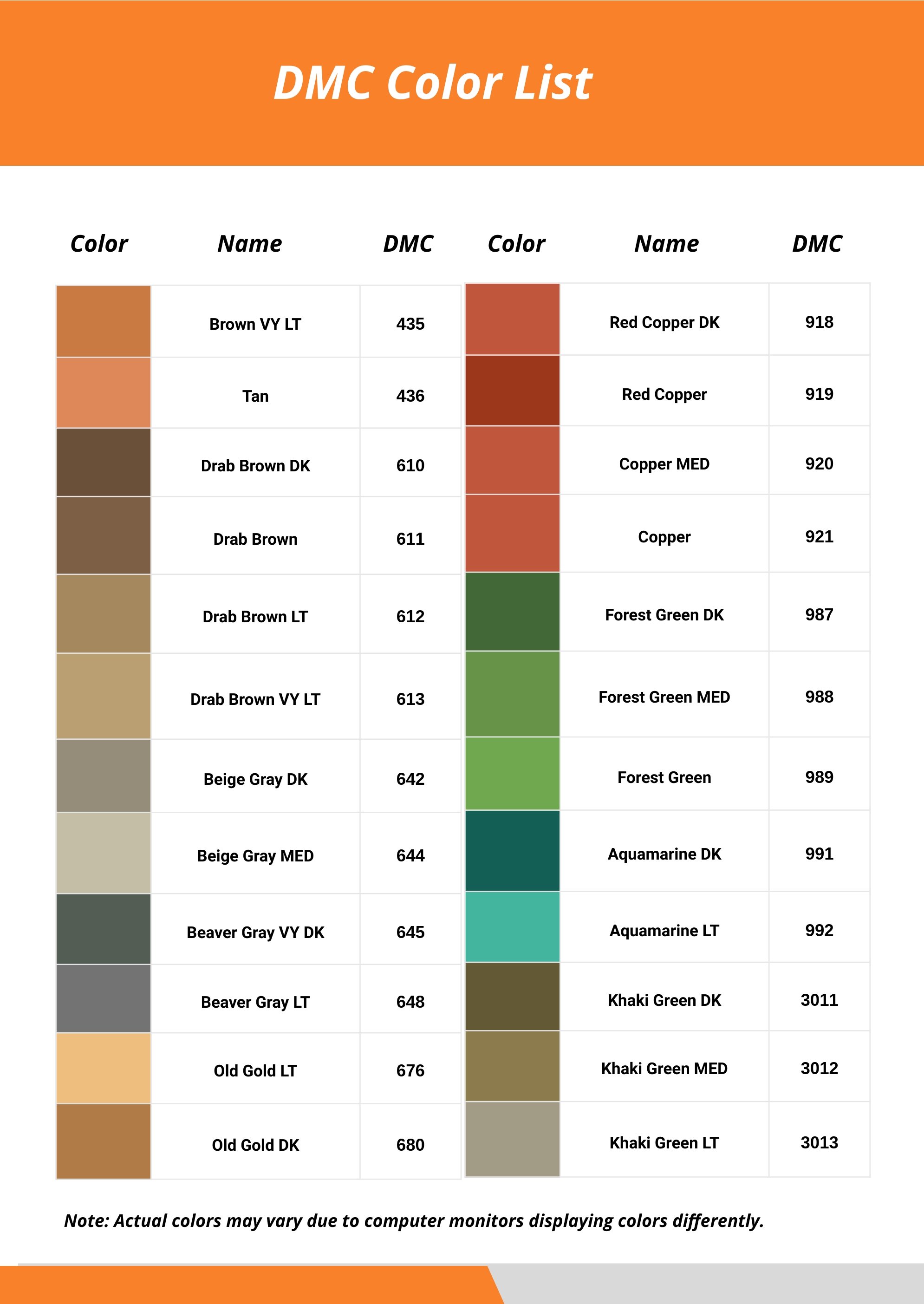
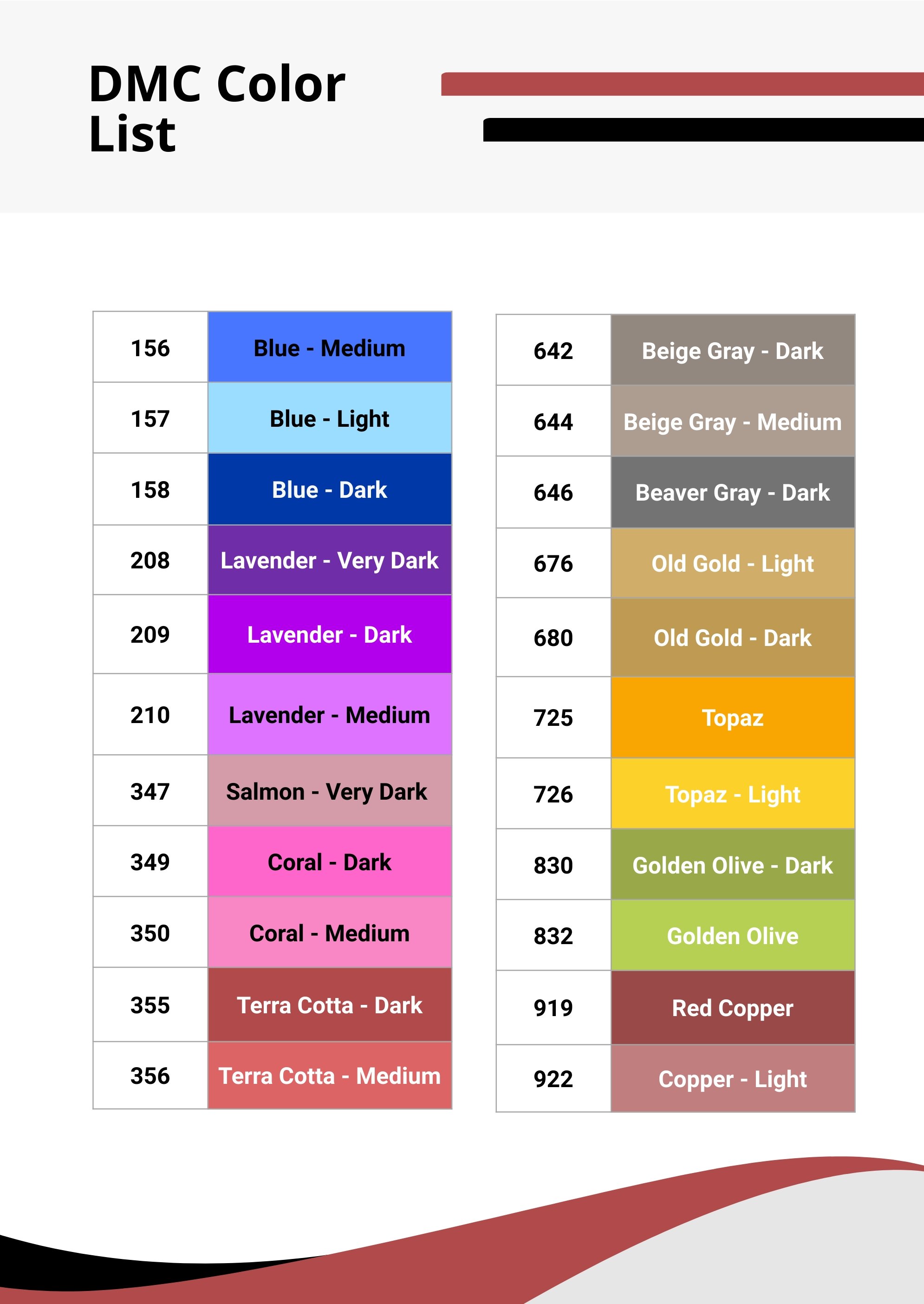
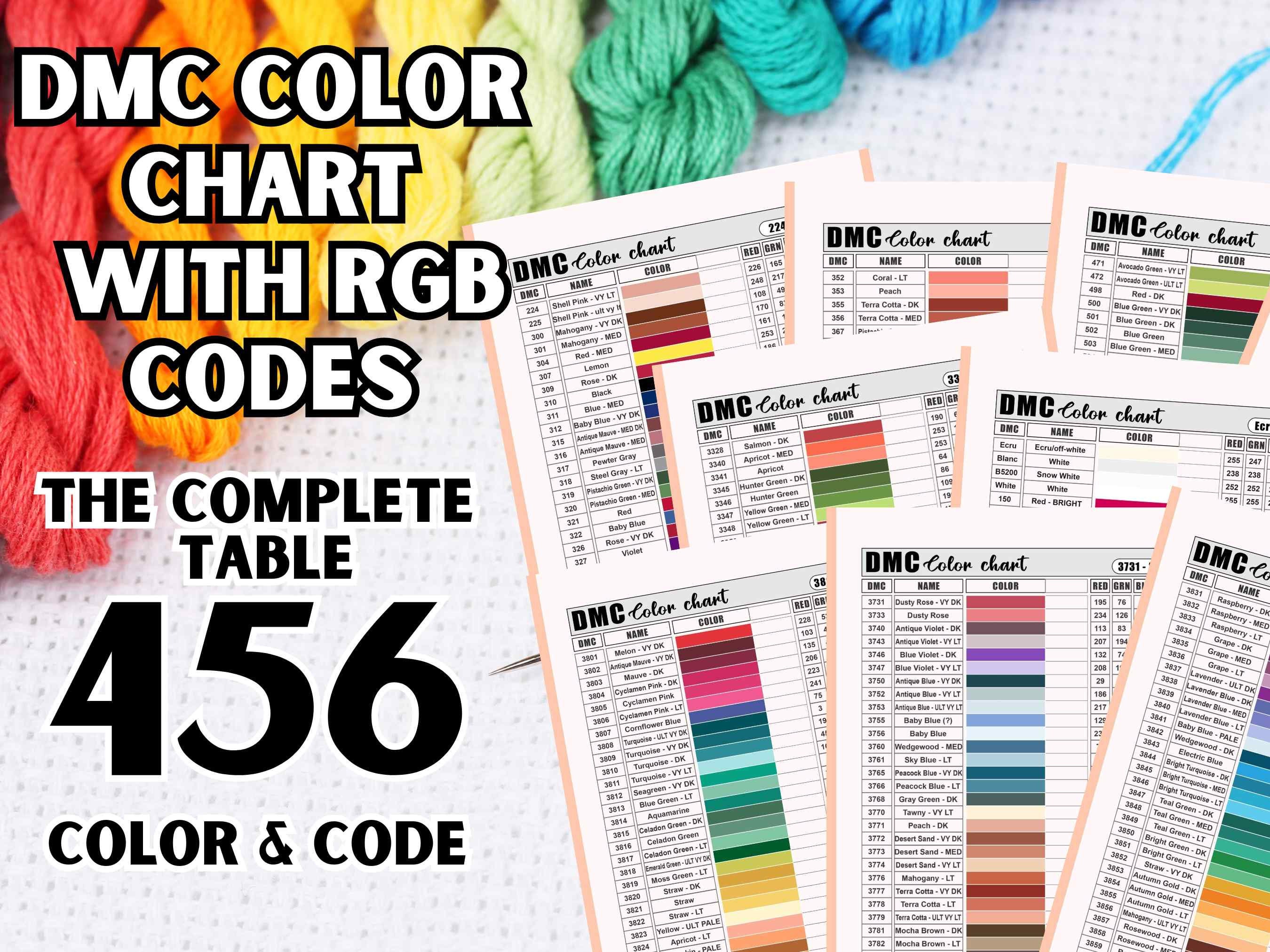
You're likely here because you need a reliable dmc color chart to guide your creative project, be it embroidery, cross-stitch, or another craft. This chart is a crucial tool, offering a clear and organized display of colors, often in the form of a thread or floss color guide. With various formats and standards, it's essential to find the right reference for your specific needs, ensuring an accurate and satisfying result.
Understanding the DMC Color Chart
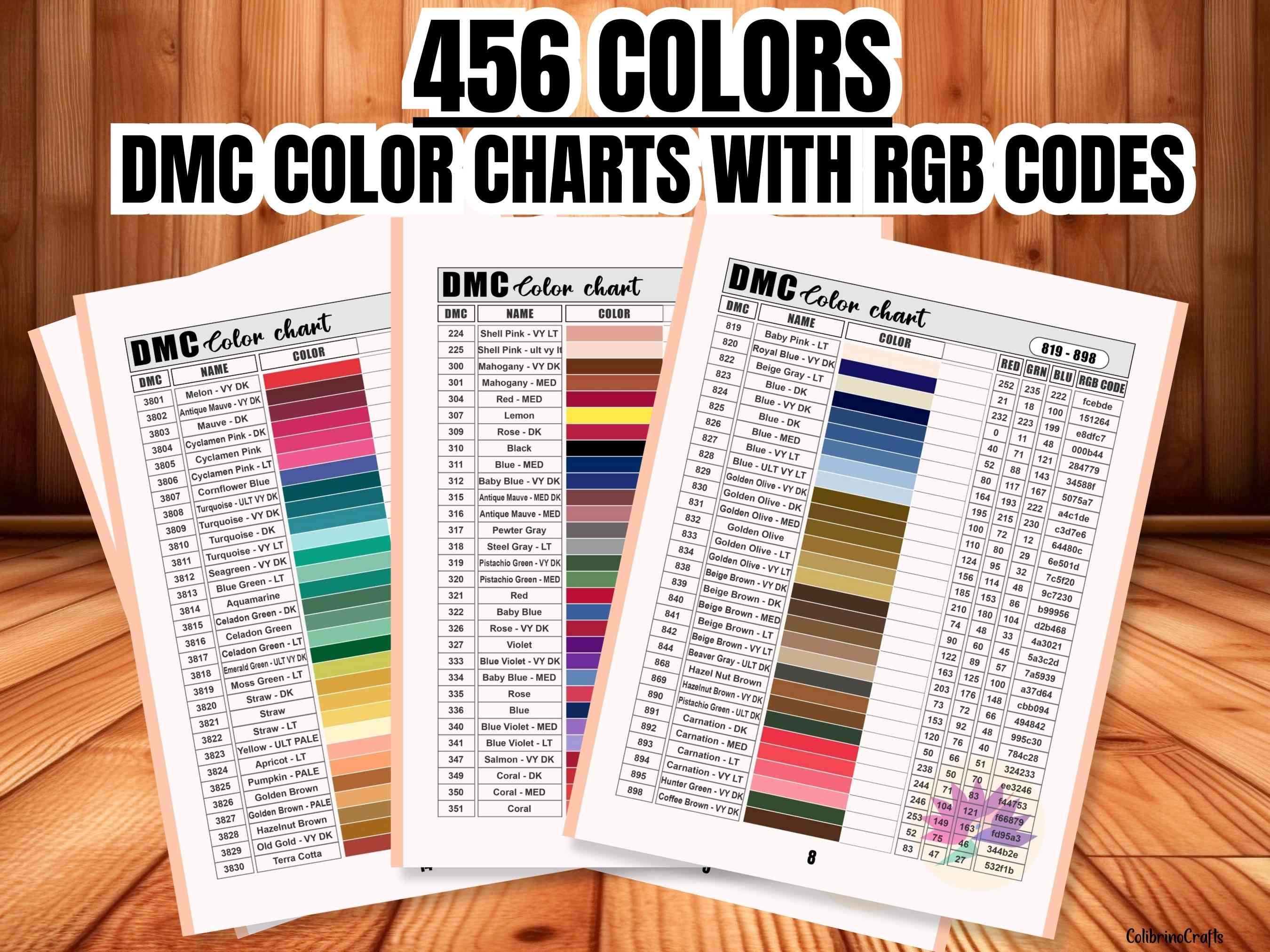
The DMC color chart is an essential tool for embroidery enthusiasts and professionals. It serves as a comprehensive guide to the vast range of DMC thread colors, providing a visual reference and accurate color codes. This chart is your key to unlocking the full potential of DMC embroidery threads.
Comparing Color Standards and Formats
DMC offers a standardized color system, ensuring consistency across their thread range. The chart typically displays a color swatch with its corresponding DMC color code. These codes are unique identifiers, allowing you to easily specify and match colors accurately.
Step-by-Step Guide to Using the DMC Color Chart
- Begin by identifying the color you wish to use. Look for the desired shade on the chart, which is usually organized by color family.
- Once you've located the color, note its DMC color code. This code is essential for referencing and ordering the correct thread.
- Use the chart as a guide when selecting threads for your embroidery projects. It ensures you achieve the intended color scheme and maintain consistency.
Avoiding Common Misreadings
It's important to note that lighting conditions can affect how colors appear. Ensure you view the chart in natural light to get an accurate representation of the shades. Additionally, be mindful of the difference between on-screen colors and physical thread colors, as screens may not always display true-to-life shades.
Factors Affecting Accuracy
Several factors can influence the accuracy of color representation on the DMC color chart. These include the type of paper or fabric used for the swatches, as well as the printing process. It's advisable to cross-reference colors with actual thread samples whenever possible to ensure precise color matching.
Choosing the Right Format
DMC provides various formats of their color chart to cater to different needs. You can opt for a physical color card, which is portable and convenient for on-the-go reference. Alternatively, digital versions are available for easy access on your device. Consider your preferred method of reference and choose the format that suits your embroidery workflow.
Maintaining Reliability for Future Projects
To ensure the longevity and reliability of your DMC color chart, handle it with care. Keep it away from direct sunlight and moisture to prevent fading or damage. Regularly update your chart to the latest version, as DMC may introduce new colors or make adjustments to their color range. By doing so, you'll always have an accurate and up-to-date reference for your embroidery endeavors.
Remember, the specifics of your DMC color chart may differ slightly, so it's always good to refer back to this guide for a quick refresh. Exact values can vary, so it's best to have your trusted reference at hand.
Feel free to bookmark this page for future use, and check out our other guides for more practical tips and insights. We aim to provide clear, concise information, so you can navigate these topics with ease. Happy crafting!