
Kitten Cat Coloring Pages Overview
You're likely here because you've heard of the cat poop chart and are curious about what it entails. Perhaps you're a pet owner seeking a quick reference guide to understand your cat's health or maybe you're a veterinary professional looking for a reliable tool. This chart, also known as the feline stool scoring system, offers a simple yet effective way to monitor a cat's well-being. It provides a visual representation, often with a color-coded guide, to assess the consistency and color of cat feces, which can indicate potential health issues. While the specific values and formats may vary, the cat poop chart serves as a valuable resource for anyone seeking a straightforward method to keep an eye on their cat's health.
Understanding the Cat Poop Chart: A Practical Guide
The cat poop chart, also known as the feline stool scoring system, is a valuable tool for cat owners and veterinary professionals. It provides a visual guide to assess the consistency and overall appearance of cat feces, offering insights into a cat's digestive health. This chart is an essential reference for monitoring and maintaining your feline friend's well-being.
Comparing Chart Formats and Standards
There are several versions of the cat poop chart available, each with its own set of categories and standards. The most common formats include a 7-point scale and a 5-point scale. The 7-point scale provides a more detailed assessment, covering a broader range of stool consistencies, from very firm to liquid diarrhea. The 5-point scale is a simplified version, focusing on the key variations in stool appearance. Both formats are widely used and offer accurate assessments when applied correctly.
Step-by-Step Guide to Using the Chart
Using the cat poop chart is a straightforward process:
- Collect a fresh sample of your cat's feces. Ensure it is intact and not contaminated.
- Refer to the chart and identify the closest match to the sample's consistency and appearance.
- Note the corresponding score or category on the chart.
- Interpret the score: a lower score indicates healthier, well-formed stools, while higher scores may suggest digestive issues.
- Repeat this process regularly to monitor any changes over time.
Avoiding Misinterpretations and Pitfalls
While the cat poop chart is a reliable tool, misinterpretations can occur. Here are some common mistakes to avoid:
- Relying solely on color: The chart considers overall consistency and texture, so focus on these aspects rather than just color.
- Ignoring other symptoms: Changes in stool consistency may indicate an underlying issue. Observe your cat for any other signs of illness or discomfort.
- Overinterpreting: Remember, the chart is a guide. If you have concerns, consult a veterinarian for a professional assessment.
Key Factors Affecting Accuracy
Several factors can influence the accuracy of your assessment using the cat poop chart:
- Diet: Changes in your cat's diet can impact stool consistency. Ensure a consistent, high-quality diet to maintain stable results.
- Hydration: Adequate water intake is crucial. Dehydration can lead to firmer stools, so monitor your cat's water consumption.
- Stress and Environment: Stressful situations or changes in the cat's environment can affect digestion. Consider these factors when interpreting the chart.
- Medication: Certain medications may impact stool consistency. Be aware of any recent changes in your cat's medication.
Adapting the Chart for Specific Needs
The cat poop chart can be tailored to specific situations or individual cats. If your cat has unique dietary needs or medical conditions, you may need to adjust the chart's categories or scores. Consult with your veterinarian to determine the most suitable format and interpretation for your cat's specific health needs.
Maintaining Reliable Reference
To ensure the cat poop chart remains a reliable tool, consider the following:
- Regular Updates: Stay informed about any updates or revisions to the chart's standards. Veterinary organizations may release new versions, so keep your reference materials current.
- Consistent Observation: Observe your cat's stool regularly and note any significant changes. This helps you identify trends and potential issues early on.
- Professional Guidance: If you notice persistent changes or have concerns, seek advice from a veterinarian. They can provide expert interpretation and guidance.
By following these practical tips and understanding the key factors, you can effectively utilize the cat poop chart to monitor your cat's digestive health and ensure their overall well-being.
While the cat poop chart offers a valuable and practical tool, it's important to remember that variations can occur. Exact details may differ slightly based on the context and specific guidelines you follow. So, it's always a good idea to refer to reliable sources and adapt the chart to suit your needs.
Feel free to explore other guides and resources on our platform to uncover more helpful insights and practical tools. We've got a range of topics covered, so you can find the information you need with ease.
Related: How to use a kitten age chart?
A kitten age chart is a handy tool for any cat lover or owner, offering a quick glimpse into a kitten's growth and development. This guide will cover the essentials, providing you with the knowledge to interpret and utilize a kitten age chart effectively.
From weeks to months, these charts outline standard milestones and common development stages, giving you an overview of your kitten's progress. While values may vary slightly depending on factors like breed and region, the charts offer a reliable reference point for cat enthusiasts and owners alike.
Understanding the Kitten Age Chart
The kitten age chart is a valuable tool for cat owners and enthusiasts, offering a visual representation of a kitten's growth and development over time. This chart provides a practical guide to understanding a kitten's age and the associated milestones.
Key Details and Categories
The kitten age chart typically presents age in weeks or months, with corresponding physical and behavioral changes. It covers a kitten's journey from birth to adulthood, usually up to one year. The chart may vary slightly depending on the standard used, but it generally follows a consistent format.
Reading and Applying the Chart
To use the kitten age chart accurately, follow these steps:
- Identify the age of your kitten in weeks or months.
- Locate the corresponding age range on the chart.
- Review the physical and behavioral characteristics listed for that age range.
- Compare these characteristics to your kitten's development.
- Note any significant variations or delays, which may indicate the need for veterinary attention.
For instance, a four-week-old kitten should be gaining weight steadily, with eyes and ears opening, and initial attempts at walking. By eight weeks, kittens should be fully weaned and showing more independence.
Variations in Growth
It's important to note that every kitten is unique, and growth rates can vary. Factors such as breed, nutrition, environment, and overall health can influence a kitten's development. Here are some key variations to consider:
- Breed: Different cat breeds have distinct growth patterns. For example, larger breeds may take longer to reach maturity.
- Nutrition: A well-balanced diet is crucial for healthy growth. Malnutrition can lead to stunted development.
- Environment: A stimulating and safe environment promotes healthy growth. Stress or lack of stimulation can impact a kitten's development.
- Health: Underlying health issues can affect growth. Regular veterinary check-ups are essential to identify and address any concerns.
Remember, the kitten age chart provides a general guide, and individual kittens may develop at their own pace. If you have concerns about your kitten's growth, consult a veterinarian for personalized advice.
Remember that while this chart provides a great starting point, the exact details may differ slightly based on your kitten's unique development and the specific guidelines you follow. Every kitten is an individual, so keep an eye on their progress and adjust your expectations accordingly.
Feel free to explore our other guides for more practical tips and insights into the wonderful world of kitten care. You'll find a wealth of information to support you and your furry friend through every stage of their growth and development.
Related: remove duplicates excel Easy guide for clean data
Ugh, duplicates in Excel. We've all been there, staring at a massive spreadsheet with rows and rows of data, only to realize there are multiple entries for the same thing. Remove duplicates Excel to the rescue! Let's get into how this handy feature works and why it's a lifesaver for anyone dealing with data.
So, you've got your Excel sheet open, and it's a mess of similar entries. Maybe it's a list of contacts, products, or sales data, and you need to clean it up. The "Remove Duplicates" feature is like a magic wand, but it's not as simple as clicking a button. You've got to set it up right to get the results you need.
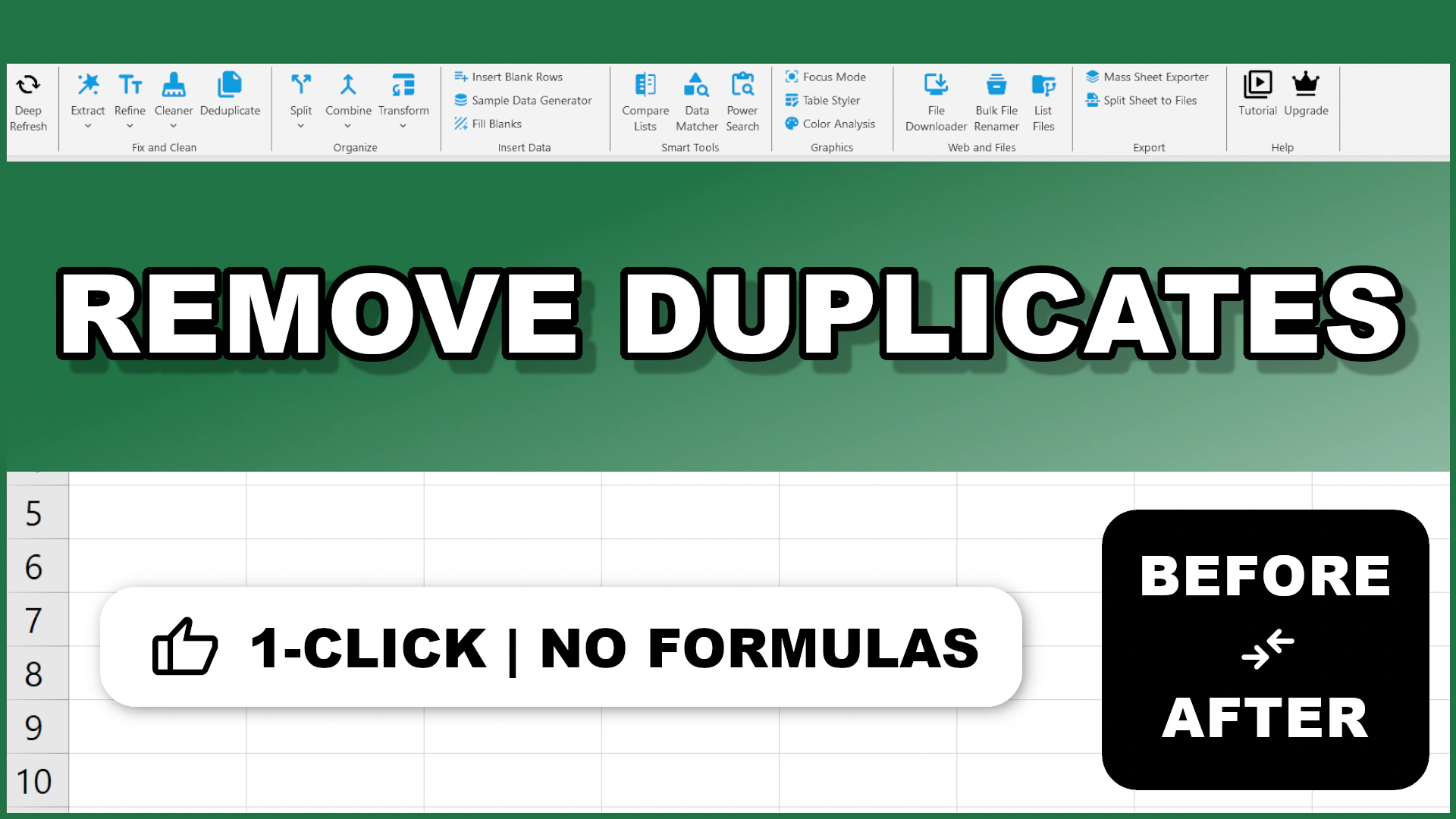
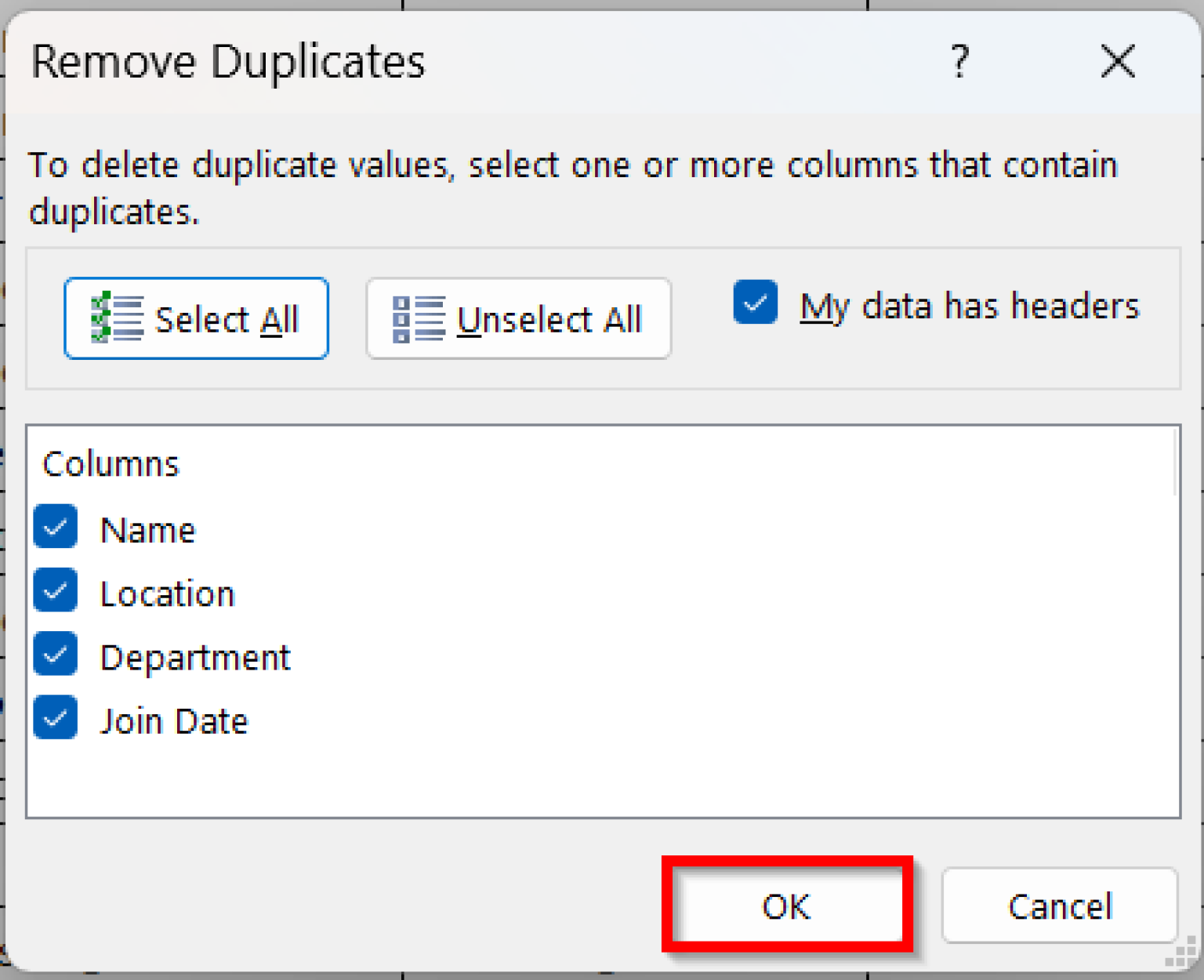
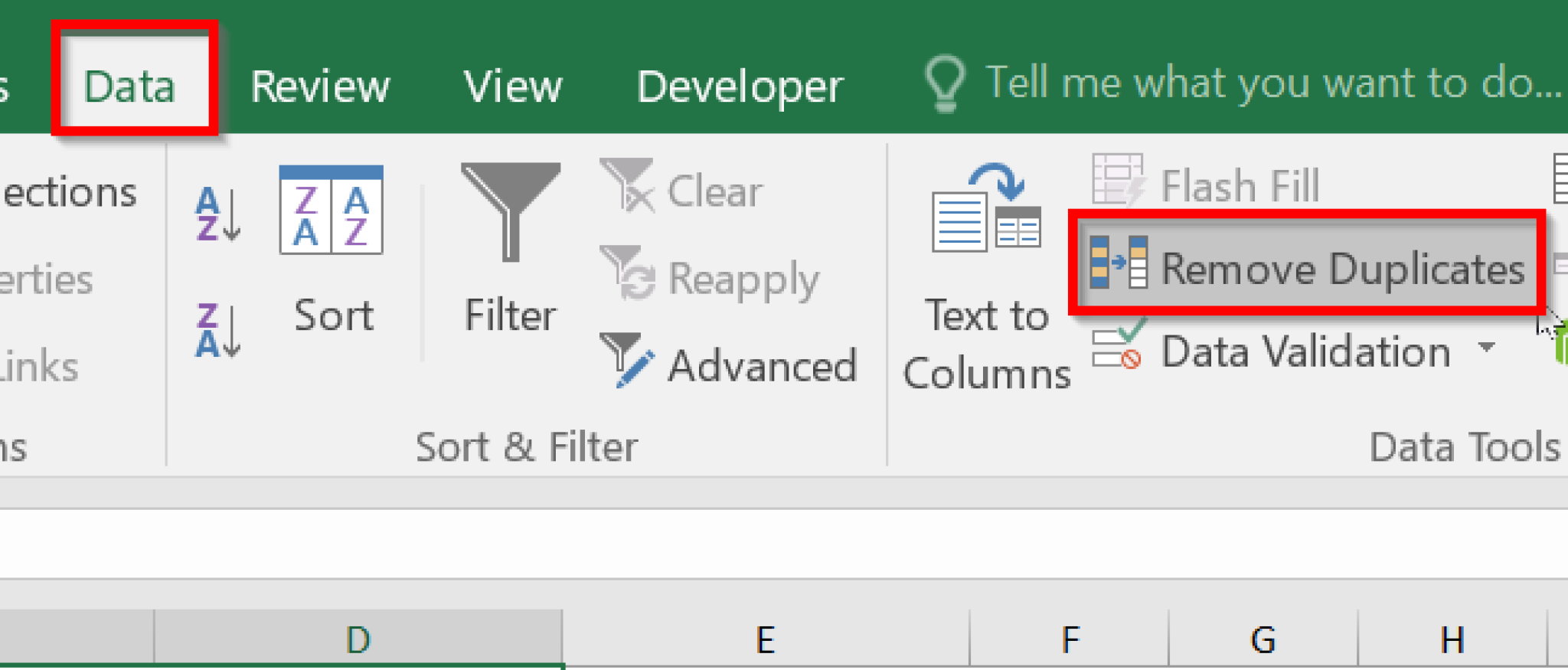
First, let's talk about how Excel identifies duplicates. It looks at the values in the cells and compares them. But here's the catch: by default, it only checks the active column. So, if you have duplicate entries across multiple columns, you need to tell Excel which columns to consider. You do this by selecting the range of cells you want to check, then heading to the "Data" tab and clicking "Remove Duplicates." A pop-up will appear, showing you the columns Excel will check. Make sure to select all the relevant columns, and voila! You're on your way to a cleaner sheet.
Setting it Up: A Step-by-Step Guide
Now, let's get into the nitty-gritty. After selecting your range, click "Remove Duplicates," and that pop-up will appear. Here, you can choose which columns to check. But be careful! If you have multiple columns with similar data, Excel might remove entries you want to keep. For example, if you have a contact list with names and email addresses, and someone has the same name but a different email, Excel might see it as a duplicate and remove one entry. To avoid this, you can use a formula like =IF(ISERROR(MATCH(B2,$B$2:$B$100,0)),"","Duplicate") in a helper column. This formula checks if the email address in column B is a duplicate within the range B2 to B100. If it is, it returns "Duplicate"; otherwise, it leaves the cell blank. This way, you can easily identify and keep the entries you need.
Another tip: before removing duplicates, consider using conditional formatting to highlight potential duplicates. This way, you can visually inspect the data and make sure you're not losing important entries. Excel's "Conditional Formatting" feature lets you format cells based on their values, so you can quickly spot and address any issues.
Keeping Your Data Clean
Maintaining a tidy spreadsheet is crucial, and remove duplicates Excel is just one tool in your belt. Regularly review and clean your data to avoid messy formatting and broken cells. Use Excel's built-in tools like SUMIFS for quick calculations and XLOOKUP for finding specific values. These formulas, along with drop-down lists and other features, can keep your sheet organized and efficient.
In a nutshell, remove duplicates Excel is a powerful feature, but it's just one part of the Excel toolkit. With a bit of practice and these tips, you'll be a pro at managing your data and keeping your spreadsheets shipshape. So, next time you open that massive contact list, remember these tricks and tackle those duplicates like a boss!