


Monthly Plan For Phone Overview
RS Means Cost Data has been on my mind lately as I plan a home renovation project. It's an important step to get the right info before you start, so I wanted to learn more.
I discovered that RS Means Cost Data is a valuable resource for anyone in the construction industry, whether you're a homeowner, a contractor, or a business owner. It's a comprehensive database that provides cost information for various construction projects, materials, and labor. This data is crucial for accurate estimating and budgeting, especially when you're considering a remodel or new build.
Understanding the Data
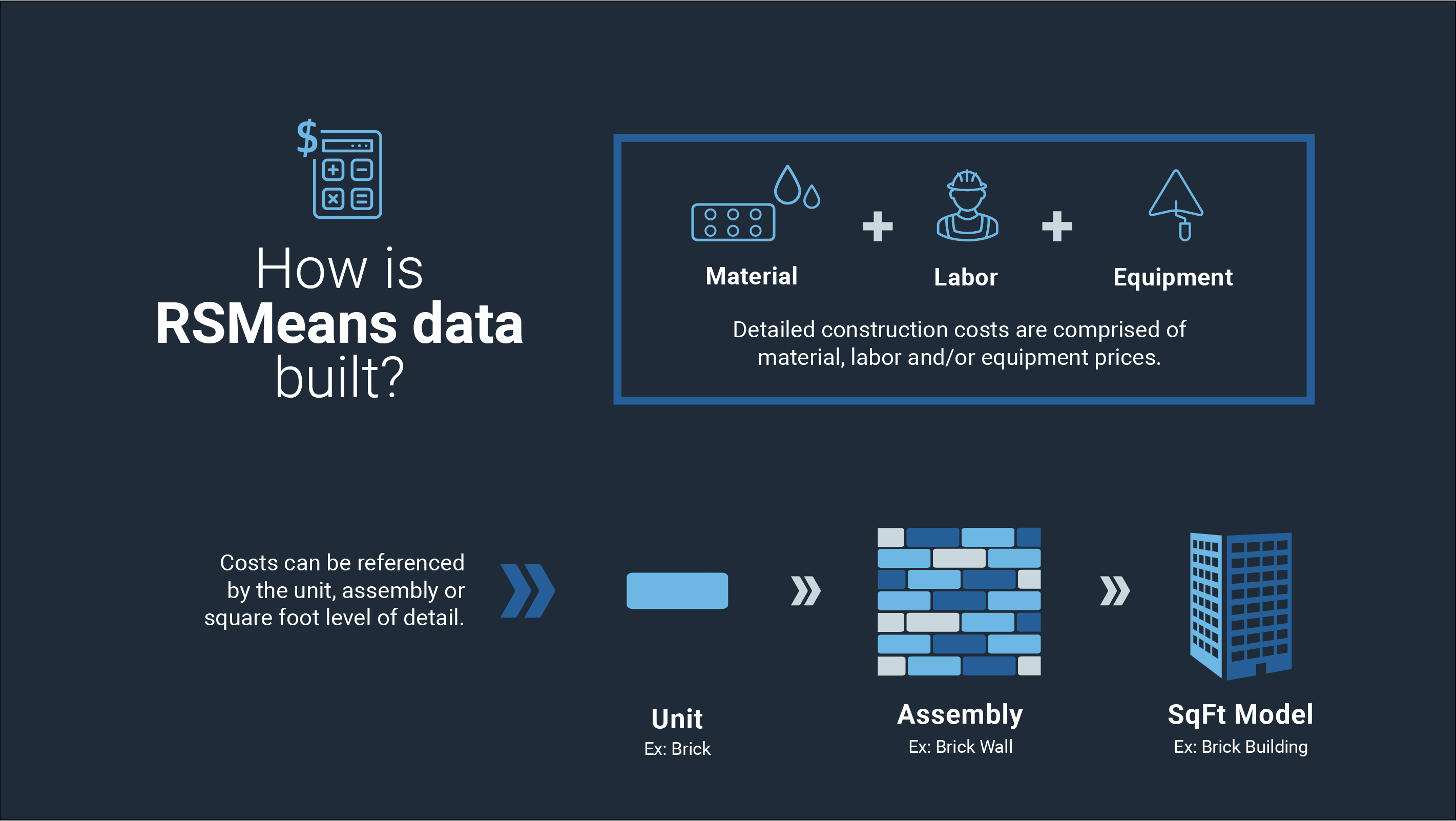
RS Means Cost Data offers a wealth of information, but it's not just a simple list of prices. The database includes detailed cost breakdowns for different construction tasks, materials, and equipment. It considers factors like location, labor rates, and material costs, which can vary significantly. For example, the cost of a bathroom renovation in Atlanta might be different from that in Helena due to regional variations in labor and material prices.
The data is also useful for comparing quotes from contractors. You can use RS Means Cost Data to ensure that the estimates you receive are fair and accurate. It's a great way to avoid overpaying or getting scammed. Just remember that the data is a guide, and actual costs can vary depending on the specifics of your project.
Hiring a Contractor
When it comes to hiring a contractor, RS Means Cost Data can be a valuable tool. It can help you understand the scope and cost of your project, so you know what to expect and can ask the right questions. Before hiring, check that the contractor has experience with similar projects and ask for references.
A good quote should include a detailed breakdown of costs, including materials, labor, and any additional fees. It's also a good idea to get multiple quotes to compare and ensure you're getting a competitive price. Remember, the cheapest quote might not always be the best option.
Company Names and Ideas
For those starting a construction business, choosing a name is an important step. A good name should be memorable, unique, and reflect your business values. Here are a few ideas:
- BuildRight Construction
- HomeCrafters
- Solid Foundations
- Modern Builders
- Eco-Friendly Renovations
Remember to check name availability and register your business locally to avoid any legal issues.
Jobs and Salaries
The construction industry offers a range of roles, from general contractors to estimators and project managers. Salaries can vary depending on experience, location, and the size of the company. For example, an estimator in a large firm in San Francisco might earn a different salary compared to one in a smaller town.
If you're looking for construction jobs, online job boards and local recruitment agencies are good places to start.
Data and Tools
RS Means Cost Data is just one of many tools available to the construction industry. Other resources include cost databases, escalation indexes, and outlook reports. These tools help businesses and homeowners plan and budget for construction projects, providing valuable insights into the industry.
Big Companies and the Industry
Large construction firms often have an advantage when it comes to resources and scale. They might have access to better materials, more specialized equipment, and a larger pool of skilled labor. However, smaller companies can offer personalized service and a more tailored approach.
The construction industry is diverse, and the size of the company doesn't always determine its success or quality of work. It's important to research and choose the right company for your specific needs, whether it's a large corporation or a local, family-run business.
So, whether you're a homeowner planning a renovation or a business owner looking to expand, RS Means Cost Data is a great resource to have in your toolkit. It's a simple yet powerful tool that can help you navigate the construction world with confidence.
Related: remove duplicates excel Easy guide for clean data
Ugh, duplicates in Excel. We've all been there, staring at a massive spreadsheet with rows and rows of data, only to realize there are multiple entries for the same thing. Remove duplicates Excel to the rescue! Let's get into how this handy feature works and why it's a lifesaver for anyone dealing with data.
So, you've got your Excel sheet open, and it's a mess of similar entries. Maybe it's a list of contacts, products, or sales data, and you need to clean it up. The "Remove Duplicates" feature is like a magic wand, but it's not as simple as clicking a button. You've got to set it up right to get the results you need.
First, let's talk about how Excel identifies duplicates. It looks at the values in the cells and compares them. But here's the catch: by default, it only checks the active column. So, if you have duplicate entries across multiple columns, you need to tell Excel which columns to consider. You do this by selecting the range of cells you want to check, then heading to the "Data" tab and clicking "Remove Duplicates." A pop-up will appear, showing you the columns Excel will check. Make sure to select all the relevant columns, and voila! You're on your way to a cleaner sheet.
Setting it Up: A Step-by-Step Guide
Now, let's get into the nitty-gritty. After selecting your range, click "Remove Duplicates," and that pop-up will appear. Here, you can choose which columns to check. But be careful! If you have multiple columns with similar data, Excel might remove entries you want to keep. For example, if you have a contact list with names and email addresses, and someone has the same name but a different email, Excel might see it as a duplicate and remove one entry. To avoid this, you can use a formula like =IF(ISERROR(MATCH(B2,$B$2:$B$100,0)),"","Duplicate") in a helper column. This formula checks if the email address in column B is a duplicate within the range B2 to B100. If it is, it returns "Duplicate"; otherwise, it leaves the cell blank. This way, you can easily identify and keep the entries you need.
Another tip: before removing duplicates, consider using conditional formatting to highlight potential duplicates. This way, you can visually inspect the data and make sure you're not losing important entries. Excel's "Conditional Formatting" feature lets you format cells based on their values, so you can quickly spot and address any issues.
Keeping Your Data Clean
Maintaining a tidy spreadsheet is crucial, and remove duplicates Excel is just one tool in your belt. Regularly review and clean your data to avoid messy formatting and broken cells. Use Excel's built-in tools like SUMIFS for quick calculations and XLOOKUP for finding specific values. These formulas, along with drop-down lists and other features, can keep your sheet organized and efficient.
In a nutshell, remove duplicates Excel is a powerful feature, but it's just one part of the Excel toolkit. With a bit of practice and these tips, you'll be a pro at managing your data and keeping your spreadsheets shipshape. So, next time you open that massive contact list, remember these tricks and tackle those duplicates like a boss!
Related: What's the Right Bat Size for You?
Many people assume that a bat size chart is solely about the length of a bat, but it's actually a comprehensive guide covering various dimensions and specifications. While length is an essential factor, a bat size chart also provides insights into other critical aspects, ensuring you choose the right equipment. This simple yet effective tool offers a quick reference, guiding you through the process of selecting the perfect bat size, whether for yourself or a young player.
Understanding the Bat Size Chart: A Quick Overview
The bat size chart is an essential tool for anyone involved in baseball or softball, offering a simple yet effective way to determine the appropriate bat size for players of all ages and skill levels. This chart acts as a reference guide, providing measurements and recommendations to ensure players have the right equipment for their physical attributes and playing style.
Comparing Bat Size Standards and Formats
Bat size charts can vary depending on the sport and the specific standards or regulations followed. For instance, baseball and softball often have different size charts, and even within these sports, there might be variations for youth leagues, adult recreational play, or professional leagues. These charts typically cover bat length and weight, with some also including additional factors like drop weight (the difference between bat length and weight) and barrel diameter.
Measuring for the Right Bat Size: A Step-by-Step Guide
To use a bat size chart accurately, follow these steps:
- Identify the relevant chart for your sport and league.
- Measure the player's height and, if applicable, their weight.
- Refer to the chart to find the recommended bat length based on the player's height and weight.
- Consider the player's age and skill level, as these can influence the ideal bat weight and drop.
- Select a bat within the recommended range, keeping in mind that personal preference and comfort are also important factors.
Common Size Variations and How to Avoid Misreadings
While bat size charts provide a great starting point, there can be variations due to several factors:
- Height and weight are just two of many physical attributes that can influence bat size. Hand size, arm length, and overall strength can also play a role.
- Age and skill level are often used as general guidelines, but individual player development and experience can vary widely.
- Manufacturer variations can occur, as different brands might have slightly different size recommendations or use unique sizing systems.
To ensure a perfect fit, it's essential to consider these factors and not solely rely on the chart. Always allow for some flexibility and personal preference, as the ultimate goal is to find a bat that feels comfortable and performs well for the individual player.
Before you put this guide to use, remember to cross-check your specific needs and requirements. While the chart offers a comprehensive overview, exact values can vary, so it's essential to ensure you're referring to the right standard or source for your context.
Consider bookmarking this page for future reference; it's a handy tool to have at your fingertips when you need a quick reminder of bat sizes. Stay organized, and happy batting!