







Receipt Html Template Free Overview
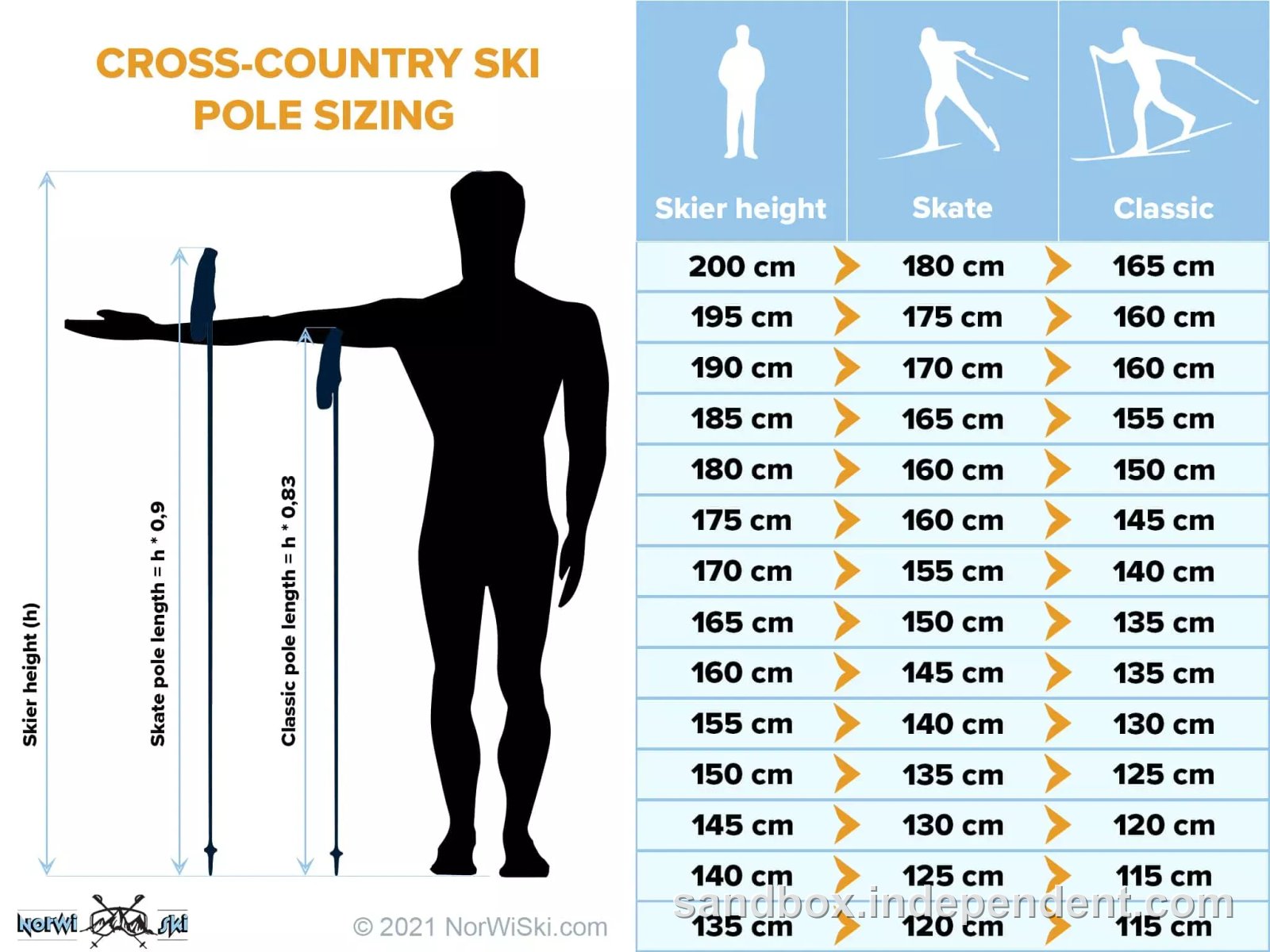
Many people assume that a ski sizing chart is a one-size-fits-all guide, but it's actually a bit more nuanced than that! While these charts offer a great starting point, they're not always an exact science. It's a common mistake to think that your height alone determines your ski size, when in fact, there are several factors to consider.
The ski sizing chart is a useful tool, but it's important to remember that ski size recommendations can vary slightly depending on your skiing ability, personal preference, and even the type of terrain you typically ski on. So, while it's a great reference, it's always worth seeking a little extra advice to ensure you get the perfect fit.
Ski Sizing Chart: A Practical Guide
Ski sizing charts are your go-to tool for finding the perfect ski length. They provide a simple way to match your height, weight, and skill level with the right ski size. This chart is a handy reference, but it's important to understand how to use it accurately.
Key Details: Understanding the Chart
The ski size guide typically shows a range of heights and corresponding ski lengths. It often includes categories like beginner, intermediate, and advanced skiers. The units used are usually inches or centimeters, depending on the standard. For example, a common recommendation might be a ski length of 160-170 cm for a skier who is 170-180 cm tall. These charts are a great starting point, but they're not one-size-fits-all.
Reading and Applying the Chart: Step-by-Step
Here's a simple process to follow:
- Identify your height and skill level.
- Locate your height range on the chart.
- Choose a ski length within the recommended range.
- Consider your personal preference and adjust slightly if needed.
For instance, if you're an intermediate skier and the chart suggests 165-175 cm skis for your height, you might opt for 170 cm skis. Remember, this is a guide, so feel free to experiment within the suggested range.
Variations: Why Ski Sizing Charts Differ
Several factors can cause variations in ski size recommendations:
- Ski height to length ratio: This ratio can vary based on the type of skiing (e.g., alpine vs. cross-country).
- Ski size by ability: Advanced skiers often prefer longer skis, while beginners might find shorter ones more manageable.
- Ski size by weight: Heavier skiers might benefit from slightly longer skis for better float and stability.
- Manufacturer preferences: Different brands may have unique recommendations.
- Regional standards: Some charts might use metric units, while others use imperial.
Common Mistakes and How to Avoid Them
A few simple errors to watch out for:
- Assuming one chart fits all: Always check if the chart is relevant to your skill level and the type of skiing you plan to do.
- Ignoring personal preference: While the chart is a guide, your comfort and confidence are key. Don't be afraid to adjust within the recommended range.
- Relying solely on height: Skill level and weight also play a role, so consider all factors.
Practical Tips for Accurate Results
To ensure you get the best fit:
- Double-check the chart's units and ensure they match your measurements.
- If you're between sizes, consider your skill level and the type of skiing.
- When trying skis, take a few runs to get a feel for the length.
- Remember, the chart is a starting point, but your comfort and performance are the ultimate goals.
By understanding the ski sizing chart and its variations, you can make an informed decision and enjoy your skiing experience. Happy trails!
Well, there you have it! Finding the perfect ski size is an important step to ensure your comfort and safety on the slopes. Remember, while this guide provides a great starting point, it's always a good idea to consult with experts or try out different sizes to find your ideal fit.
Feel free to explore our other guides and resources to enhance your skiing experience. We've got plenty of tips and tricks to help you become a pro!
Related: how to change outlook signature quick steps to update
Need to know how to change outlook signature? This post walks you through the basics in a few easy steps.
You’ll learn where to find the signature settings, how to edit Outlook signature, and how to set an Outlook default signature for new messages. The steps are similar across recent versions, though some menu labels may vary slightly.
Quick answer: how to change outlook signature and add new signature
You can quickly add a new signature in Outlook with just a few clicks. how to change outlook signature works whether you use the desktop app or Outlook on the web.
The feature is limited to Microsoft 365 or Exchange accounts; POP/IMAP setups do not support signatures at all. If you see a warning that your account cannot use signatures, you need to switch to a supported account type.
In Outlook desktop, open File > Options > Mail and click Signatures…; in Outlook on the web, go to Settings > View all Outlook settings > Mail > Compose and reply. Outlook default signature is stored in that location and can be edited anytime.
Compare methods by version: edit existing signature for Outlook on the web and Outlook desktop app
The desktop Outlook for Windows has a dedicated Signatures dialog where you can edit existing signature with rich formatting, images, and hyperlinks. You can also set a default signature for new messages, replies, or forwards from the same pane.
Outlook on the web places the signature in a plain‑text box under Mail settings, and changes sync automatically to all signed‑in devices. The web version renders HTML, so spacing may look slightly different from the desktop client.
Outlook for Mac uses a similar Signatures pane in Preferences > Mail, letting you create and edit signatures with the same options as Windows. Export the signature as an .htm file to move it between platforms without losing formatting.
Step-by-step guide: edit existing signature in Outlook on the web compose window
This guide applies to Outlook for Windows and Outlook for Microsoft 365; the steps are identical. You need an Exchange or Microsoft 365 account, otherwise the Signatures button is hidden.
- Open Outlook and click File > Options > Mail.
- Click the Signatures… button to open the Signatures dialog.
- Select an existing signature to edit, or click New to create one.
- Edit the text, insert images, add hyperlinks, and format as desired.
- Under Choose default signature, set it for New messages and/or Replies/Forwards.
- Click OK to save your changes and close the dialog.
After saving, compose a new email to confirm the signature appears at the bottom; test a reply to see the reply‑signature behavior. If it doesn’t show, revisit the steps and verify the correct account is selected in the Signatures dialog.
Common mistakes and fixes: signature not appearing
A common slip is assigning a signature only for replies and forgetting to set it as the default for new messages; always verify both options in the Signatures dialog. The Outlook default signature setting is where you confirm the choice.
If the signature does not appear in Outlook on the web, open Settings > View all Outlook settings > Mail > Compose and reply and make sure the signature box is filled. It sometimes hides behind the More actions menu, so expand that section before saving.
Signatures are unavailable on POP/IMAP accounts, so switch to an Exchange or Microsoft 365 account if you see a notice. Images may be blocked for security; re‑insert them and allow inline attachments, or use plain text if the recipient’s client does not support HTML.
Prevent future issues: Outlook desktop app signature management
Keep your signature in one .htm file and import it on each PC to maintain consistent formatting. Copying the Outlook web app signature from the web version into the desktop compose window also works.
After a Windows or Office update, open the Signatures dialog and verify that your default signature is still selected; a new install can clear the selection. A quick monthly check prevents unexpected missing signatures in important messages.
For teams, ask IT to deploy a standard signature via Group Policy or the Microsoft 365 admin center; this ensures everyone uses the approved branding and legal text. Admins can also lock the signature settings so users cannot modify them.
When moving to Outlook on the web, export the desktop signature as an .htm file and paste it into the web compose box; this preserves tables, images, and hyperlinks. Preview the signature to confirm formatting before sending.
Finally, test your signature on several devices and email clients to ensure it appears as intended; adjust the content or switch to plain text if needed. how to change outlook signature becomes routine once you have a reliable workflow in place.
Menus can look a bit different depending on which version of Outlook you’re using, so don’t be surprised if things shift around a little.
If you liked this tip, take a look at the other Microsoft Office guides on the site for more quick fixes and how‑tos.
Related: Bathroom Remodeling Contractor Essential Guide
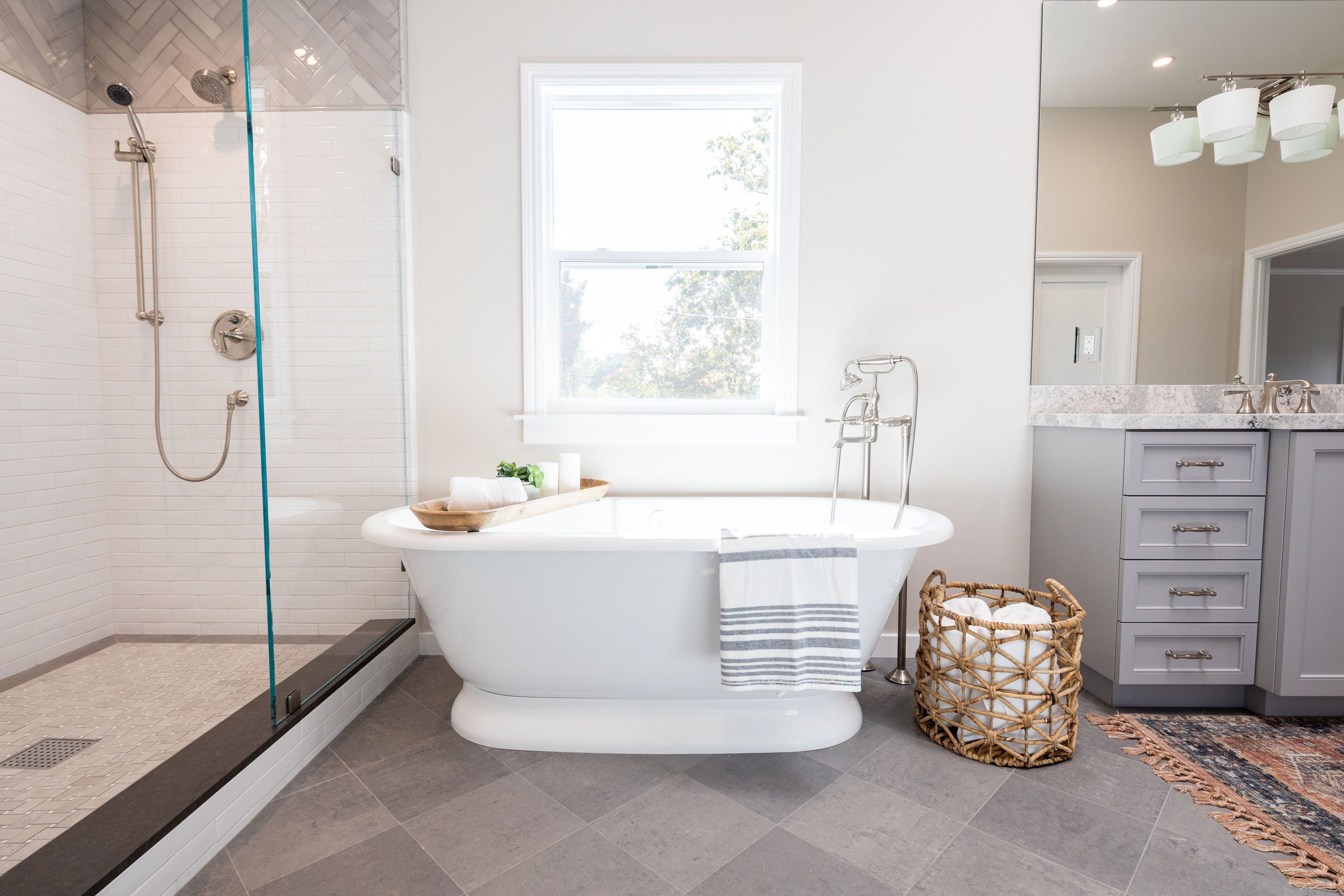
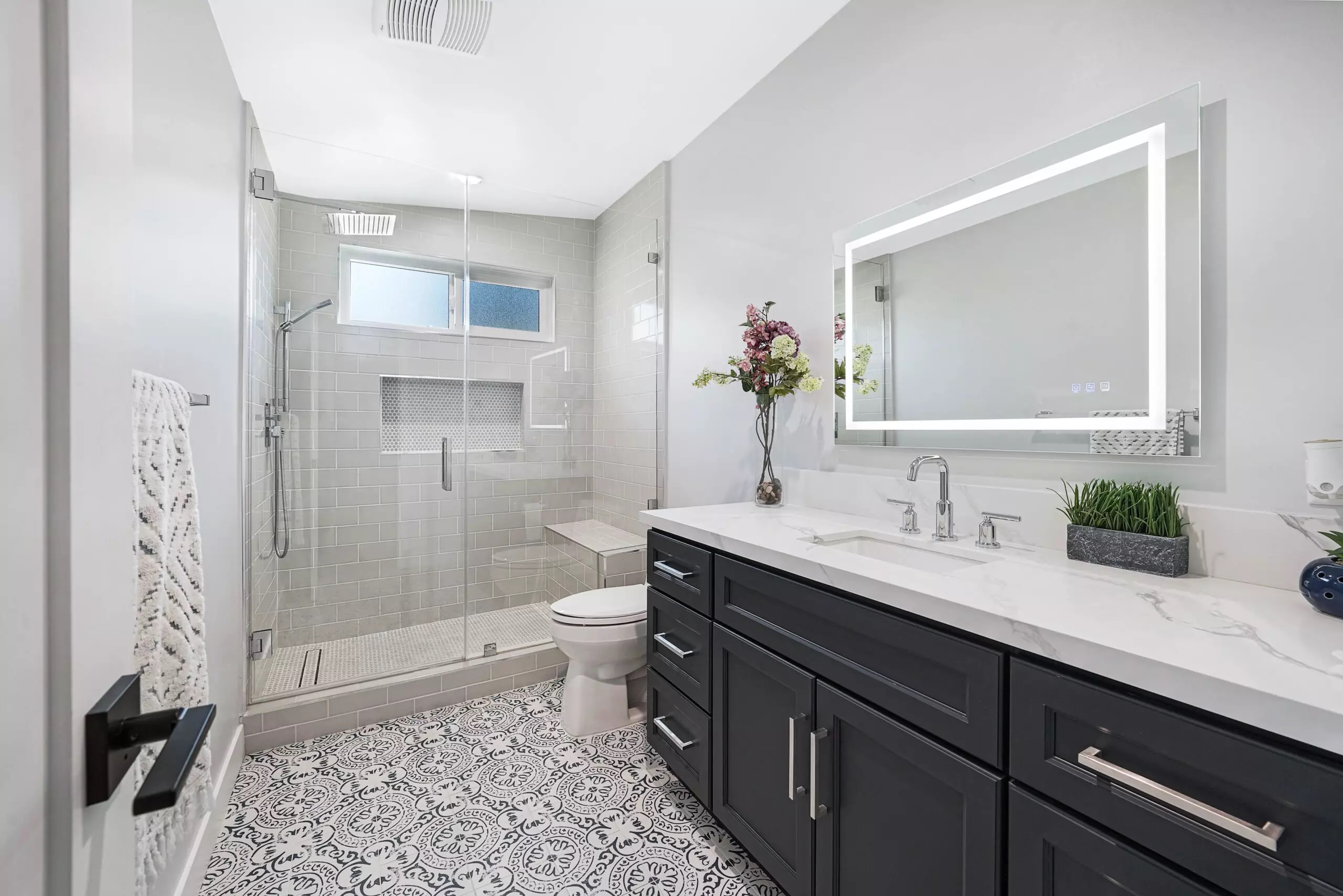
I was standing in my bathroom, staring at the dated tiles and worn-out fixtures, when it hit me: it's time for a renovation! I started thinking about finding a bathroom remodeling contractor and all the possibilities that come with it. So, here's a little guide to help you navigate this exciting process.
What's a Bathroom Remodeling Contractor?
A bathroom remodeling contractor is your go-to expert for transforming your bathroom into a stylish and functional space. They handle everything from design to construction, ensuring your vision becomes a reality. It's like having a personal bathroom makeover team!
The Cost Factor
When it comes to costs, it's a bit of a wild card. Prices can vary widely depending on the scope of your project. A simple update might be more affordable, while a full-scale renovation could be a bigger investment. It's all about balancing your dream bathroom with your budget.
Finding the Right Contractor
Hiring a bathroom remodeling contractor is a big decision. You want someone reliable, experienced, and aligned with your vision. Check their past projects, ask for references, and ensure they have the necessary licenses and insurance. It's also a good idea to get multiple quotes to compare prices and services.
Naming Your Business
If you're in the construction business, choosing a catchy name is crucial. It should be memorable and reflect your services. Some ideas could be:
- Build-it-Right Construction
- Renovate & Revive
- Home Transformation Team
- Modern Bath Solutions
Remember to check name availability and secure your domain and local registration.
Construction Jobs and Salaries
The construction industry offers a range of roles, from estimators to project managers. Salaries can vary based on experience and the specific job. If you're looking for opportunities, check online job boards and local construction companies. It's a great field with plenty of growth potential.
Tools of the Trade
In the world of construction, tools like RSMeans can be a game-changer. It's a cost database that helps contractors estimate project expenses accurately. It's a valuable resource for both small and large-scale projects.
The Big Picture
The construction industry is diverse, with companies of all sizes. Larger firms often have more resources and can take on bigger projects, while smaller companies might offer more personalized service. It's all about finding the right fit for your needs.
Local Connections
When it comes to bathroom remodeling contractors, local knowledge can be a plus. They understand the unique challenges and regulations of your area. For example, in Atlanta, you might need to consider specific building codes. It's always a good idea to check with your local building department for any specific requirements.
So, there you have it! A little insight into the world of bathroom remodeling contractors. It's an exciting process, and with the right team, you can create a bathroom that's truly yours.