







Summer Word Search Puzzles Printable Overview
Many users assume they need to download extra files to get rose flower cliparts in Office. In reality, the built‑in clip art library already contains them, and you can insert them directly into Excel or Word.
If you’re adding a graphic to PowerPoint or setting a background in Teams, just use the Insert Picture feature or the clip art browser. The same images are available across Microsoft 365 clip art, so you don’t have to search elsewhere. Depending on your version, the menu labels might vary slightly, but the process stays simple.
Insert picture Excel with rose flower cliparts
The built‑in clip art library already includes rose flower cliparts. You can insert them directly into Excel, Word, or PowerPoint without extra downloads.
In Excel, go to Insert > Picture > This Device, browse the clip art folder and select a PNG rose file. The same steps work in Word and PowerPoint using Insert > Pictures > Stock Images.
The Microsoft 365 clip art collection appears in all Office apps, so you can reuse the rose graphic across documents. Menu labels may vary, but Insert > Picture is the consistent entry point.
If the rose design doesn’t appear, ensure you’re online and signed into a Microsoft 365 account. This opens the online library where the rose images are stored.
For faster access, press Alt+N, P to open the Insert Picture dialog directly. You can also type “rose” in the search box to filter results instantly.
Clip art library requirements: version and account type
The clip art library is included with Office 2019 and Microsoft 365, so no separate download is required for rose flower designs. To use the online library you need a Microsoft 365 subscription and an internet connection; a free Microsoft account also works for the web version.
In corporate environments the online clip art feature can be disabled via policy. If the rose images are missing, ask IT to enable the Microsoft 365 clip art service.
If you’re on an older Office version such as 2016, the offline set may not contain the rose. You can still use the online library by signing in.
When you select the rose from the library, the file is a PNG that can be resized without loss of quality. You can then drag it onto any slide for a polished look with rose flower cliparts.
Step‑by‑step OneNote drawing with rose flower cliparts
To add a rose graphic in OneNote, open the app and choose Insert > Picture > This Device (or Stock Images for the online library). Browse to the clip art folder and select a PNG rose file.
Open OneNote and select the target page.
Click Insert > Picture > This Device (or Stock Images) and locate the rose PNG.
Select the rose file and insert it onto the page.
Resize or reposition using the picture handles as needed.
Save the page; the rose clip art is now part of your OneNote drawing.
If the rose doesn’t appear, confirm you’re online and signed into a Microsoft 365 account; otherwise the offline clip art may not include the design. You can also paste a copied rose image directly into OneNote for immediate use.
Signature image Outlook issues and fixes
When you add a rose clipart as an Outlook signature, the image may disappear or leave the signature blank. This often happens if the file size or format isn’t compatible.
- Signature image exceeds Outlook’s 30 KB size limit.
- File format isn’t supported (e.g., transparent GIF).
- Signature set to plain text only.
- Microsoft 365 clip art service disabled by policy.
To fix, resize the PNG under 30 KB, use a supported format like PNG or JPG, and switch the signature format to HTML or RTF. After saving, test the signature in a new message.
If the problem persists, verify you’re online and signed into a Microsoft 365 account; otherwise the rose image won’t load. After correction, the same rose clip art can be reused in other Office apps.
Slide design PowerPoint best practice with rose flower cliparts
The built‑in clip art library already includes rose flower cliparts, so you can insert them directly into PowerPoint without extra downloads. Use Insert > Pictures > Stock Images to browse the library.
Start with the high‑resolution rose from the Microsoft 365 clip art library for a clean slide design. This ensures the graphic looks sharp when projected.
If you use a custom rose, insert it via Insert > Picture > This Device, then set the picture’s fill to “Aspect Ratio” in Picture Format. Resizing this way prevents distortion.
Add the rose to the slide master’s header area so it appears on all new slides automatically. You can also copy the PNG to a shared folder for consistent branding across presentations.
Give it a go on a spare worksheet or a test slide first, just to be safe. If everything looks right, you can apply the same steps to your actual file. Menus might look a bit different depending on your version, but the ideas stay the same.
When you need this again, just bookmark the page and you’ll have it handy. Happy editing!
Related: Understand the Jordan Shoe Chart: A Simple Guide
Many people approach the Jordan shoe chart with a bit of hesitation, unsure of how to navigate its measurements and conversions. It's a common misconception that these charts are complex and confusing, but I'm here to assure you, it's a straightforward process!
The Jordan shoe chart is your go-to resource, offering a simple guide to finding your perfect fit. While the values might vary slightly depending on the region or brand, the chart provides a reliable starting point. Think of it as a universal language for shoe sizing, making it easy to convert between different standards, like US to UK sizes, and even helping with kids' shoe sizes!
Understanding the Jordan Shoe Chart
The jordan shoe chart is your go-to guide for finding the perfect fit when it comes to Jordan sneakers. It's a simple yet effective tool that helps you navigate the brand's sizing and ensure you get the right size for your feet. This chart provides a reference for both men's and women's shoe sizes, making it easy to find your ideal fit.
Comparing Size Standards and Formats
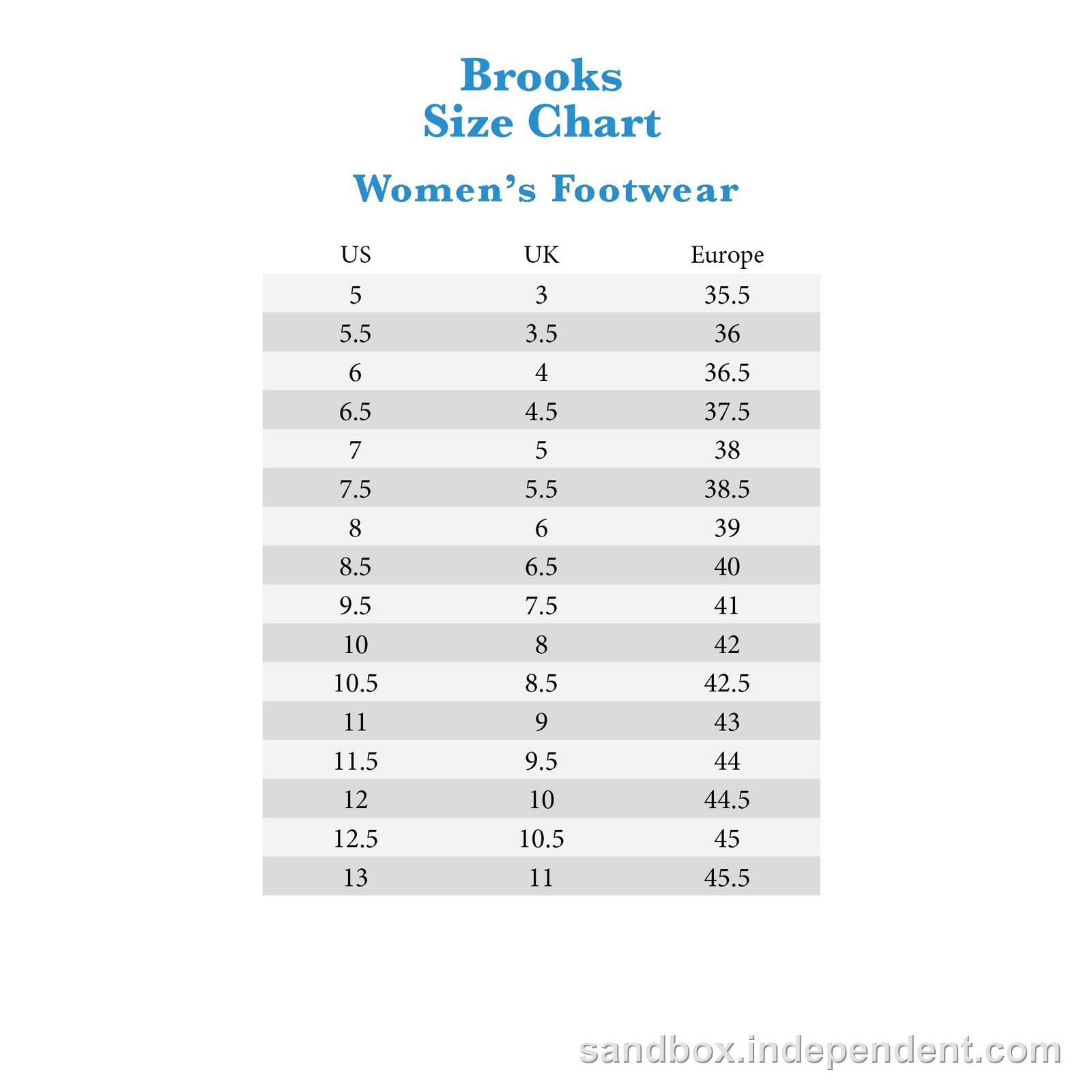
The jordan shoe chart follows a standard sizing system, typically based on US sizes. However, it's important to note that shoe sizes can vary slightly between brands and even within different Jordan shoe models. The chart usually includes a size conversion guide, allowing you to easily convert between US, UK, and European sizes. This is especially useful when you're used to one sizing system and need to adapt to another.
Step-by-Step Guide to Using the Chart
- Measure your feet accurately: This is the first step to ensure a precise fit. You can use a shoe sizing gauge or simply measure your foot length and width with a ruler or tape measure.
- Identify your foot length and width: The jordan shoe chart often provides a range of sizes, catering to different foot lengths. It also includes width variations, such as narrow, medium, and wide, to accommodate various foot shapes.
- Convert and compare: If you're used to a different sizing system, use the conversion guide on the chart to find your equivalent Jordan size. Compare your foot measurements to the chart's size recommendations to determine the best fit.
- Consider personal preferences: While the chart provides a guide, personal comfort and fit preferences may vary. Some people prefer a snug fit, while others go for a slightly larger size for added comfort. Trust your judgment and choose the size that feels right for you.
Common Misreadings and Pitfalls
One common mistake is assuming that all Jordan shoes follow the same sizing guidelines. While the jordan shoe chart provides a general reference, certain models may have slight variations. Always double-check the specific size guide for the shoe you're interested in to ensure an accurate fit. Additionally, remember that foot shape and personal comfort play a role, so don't be afraid to try on different sizes and listen to your feet's feedback.
The jordan shoe chart is a valuable tool, but it's essential to use it as a guide and trust your own judgment and comfort level. By following these simple steps and being aware of potential variations, you'll be able to find your perfect Jordan shoe size with ease.
Hey there! We've covered a lot of ground in this guide, giving you a comprehensive look at the Jordan shoe chart and its uses. Remember, while the basics remain the same, some details might shift based on your specific needs and the sources you consult.
So, keep this page bookmarked for future reference, and feel free to explore our other guides for more practical tips and insights. We aim to make these resources as helpful and accessible as possible, so you can find the right info when you need it most. Happy reading, and we hope to see you again soon!
Related: Construction Innovation News Essential Guide
"Construction innovation news" is something that's always on my radar as a homeowner. I mean, who doesn't want to keep up with the latest trends and advancements in the building world? It's not just about keeping an eye on the cool new tools and techniques; it's also about making sure your home stays modern, efficient, and, most importantly, safe.
Unveiling the Buzz: What's All the Fuss About?
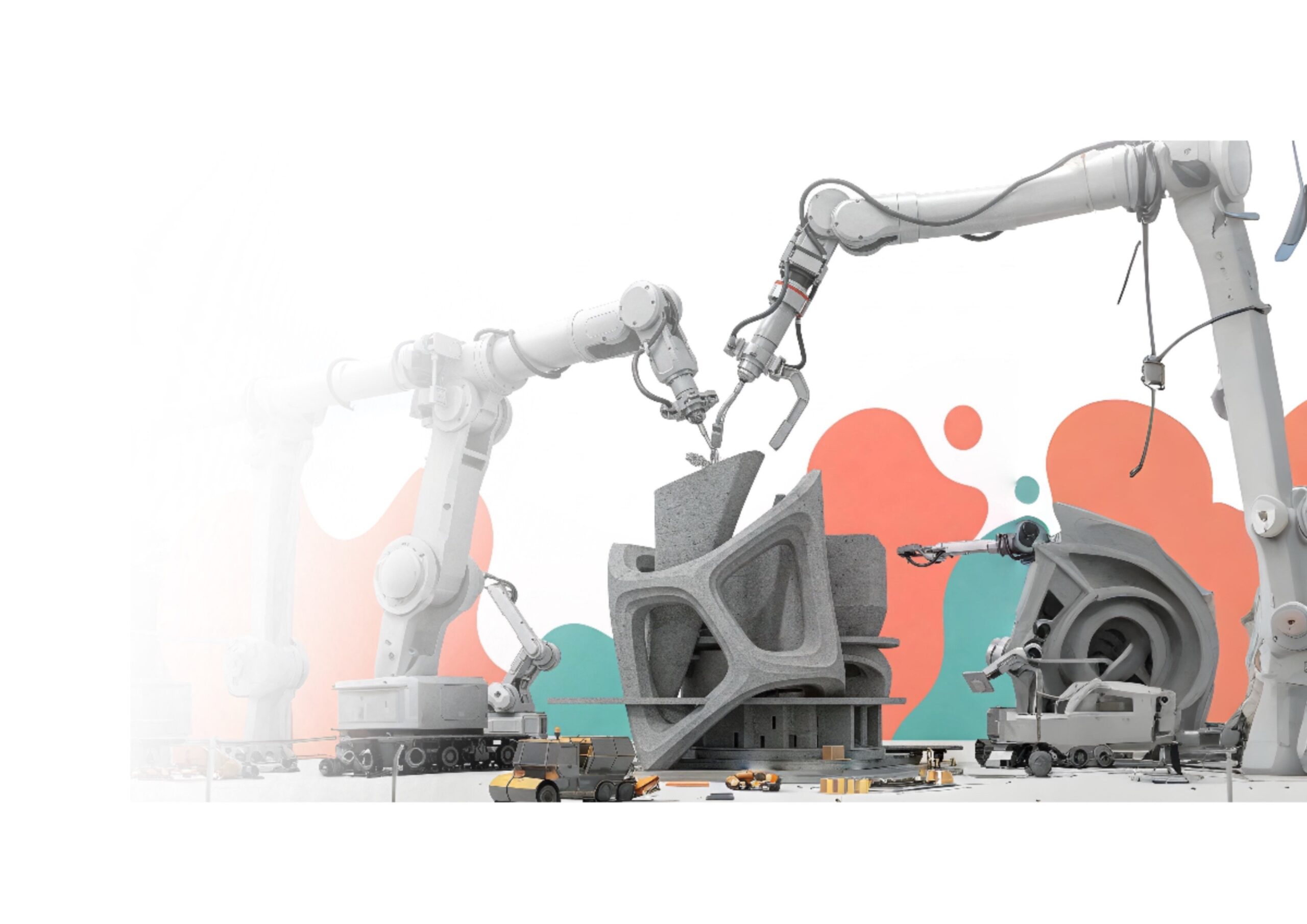
Construction innovation news covers a whole lot more than just shiny new gadgets. It's about the methods and materials that are shaping the industry and, by extension, our homes and communities. Think 3D-printed houses, sustainable building practices, and even construction robots! These innovations can impact everything from the cost and speed of your next project to the environmental footprint of your home.
Costs and Comparisons: A Balancing Act
When it comes to costs, construction innovation news can be a double-edged sword. While new technologies and methods can often streamline processes and reduce labor costs, they can also introduce new materials or techniques that are pricier. So, when you're comparing quotes, it's not just about the bottom line. You want to understand what's included, what materials are being used, and how those choices might impact your project's timeline and overall success.
Hiring Help: What to Look For
If you're considering hiring a contractor or company for your next project, construction innovation news can be a great resource. It can help you understand the latest trends and best practices, which can be useful when evaluating potential hires. Look for companies that are keeping up with the times, whether that's through the equipment they use or the techniques they employ. Ask about their experience with new methods and materials, and don't be afraid to request references or examples of their work.
Company Names: Making an Impact
For those in the business, construction innovation news might also mean rebranding or starting anew. A catchy, memorable name can be a powerful tool for any construction company. It should be unique, easy to remember, and ideally, it should give a hint about what the company does. Some ideas could be "Build-It-Right," "Future Homes," or "Eco-Construct." But remember, before you settle on a name, check its availability for domains and local registration to avoid any legal headaches down the line.
Industry Insights: A Bird's-Eye View
The construction industry is a beast, and construction innovation news can give us a glimpse into its inner workings. From cost databases and escalation indexes to the latest tools for estimating and planning, these innovations help keep the industry moving forward. They provide a framework for professionals to stay organized, accurate, and efficient, which ultimately benefits us as consumers.
Jobs and Opportunities: Where to Look
For those seeking construction jobs, construction innovation news can be a great way to stay informed about industry trends and potential opportunities. While specific openings and salaries can vary widely, keeping up with the latest innovations can give you an edge in a competitive job market. Whether you're an estimator, project manager, or skilled laborer, understanding the latest tools and techniques can make you a more attractive candidate.
Final Thoughts: Stay Informed, Stay Inspired
Construction innovation news is an exciting, ever-evolving field. Whether you're a homeowner, a business owner, or a job seeker, staying informed about the latest trends and advancements can give you a real edge. So, keep an eye out, ask questions, and don't be afraid to explore new ideas. After all, innovation is what keeps our homes, businesses, and communities moving forward.