


Grammar Worksheet Ukg Overview
Ugh, duplicates in Excel. We've all been there, staring at a massive spreadsheet with rows and rows of data, only to realize there are multiple entries for the same thing. Remove duplicates Excel to the rescue! Let's get into how this handy feature works and why it's a lifesaver for anyone dealing with data.
So, you've got your Excel sheet open, and it's a mess of similar entries. Maybe it's a list of contacts, products, or sales data, and you need to clean it up. The "Remove Duplicates" feature is like a magic wand, but it's not as simple as clicking a button. You've got to set it up right to get the results you need.
First, let's talk about how Excel identifies duplicates. It looks at the values in the cells and compares them. But here's the catch: by default, it only checks the active column. So, if you have duplicate entries across multiple columns, you need to tell Excel which columns to consider. You do this by selecting the range of cells you want to check, then heading to the "Data" tab and clicking "Remove Duplicates." A pop-up will appear, showing you the columns Excel will check. Make sure to select all the relevant columns, and voila! You're on your way to a cleaner sheet.
Setting it Up: A Step-by-Step Guide
Now, let's get into the nitty-gritty. After selecting your range, click "Remove Duplicates," and that pop-up will appear. Here, you can choose which columns to check. But be careful! If you have multiple columns with similar data, Excel might remove entries you want to keep. For example, if you have a contact list with names and email addresses, and someone has the same name but a different email, Excel might see it as a duplicate and remove one entry. To avoid this, you can use a formula like =IF(ISERROR(MATCH(B2,$B$2:$B$100,0)),"","Duplicate") in a helper column. This formula checks if the email address in column B is a duplicate within the range B2 to B100. If it is, it returns "Duplicate"; otherwise, it leaves the cell blank. This way, you can easily identify and keep the entries you need.
Another tip: before removing duplicates, consider using conditional formatting to highlight potential duplicates. This way, you can visually inspect the data and make sure you're not losing important entries. Excel's "Conditional Formatting" feature lets you format cells based on their values, so you can quickly spot and address any issues.
Keeping Your Data Clean
Maintaining a tidy spreadsheet is crucial, and remove duplicates Excel is just one tool in your belt. Regularly review and clean your data to avoid messy formatting and broken cells. Use Excel's built-in tools like SUMIFS for quick calculations and XLOOKUP for finding specific values. These formulas, along with drop-down lists and other features, can keep your sheet organized and efficient.
In a nutshell, remove duplicates Excel is a powerful feature, but it's just one part of the Excel toolkit. With a bit of practice and these tips, you'll be a pro at managing your data and keeping your spreadsheets shipshape. So, next time you open that massive contact list, remember these tricks and tackle those duplicates like a boss!
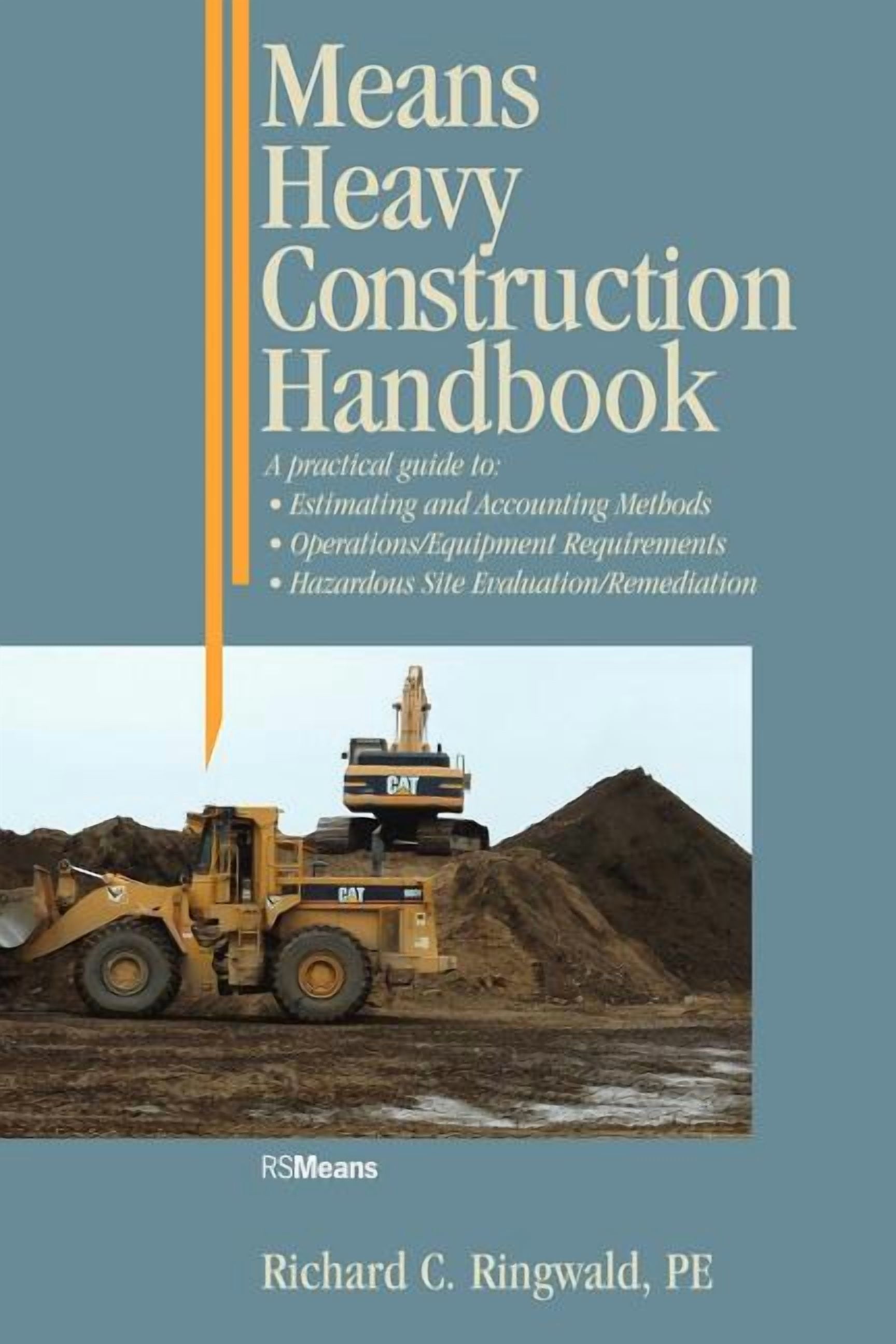
Related: RSMeans Estimating Essential Guide For Builders
RSMeans estimating... it's a term I've come across recently, and I was curious to know more. As someone who's dabbled in home renovations and heard about construction projects, I wanted to understand what this phrase means and how it relates to the world of building and remodeling. So, let's dive in and uncover the secrets behind RSMeans estimating!
Unraveling the Mystery: What is RSMeans Estimating?
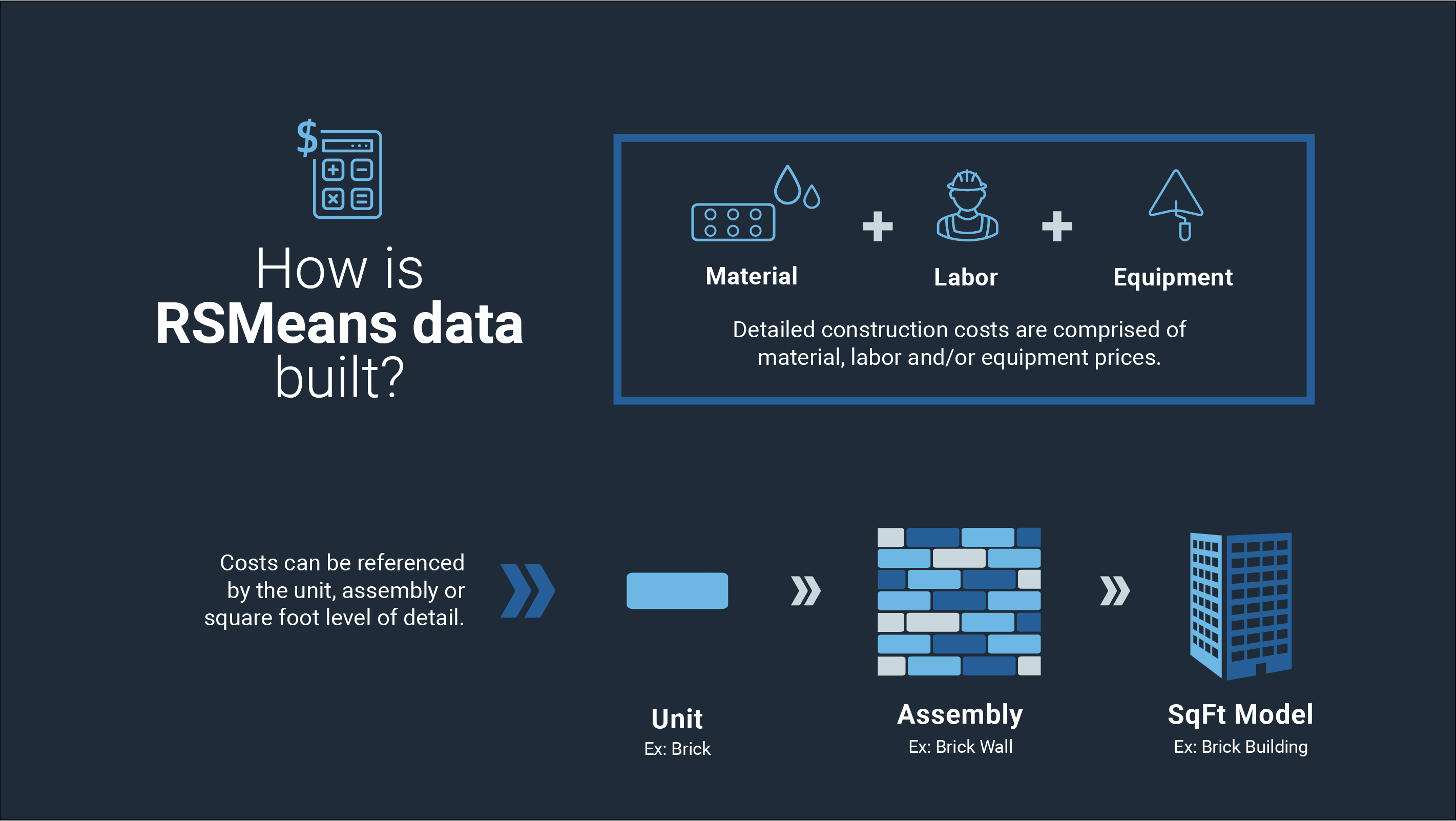
RSMeans estimating is a tool, a resource, and a method used by construction professionals to estimate the costs and pricing of various projects. It's like a handy guide that helps builders, contractors, and even homeowners like me make informed decisions. This estimating process considers factors like labor, materials, and the overall scope of the work to provide an accurate cost estimate.
For those of us considering a home renovation, understanding RSMeans estimating can be a game-changer. It empowers us to compare quotes, ensure we're getting a fair deal, and make smart choices about our projects. Whether it's a bathroom renovation or a full-scale house addition, having a reliable estimate is crucial.
Hiring the Right Contractor: A Guide
When it comes to hiring a contractor for your project, RSMeans estimating can be a valuable tool. It helps you evaluate quotes and understand the breakdown of costs. Here's a simple guide:
- Check the contractor's experience and reputation.
- Ask for references and read reviews.
- Get multiple quotes and compare them.
- Ensure the quote covers all aspects of the job.
- Look for transparency and clear communication.
A good quote should detail the work, materials, and labor costs. It should also include any potential additional expenses, like permits or unexpected issues. Remember, it's not just about the lowest price; it's about finding a reliable and skilled contractor who understands your vision.
Construction Business Names: A Creative Challenge
Naming a construction business is an art! It's a chance to be creative and leave a lasting impression. A great name should be memorable, reflect your company's values, and stand out in a competitive market. Here are a few ideas:
- BuildCraft
- HomeWorkz
- SkyRise Solutions
- EarthMovers
- Brick & Mortar Pros
- BuildTech Innovations
Before settling on a name, check its availability for domains and local registration. You want to ensure your business name is unique and can be easily found online.
The World of Construction Jobs
The construction industry offers a wide range of roles, from estimators to project managers and skilled laborers. Estimator jobs, for instance, involve using tools like RSMeans to calculate costs accurately. These professionals are in demand and play a crucial role in the success of projects.
If you're interested in construction jobs, explore online job boards, local newspapers, and industry-specific websites. Many construction companies also advertise directly on their websites, so it's worth keeping an eye out for openings.
RSMeans: A Powerful Tool for Professionals
RSMeans is a trusted resource in the construction industry. It provides cost databases, escalation data, and cost indexes, helping professionals make informed decisions. Whether you're a general contractor or a remodeling company, RSMeans estimating offers valuable insights.
This tool is especially useful when planning projects, as it helps anticipate costs and stay within budget. It's a go-to resource for many in the industry, providing accurate and up-to-date information.
Big vs. Small: The Construction Industry Landscape
The construction industry is diverse, with both large corporations and small, local businesses. Large firms often have the resources to take on major projects and offer a wide range of services. They may have a broader reach and access to more specialized skills.
Small businesses, on the other hand, can provide a more personalized experience. They often have a strong local presence and can offer competitive pricing. When choosing a company, consider your project's scope and your preferences for size and expertise.
In conclusion, RSMeans estimating is a valuable tool for anyone involved in construction, remodeling, or building projects. It empowers us to make informed decisions, compare costs, and ensure a successful outcome. So, whether you're in Atlanta, Baltimore, or San Francisco, RSMeans estimating is a resource worth exploring!
Related: Need a Boot Size Chart? Get Accurate Sizing Here
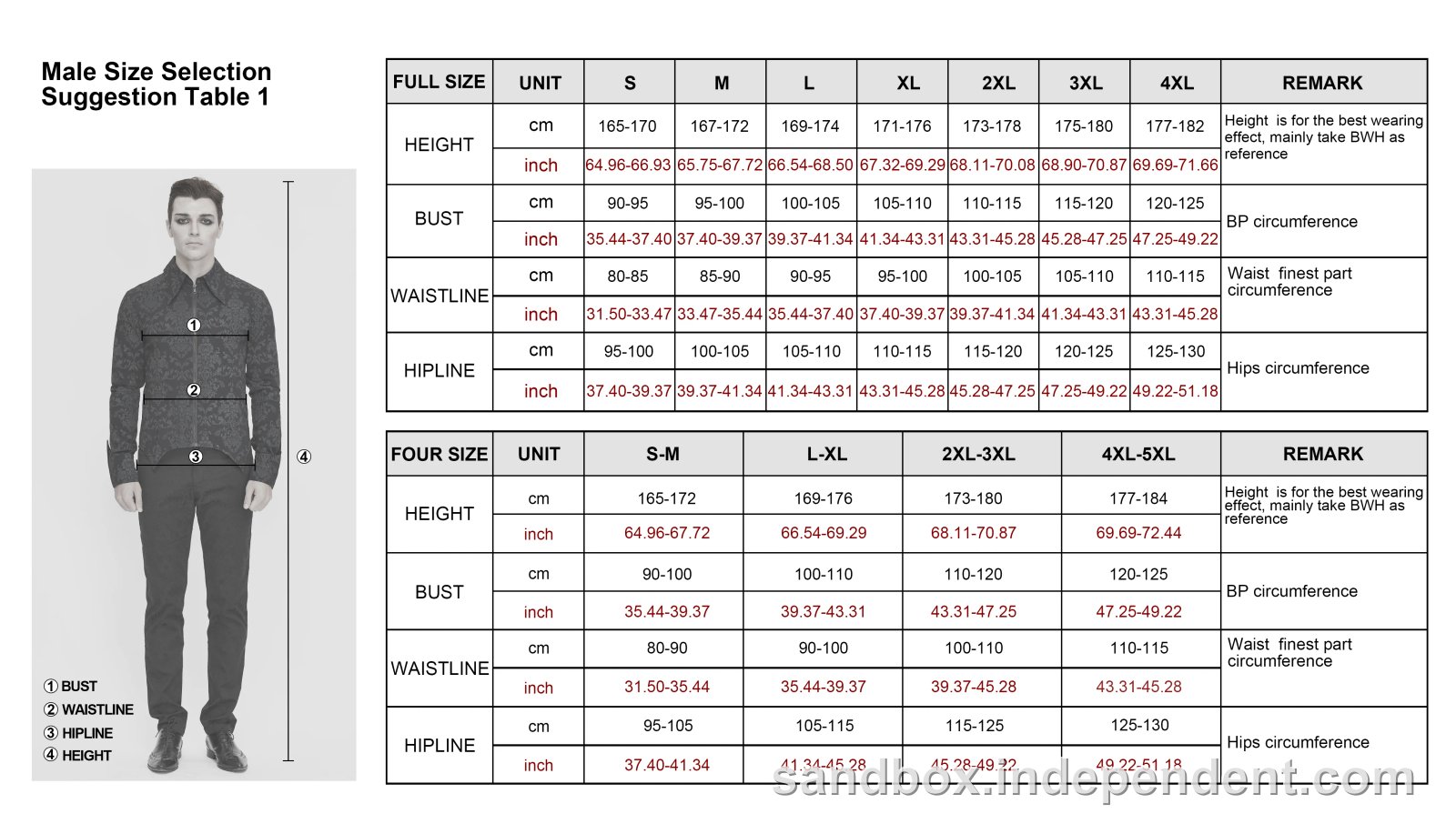
Many people overlook the importance of a simple boot size chart, assuming it's just a basic guide. But, it's a common pitfall to think that one size fits all, and this is where the chart becomes crucial. A boot size chart is your go-to tool, offering a quick and accurate way to find your perfect fit. It's not just about shoe size; it considers foot measurements and provides a reliable reference for various brands and international sizing standards.
Boot Size Chart Explained
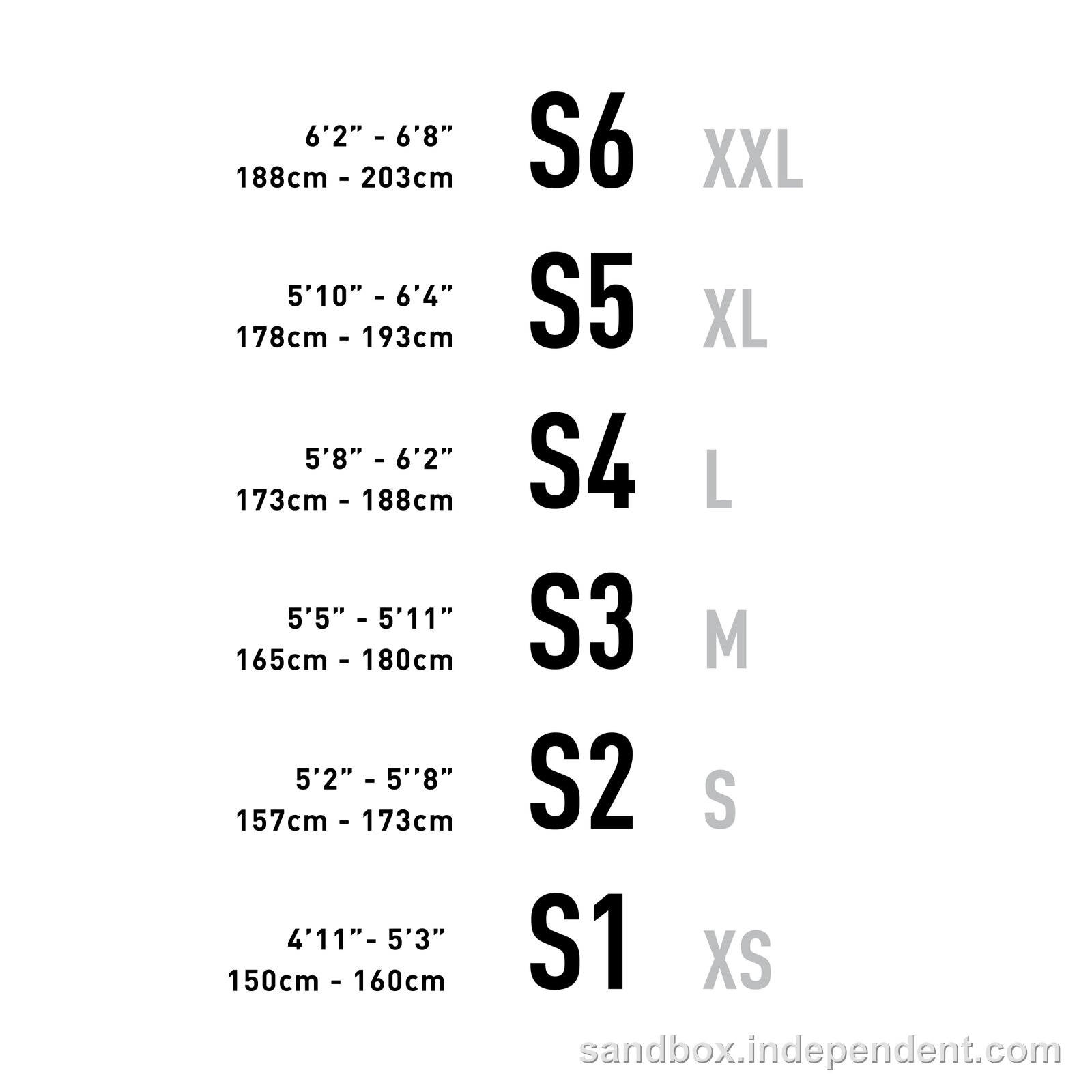
A boot size chart is your go-to guide for finding the perfect fit for your feet. It's a handy tool that helps you understand the standard sizing systems used for boots, ensuring you get the right size every time. These charts are especially useful when shopping online or comparing different brands, as they provide a consistent reference point.
Understanding the Key Details
Before diving into the chart, let's cover some basics. Boot size charts typically display two key measurements: length and width. Length is measured in either centimeters (cm) or US sizes, and it represents the overall size of your foot. Width, on the other hand, is often indicated by letters (e.g., A, B, C) or a scale (e.g., narrow, medium, wide). It's important to note that the width scale may vary slightly between brands, so always check the specific chart for clarity.
How to Read and Use the Boot Size Chart
Using a boot size chart is straightforward:
Measure your foot length: Take an accurate measurement of your foot, following the guidelines provided on the chart. This ensures you get the right length.
Find your length category: Locate your foot length on the chart. It will typically be divided into categories, such as men's, women's, and kids' sizes, with corresponding length ranges.
Check the width: Once you've identified your length category, look for the width options available within that range. Choose the width that best suits your foot shape and comfort preferences.
Convert if needed: If the chart uses a different sizing system than you're familiar with, don't worry! Most charts provide conversion guides, allowing you to easily translate between US, UK, and EU sizes, or even cm to US size conversions.
Variations and Differences
One of the challenges with boot size charts is the variation between different standards and brands. While many brands adhere to international sizing standards, some may have slightly different measurements or use unique width scales. This is especially true for specialty boots, like hiking or skiing boots, which may have unique fit requirements. Always double-check the specific brand's sizing guide to ensure an accurate fit.
Common Mistakes and How to Avoid Them
A common mistake is assuming that all boot size charts are the same. Different charts may have slight variations, so always refer to the chart provided by the brand or retailer you're purchasing from. Another pitfall is relying solely on your usual shoe size. Boot sizes can vary, so it's best to measure your foot each time to ensure an accurate fit. Lastly, don't forget to consider the width! A boot that's too narrow or wide can cause discomfort and affect your overall experience.
Tips for Accurate Measurements and Best Practices
To ensure the most accurate results when using a boot size chart, consider these tips:
Measure your foot at the end of the day when it's slightly swollen, as this is often the time when your feet are at their largest.
If you're between sizes, err on the side of a slightly larger size. A tight fit can be uncomfortable and restrict blood flow, while a slightly larger size can be adjusted with the right sock thickness.
When trying on boots, wear the same type of socks you plan to wear with them. This ensures a true representation of the fit.
Consider the type of boot and its intended use. Some boots, like work boots, may require a different fit than casual boots, so be mindful of the activity and choose accordingly.
Remember, while boot size charts are a valuable tool, they are just a guide. Always trust your comfort and fit preferences, and don't hesitate to seek advice from experts or customer support if you need further assistance. Happy shopping and happy trails!
Well, there you have it! A boot size chart is a handy tool, but remember, it's a guide, and exact values may differ slightly between standards. Always double-check your specific needs and the manufacturer's guidelines to ensure a perfect fit.
This chart is a quick reference, so bookmark this page, and you'll always have it at your fingertips when you need to find the right boot size. Happy measuring, and may your feet always be comfortable!