








Grammar Worksheets For Grade 8 Overview
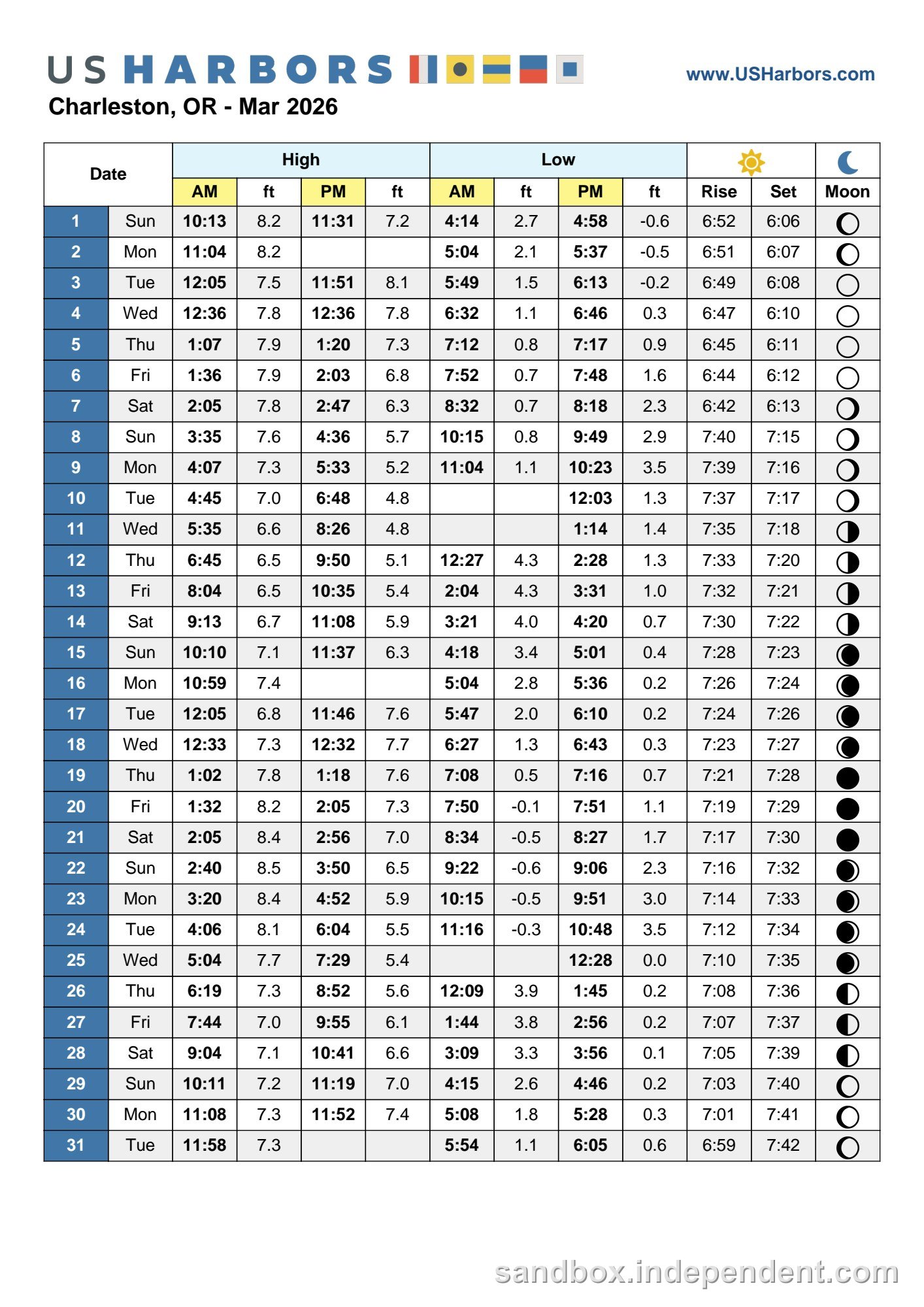
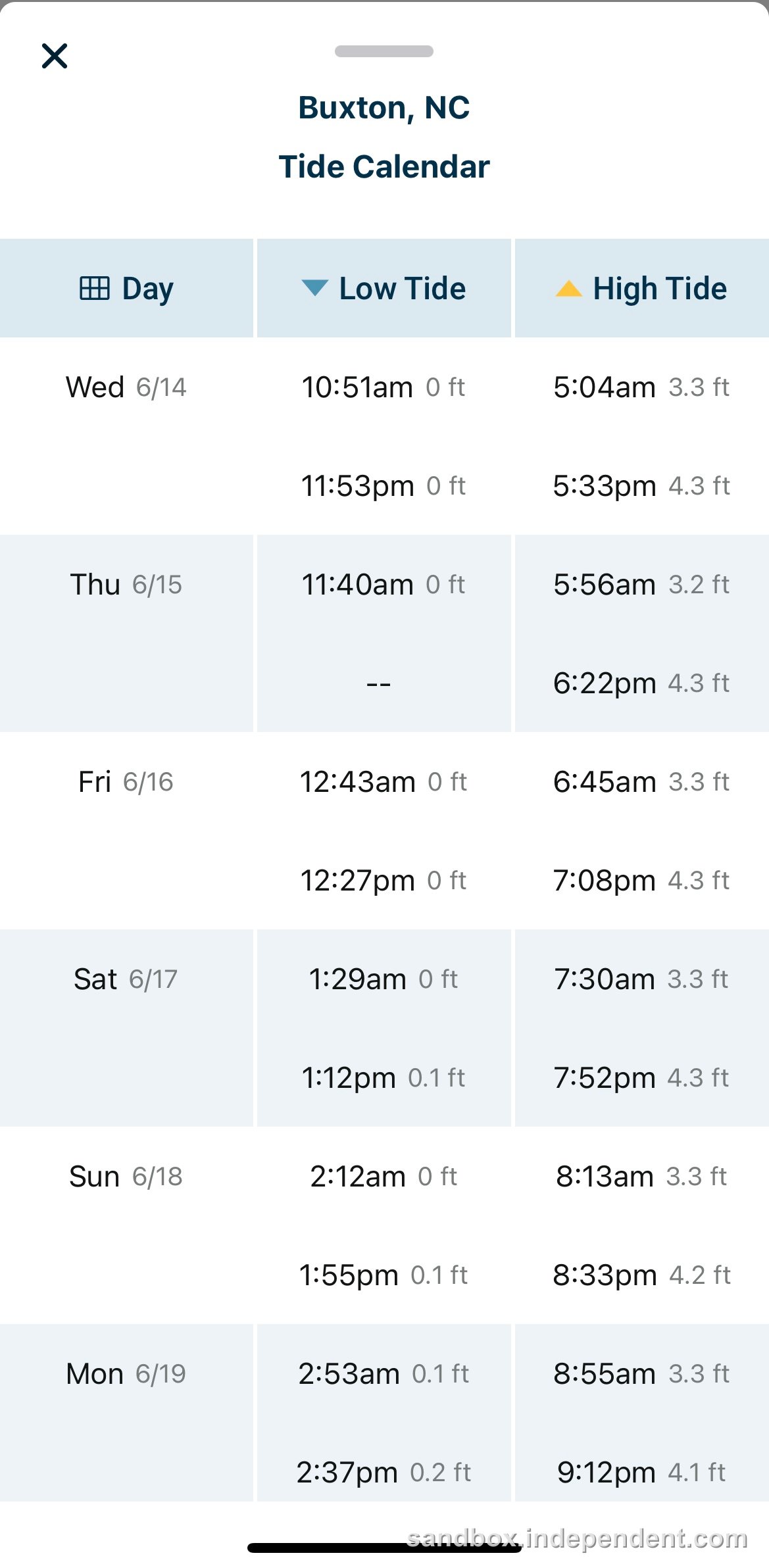
A tide chart Seattle is a handy tool for anyone wanting to explore the city's waterways or plan marine activities. This guide will cover the basics, helping you understand and utilize these charts effectively.
Tide chart Seattle and similar resources provide essential information on tide times, water levels, and sea conditions. They offer a quick reference, ensuring you're prepared for your next adventure on the water. While formats may vary, the core data remains a valuable asset for sailors, anglers, and beachgoers alike.
Understanding the Data: A Quick Overview
The tide chart for Seattle provides a handy reference for predicting water levels and tidal movements in the area. It's an essential tool for anyone interested in marine activities or wanting to understand the city's tide heights. This chart offers a visual representation of how the tide times and water levels will change over a given period, typically a day or a few days.
Comparing Formats: Standard vs. Customized Charts
There are two main types of tide charts: standard and customized. Standard charts are widely available and provide a general overview of tidal patterns. These are great for getting a quick sense of the tide times and water levels in an area. Customized charts, on the other hand, offer a more detailed and specific view. These are tailored to a particular location and can account for local factors that may influence tidal behavior.
Step-by-Step: Reading Your Tide Chart Seattle
To read your tide chart Seattle, follow these simple steps:
Identify the Date and Time: The chart will have a date and time scale. Ensure you're referring to the correct day and time for your planned activity.
Locate the Tide Height Indicator: This is usually a line or curve on the chart. It will show you the predicted tide height at different times throughout the day.
Understand the Scale: The vertical axis represents tide height, often measured in feet or meters. Ensure you're using the correct unit of measurement for your chart.
Read the Tide Times: The horizontal axis shows the time of day. Markings indicate when the tide will be at its highest or lowest points, known as high and low tides.
Plan Your Activities: With the tide times and water levels in mind, you can now plan your marine activities accordingly.
Common Misreadings and How to Avoid Them
It's easy to misinterpret a tide chart if you're not familiar with its format. Here are some common mistakes and how to avoid them:
Confusing High and Low Tides: Ensure you understand which direction the tide is moving. A rising tide means the water level is increasing, while a falling tide indicates a decrease.
Misinterpreting the Scale: Always double-check the units of measurement. A mistake here can lead to significant errors in your planning.
Assuming Accuracy: Tide charts are predictions based on historical data and models. Actual tidal behavior can vary due to weather conditions and other factors. Always check the latest marine forecasts for up-to-date information.
Factors Affecting Accuracy: Weather and More
The accuracy of your tide chart Seattle can be influenced by several factors:
Weather Conditions: Strong winds, storms, and other weather events can cause significant variations in tidal behavior. Always check the latest weather forecasts.
Local Geography: The shape of the coastline and nearby landmasses can affect tidal patterns. This is why customized charts can be more accurate for specific locations.
Moon Phases: The gravitational pull of the moon influences tides. Full and new moon phases often bring higher tide heights and stronger currents.
Choosing the Right Format: Standard or Customized?
When selecting a tide chart Seattle, consider your specific needs:
If you're a casual user or just need a general overview, a standard chart will suffice. These are widely available and easy to interpret.
For more detailed planning, especially if you're engaging in marine activities like boating or fishing, a customized chart is ideal. These account for local factors and can provide more accurate predictions.
Keeping Your Setup Reliable for Next Time
To ensure you have reliable tidal data for future reference:
Save Your Chart: Keep a copy of your tide chart Seattle for future use. This way, you can quickly refer to it without having to search for a new one.
Check for Updates: Tide charts are based on historical data and predictions. For the most accurate information, ensure you're using the latest available data. Check for updates regularly, especially if there have been significant weather events or changes in the local environment.
Learn from Experience: If you notice any significant discrepancies between your chart's predictions and actual tidal behavior, take note. This can help you better understand local factors and improve your future planning.
Well, there you have it! We've covered a lot of ground, from understanding the basics to ensuring accuracy and adapting to your needs. Remember, the key is to find a format that works best for your specific situation, and don't be afraid to make adjustments as you go.
The world of tide charts is an ever-evolving one, so feel free to explore and discover what works best for you. If you're keen to learn more about other practical topics, we've got a whole range of guides waiting for you to dive into. Happy exploring!
Related: Names For Concrete Business Essential Tips
I was thinking about starting a names for concrete business the other day, you know, something to do with construction and building. It got me wondering about the right name, something that would stand out and be memorable. So, I did some research and here's what I found...
Choosing a Name for Your Concrete Business
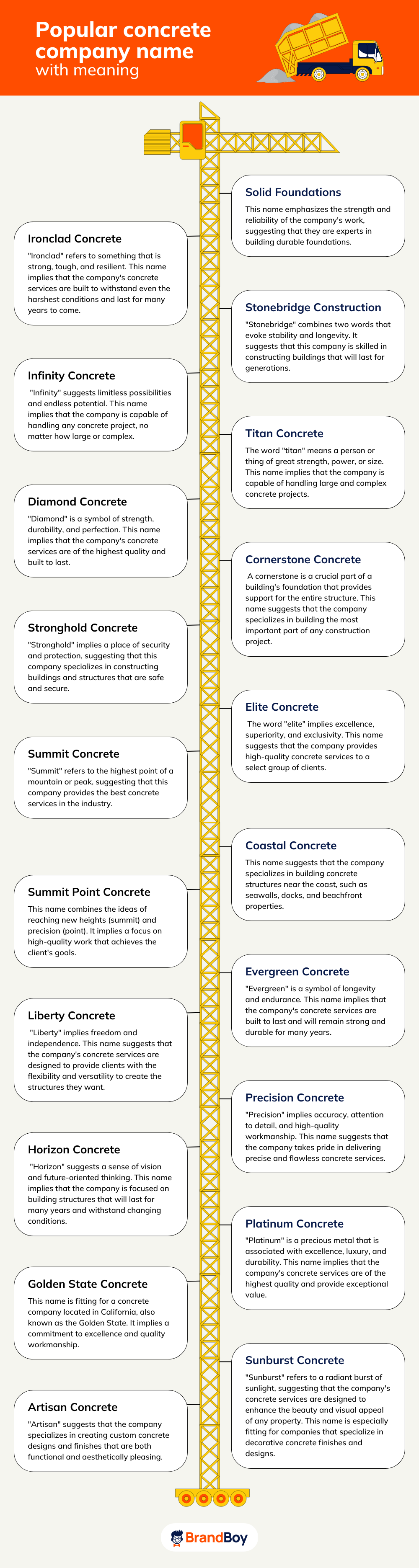
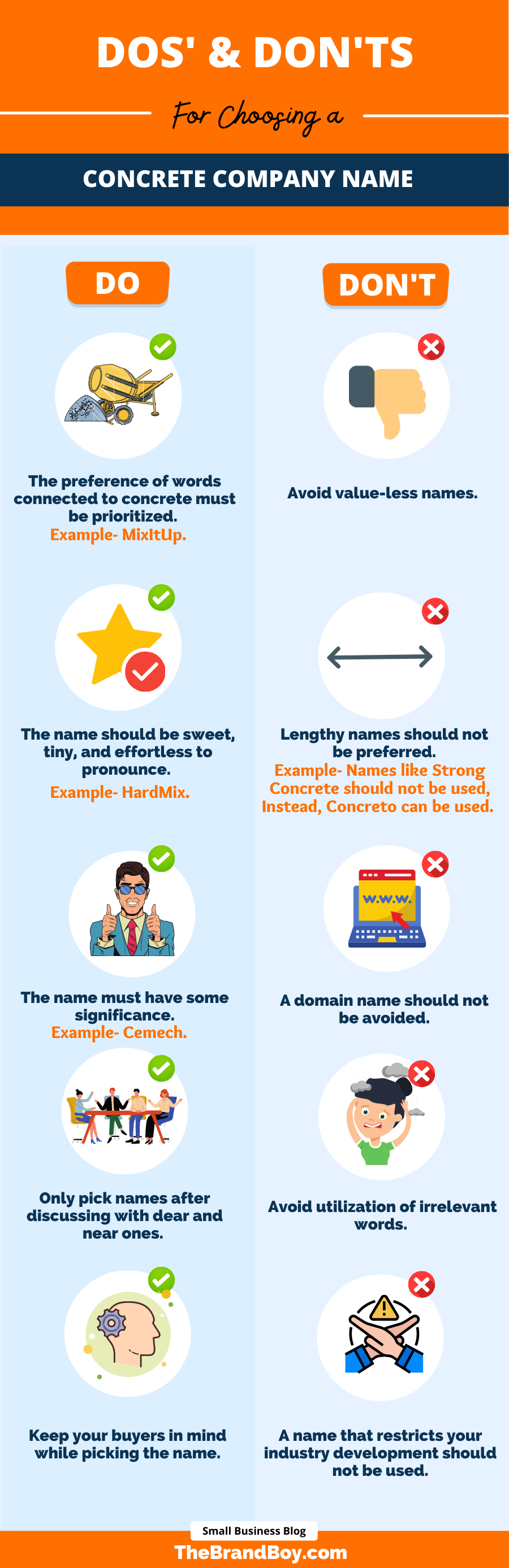
When it comes to naming your concrete business, you want something that reflects the strength and durability of the industry. A name that is catchy and easy to remember will help your business stick in people's minds. Consider words like "solid", "foundation", or "build" to convey a sense of stability and reliability.
What Makes a Good Name?
A good name for a concrete business should be unique and not too generic. Avoid common terms like "construction" or "builders" as these can be used by many different companies. Instead, focus on creating a name that is specific to your business and the services you offer. You could also consider using a play on words or a clever combination of words to make your business name memorable.
Example Names
Here are a few ideas to get you started:
- Solid Foundations
- Rock-Solid Builders
- Concrete Creations
- Build-It-Right
- Stronghold Construction
- Everlast Builders
Remember, these are just a few suggestions, and you can always get creative and come up with your own unique name.
Registering Your Business Name
Once you've settled on a name, you'll need to check its availability and register it. This process varies depending on your location, so it's best to contact your local business registration office or check their website for guidance. You'll also want to secure a domain name for your website and any social media handles to ensure your online presence is consistent.
Hiring a Contractor
If you're hiring a contractor for your project, whether it's a home renovation or a new build, it's important to do your research. Check their qualifications, experience, and references. Ask for a detailed quote, including a breakdown of costs, and compare it with other quotes to ensure you're getting a fair price. Don't be afraid to ask questions and seek clarity on any aspects of the quote you don't understand.
The Cost of Renovations
Renovation costs can vary greatly depending on the scope of the project, the materials used, and the location. It's always a good idea to get multiple quotes from different contractors to compare prices and ensure you're getting a competitive rate. Remember, the cheapest quote might not always be the best option, so consider the quality of the work and the reputation of the contractor too.
Industry Tools and Resources
There are various tools and resources available to help with construction and remodeling projects. RSMeans, for example, is a popular cost database used by professionals to estimate project costs. It provides accurate data on materials, labor, and other construction-related expenses. These tools can be beneficial for both contractors and homeowners to ensure projects stay on budget.
Construction Jobs and Salaries
The construction industry offers a range of job roles, from general contractors and estimators to specialized tradespeople. Salaries can vary depending on experience, qualifications, and the specific role. If you're looking for construction jobs, online job boards and local employment agencies are great places to start your search.
So, there you have it! A few insights into the world of names for concrete business. It's an exciting industry to be a part of, and with the right name and approach, you can build a successful business. Good luck!
Related: remove duplicates excel Easy guide for clean data
Ugh, duplicates in Excel. We've all been there, staring at a massive spreadsheet with rows and rows of data, only to realize there are multiple entries for the same thing. Remove duplicates Excel to the rescue! Let's get into how this handy feature works and why it's a lifesaver for anyone dealing with data.
So, you've got your Excel sheet open, and it's a mess of similar entries. Maybe it's a list of contacts, products, or sales data, and you need to clean it up. The "Remove Duplicates" feature is like a magic wand, but it's not as simple as clicking a button. You've got to set it up right to get the results you need.
First, let's talk about how Excel identifies duplicates. It looks at the values in the cells and compares them. But here's the catch: by default, it only checks the active column. So, if you have duplicate entries across multiple columns, you need to tell Excel which columns to consider. You do this by selecting the range of cells you want to check, then heading to the "Data" tab and clicking "Remove Duplicates." A pop-up will appear, showing you the columns Excel will check. Make sure to select all the relevant columns, and voila! You're on your way to a cleaner sheet.
Setting it Up: A Step-by-Step Guide
Now, let's get into the nitty-gritty. After selecting your range, click "Remove Duplicates," and that pop-up will appear. Here, you can choose which columns to check. But be careful! If you have multiple columns with similar data, Excel might remove entries you want to keep. For example, if you have a contact list with names and email addresses, and someone has the same name but a different email, Excel might see it as a duplicate and remove one entry. To avoid this, you can use a formula like =IF(ISERROR(MATCH(B2,$B$2:$B$100,0)),"","Duplicate") in a helper column. This formula checks if the email address in column B is a duplicate within the range B2 to B100. If it is, it returns "Duplicate"; otherwise, it leaves the cell blank. This way, you can easily identify and keep the entries you need.
Another tip: before removing duplicates, consider using conditional formatting to highlight potential duplicates. This way, you can visually inspect the data and make sure you're not losing important entries. Excel's "Conditional Formatting" feature lets you format cells based on their values, so you can quickly spot and address any issues.
Keeping Your Data Clean
Maintaining a tidy spreadsheet is crucial, and remove duplicates Excel is just one tool in your belt. Regularly review and clean your data to avoid messy formatting and broken cells. Use Excel's built-in tools like SUMIFS for quick calculations and XLOOKUP for finding specific values. These formulas, along with drop-down lists and other features, can keep your sheet organized and efficient.
In a nutshell, remove duplicates Excel is a powerful feature, but it's just one part of the Excel toolkit. With a bit of practice and these tips, you'll be a pro at managing your data and keeping your spreadsheets shipshape. So, next time you open that massive contact list, remember these tricks and tackle those duplicates like a boss!