



Homeschool Pop Worksheets Overview
The excel multiply formula is the basic way to multiply numbers in Excel. This post shows how to use it for single cells, ranges, and simple constants.
You can apply it to multiply a column by a constant or combine it with IF for conditional calculations. If your workbook uses different versions, the syntax stays the same, though some newer functions may be available. Try the shortcut Ctrl+Shift+U to see the formula in action.
Multiply Cells, Ranges, and Constants with the excel multiply formula (asterisk operator usage)
The excel multiply formula lets you multiply a single cell, a range, or a constant using the asterisk () operator. It works the same in all Excel versions and updates instantly after pressing Enter.
To multiply a column, type the formula in the top cell and drag the fill handle down. For large ranges, a dynamic array formula can avoid manual dragging.
Combine the formula with IF for conditional multiplication, e.g., =IF(A2>10, A22, A21). In older Excel, press Ctrl+Shift+U to view the formula in the formula bar.
Requirements Before Using the excel multiply formula (apply to column)
Before you start, ensure your Excel version supports the features you need. Excel for Microsoft 365 and Excel 2019 include the full set of array functions.
All cells should contain numeric values; text will cause a #VALUE! error. If a cell might be blank, wrap the multiplication in IF to provide a default value.
Basic multiplication needs no special subscription. For newer functions like MUL, a Microsoft 365 subscription is required; check workbook trust settings if security prompts appear.
Step-by-Step Guide to Multiply a Column by a Constant
Follow these steps to multiply a column by a constant using the basic formula. The method works across Excel for Windows, Mac, and the web with minor UI differences.
- Select the column you want to multiply by clicking the column header.
- In the first cell of the column, type the constant followed by an asterisk and then the first cell reference, such as =5A2.
- Press Enter to calculate the result, then click the fill handle and drag down to copy the formula.
- For a dynamic array, use =MUL(A2:A100, 3) in Microsoft 365 or enter the array formula with Ctrl+Shift+U in older Excel.
You can also combine the excel multiply formula with IF for conditional results, e.g., =IF(A2>10, A22, A21). Ensure each part returns a number to avoid #VALUE! errors.
In older Excel, press Ctrl+Shift+U after typing the array formula to enclose it in braces. This tells Excel to treat the formula as an array operation.
Common Reasons the excel multiply formula Returns #VALUE! (zero value handling)
The #VALUE! error often appears when Excel cannot perform the multiplication because of incompatible data types. Checking the cells involved is the first step to resolve the issue. A quick way to test is to use ISNUMBER on each operand; if it returns FALSE, the cell likely contains text.
Another common cause is referencing a blank cell without a default value. Blank cells are treated as zero, which can be acceptable, but sometimes you want a specific result instead. Wrapping the multiplication in IF with a condition such as =IF(A2="",0,A2B2) avoids unexpected zeros.
- A cell contains text instead of a number.
- The formula references a blank cell, resulting in zero.
- An array formula was entered without using Ctrl+Shift+U in older Excel.
- Circular reference prevents calculation.
- Using a range that includes a header label that is text.
If the error persists after checking the cells, try saving the workbook and reopening Excel to clear any cached formula issues.
To fix the issue, convert text to numbers using Data > Text to Columns or by adding 0 to the cell, and ensure array formulas are entered with the proper shortcut. After correction, re-enter the formula and verify the result updates correctly.
Use a Dynamic Array Formula to Multiply Entire Ranges (dynamic array formula)
When you need to multiply a whole range without dragging, a dynamic array formula provides a cleaner solution. In Microsoft 365, you can use =MUL(A2:A100, 3) to multiply each element of the range by 3 and spill the results automatically. This approach eliminates the need to copy the formula manually and reduces the chance of misalignment.
If you prefer a formula that automatically expands, consider using the newer excel multiply formula with array handling, such as =MUL(A2:A100, 3). Make sure your Excel version supports the MUL function; otherwise, use the traditional =A2:A1003 array formula entered with Ctrl+Shift+U. Both methods produce the same result but differ in syntax and availability.
Another quick method is to use Paste Special to multiply a selection of cells by a constant without writing a formula. Copy the constant to the clipboard, select the range, right-click and choose Paste Special > Multiply, then OK. This technique is useful for one‑off calculations and avoids formula errors entirely.
Menus can look a bit different depending on your Excel version, but the core steps stay the same. If you’d like more Office tips, feel free to explore the other how‑to articles.
Next time you need to multiply a column, bookmark this page so you can get back to it quickly.
Related: Rebar Size Chart: A Quick Reference Guide
A common misconception about rebar size charts is that they are complex and intimidating, but in reality, they are a simple and incredibly useful tool for anyone working with concrete reinforcement. These charts provide a straightforward way to understand and select the right rebar size, often based on the nominal size or bar diameter. It's a quick reference guide that ensures you get the correct steel bar grades and dimensions for your project. While there may be variations in values and formats depending on your region and specific standards, the rebar size chart remains a reliable starting point.
Understanding the Rebar Size Chart: A Practical Overview
The rebar size chart is a handy reference tool for anyone working with concrete reinforcement. It provides a quick and easy way to determine the appropriate size and strength of steel bars needed for a project. This chart is essential for ensuring the structural integrity and safety of reinforced concrete.
Comparing Rebar Size Standards and Formats
Rebar size charts can vary depending on the standard being used. Two common standards are the US standard, which uses imperial units, and the metric or international standard. These standards have different measurement systems and may have variations in the categories and labels used. It's crucial to know which standard applies to your project to ensure accuracy.
Step-by-Step Guide to Reading the Rebar Size Chart
Using the rebar size chart is straightforward. First, identify the nominal size or bar diameter you require. This is usually specified based on the project's needs and the concrete's expected strength. The chart will provide a range of nominal sizes, typically in inches or millimeters, depending on the standard.
Next, locate the corresponding steel bar grade. This grade indicates the strength and quality of the rebar. Different grades offer varying levels of tensile strength, which is crucial for the concrete's reinforcement. The chart will provide a clear indication of the grade, often with a simple code or number system.
Finally, determine the rebar's weight and spacing. The chart will give you the weight per unit length, which is essential for calculating the total weight required for your project. Additionally, it will guide you on the recommended spacing between bars, ensuring proper reinforcement coverage.
Common Misreadings and How to Avoid Them
A common mistake is assuming that the nominal size on the rebar size chart represents the exact diameter. However, it's important to note that the nominal size is an approximate value, and actual diameters may vary slightly. Always refer to the chart's notes or specifications for any tolerances or deviations.
Another pitfall is overlooking the steel bar grade. Each grade has specific properties and strengths, so using the wrong grade can compromise the concrete's integrity. Always double-check the grade and ensure it aligns with your project's requirements.
Key Factors Affecting Accuracy and Real-World Use
Steel Bar Grades: Different grades offer varying strengths and are suitable for different applications. Ensure you choose the right grade for your project's needs.
Concrete Reinforcement: The type and strength of concrete also play a role. The rebar size and spacing must align with the concrete's requirements to provide adequate reinforcement.
Safety Considerations: Always prioritize safety when working with reinforced concrete. Follow industry guidelines and regulations to ensure the structural integrity and safety of your project.
Installation Tips: Proper installation techniques are crucial. Ensure the rebar is correctly positioned, tied, and supported to maintain its strength and effectiveness.
Adapting the Chart for Specific Needs
While the rebar size chart provides a comprehensive guide, it may not cover every unique situation. For specialized projects or unusual requirements, you may need to consult additional resources or seek expert advice. Always cross-reference the chart's data with project specifications and industry standards to ensure accuracy.
Keeping Your Reference Reliable for Future Projects
To ensure the reliability of your rebar size chart, keep it updated with the latest industry standards and specifications. Regularly check for any revisions or updates to the standard you are using. Additionally, consider keeping a digital or physical copy of the chart for easy access and reference during projects. This way, you can ensure consistent and accurate use of the chart for all your concrete reinforcement needs.
Well, there you have it! A comprehensive guide to rebar size charts, covering all the essential bases. From understanding the different options and standards to the step-by-step process and potential pitfalls, you're now equipped with the knowledge to tackle any rebar-related task.
Remember, while this guide provides a solid foundation, every project is unique. So, be sure to double-check your specific requirements and context to ensure you're using the right chart and format for your needs. It's a simple step but an important one to avoid any potential headaches down the line. Consider this your go-to reference, and feel free to bookmark this page for future use. Happy rebarring!
Related: Construction Cost Database Essential Guide
I've been thinking about doing some home renovations lately, and one thing that's been on my mind is how to budget and plan for the costs. That's when I stumbled upon the construction cost database - a handy tool that seems like it could really help me out. So, I did some digging and here's what I found...
Understanding Construction Costs
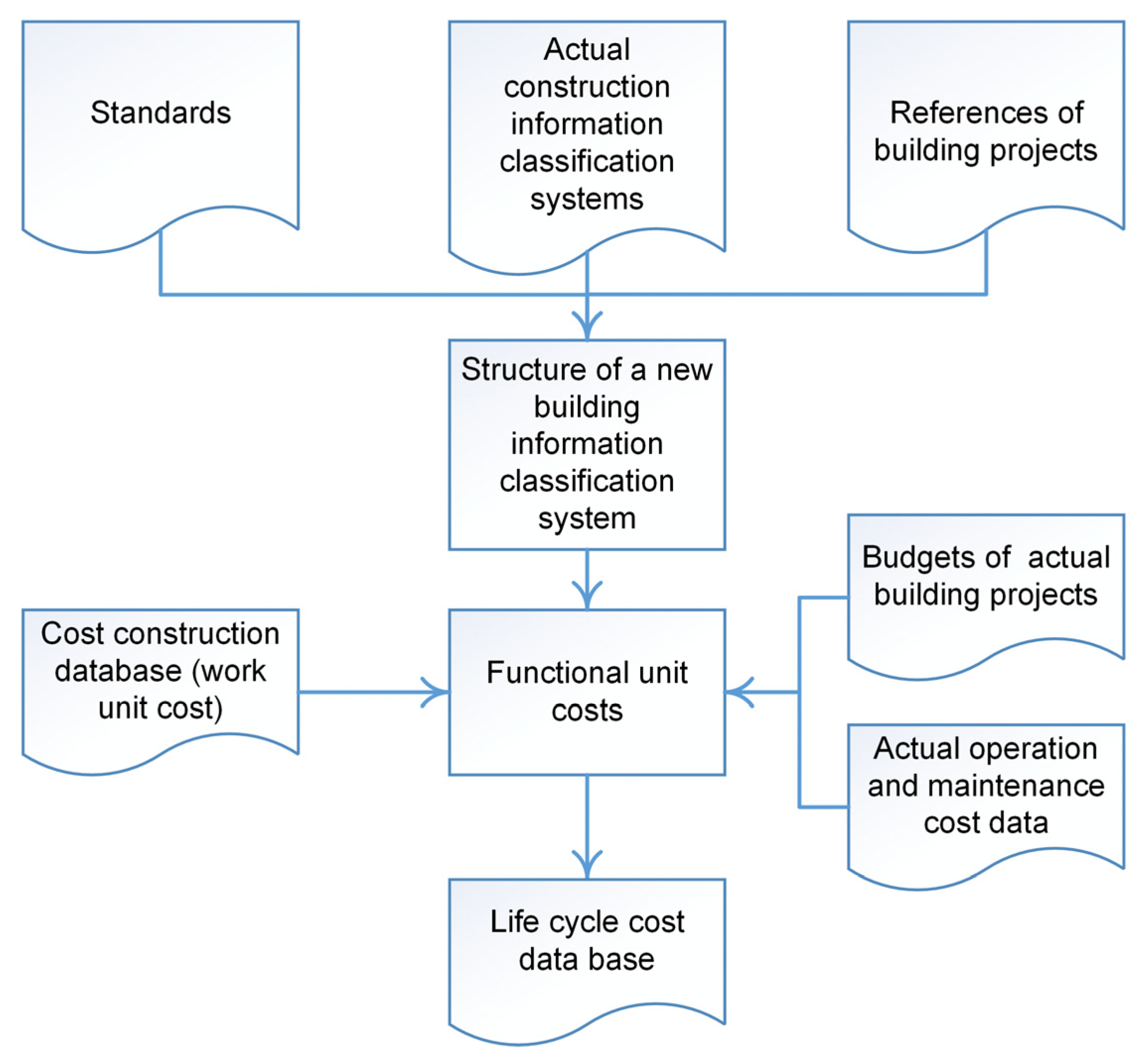
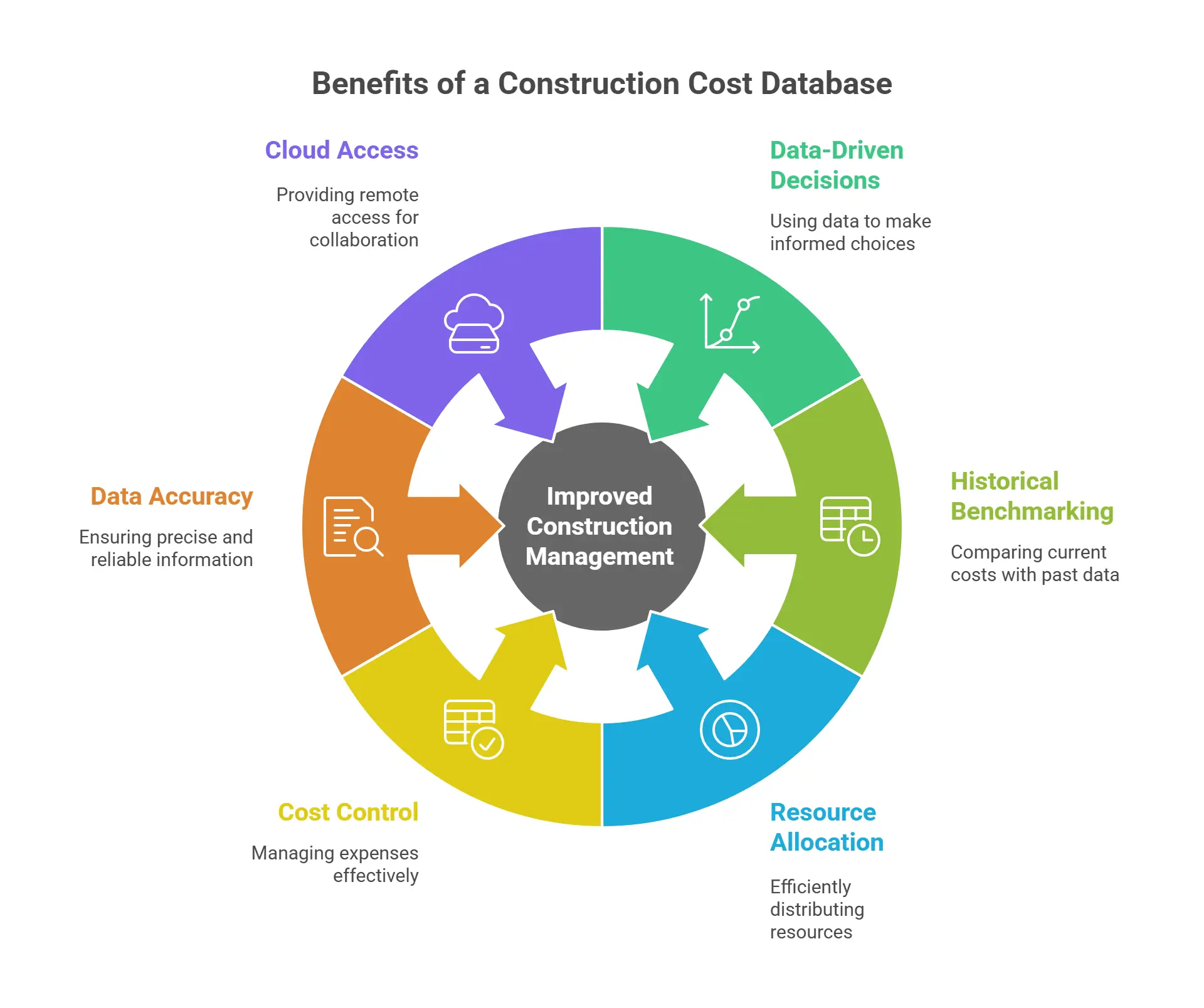
A construction cost database is like a big, detailed library of information about building and renovation costs. It's a resource that construction companies, contractors, and even homeowners like me can use to get a better idea of what projects might cost. This database covers all sorts of construction work, from new builds to remodels and everything in between.
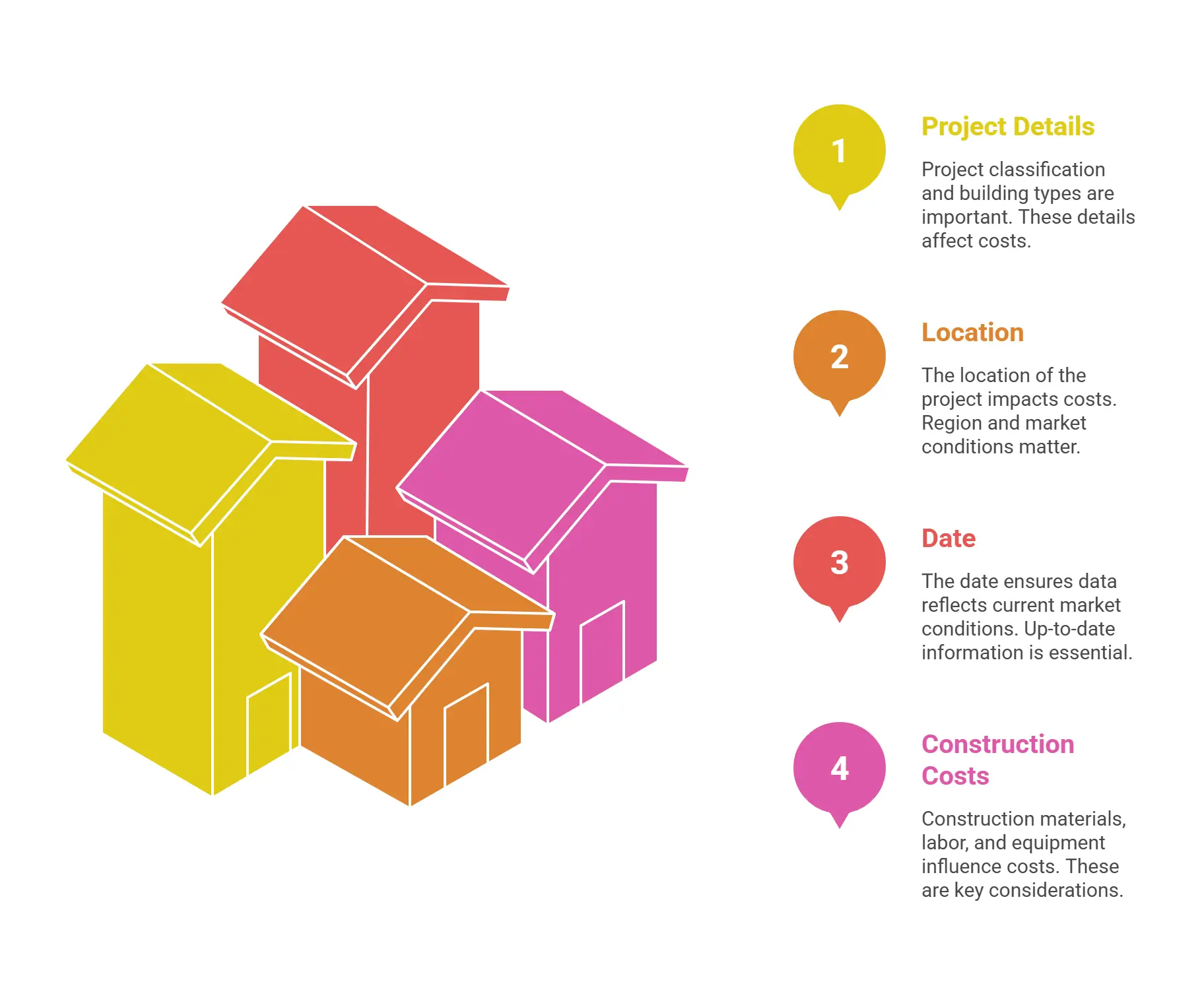
The beauty of it is that it provides estimates for different types of work, like installing a new roof, adding a room, or even just painting a wall. It takes into account things like the size of the project, the materials needed, and even the location, which can affect costs. So, it's a great way to get a rough idea of what you might be looking at financially before you even start a project.
Finding the Right Contractor
When it comes to hiring a contractor, the construction cost database can be a real lifesaver. It can help you compare quotes and ensure you're getting a fair deal. You see, contractors will often use these databases to estimate their quotes, so if you have access to the same info, you can better understand the costs they're quoting you.
Before hiring, make sure to check their references, ask about their experience with similar projects, and get a detailed breakdown of the costs. A good quote will cover all the bases, from labor to materials, and will give you a clear idea of any potential extra costs that might come up.
Company Names and the Industry
In the construction world, company names can be a bit of a giveaway about what they do. Often, you'll see names that are straightforward and to the point, like "Atlanta Building Solutions" or "Helena Home Renovations". These names are easy to remember and give a clear indication of the services offered.
If you're thinking of starting a construction business, choosing a name is an important step. It needs to be unique, memorable, and reflect the services you provide. Some fun examples could be "Build-it-Right Construction", "Hammer & Nail Builders", or "Renovate & Revive". Just remember to check the availability of the name and secure the relevant registrations and domains.
Jobs and Opportunities
The construction industry offers a wide range of jobs, from general contractors and estimators to project managers and specialists in various trades. These roles can vary greatly in terms of responsibility and salary, depending on experience and the size of the company.
If you're interested in construction jobs, you'll likely find opportunities advertised online, through job boards, and even on company websites. It's a good idea to keep an eye on these platforms and to tailor your resume and cover letter to the specific role and company you're applying for.
Industry Tools and Insights
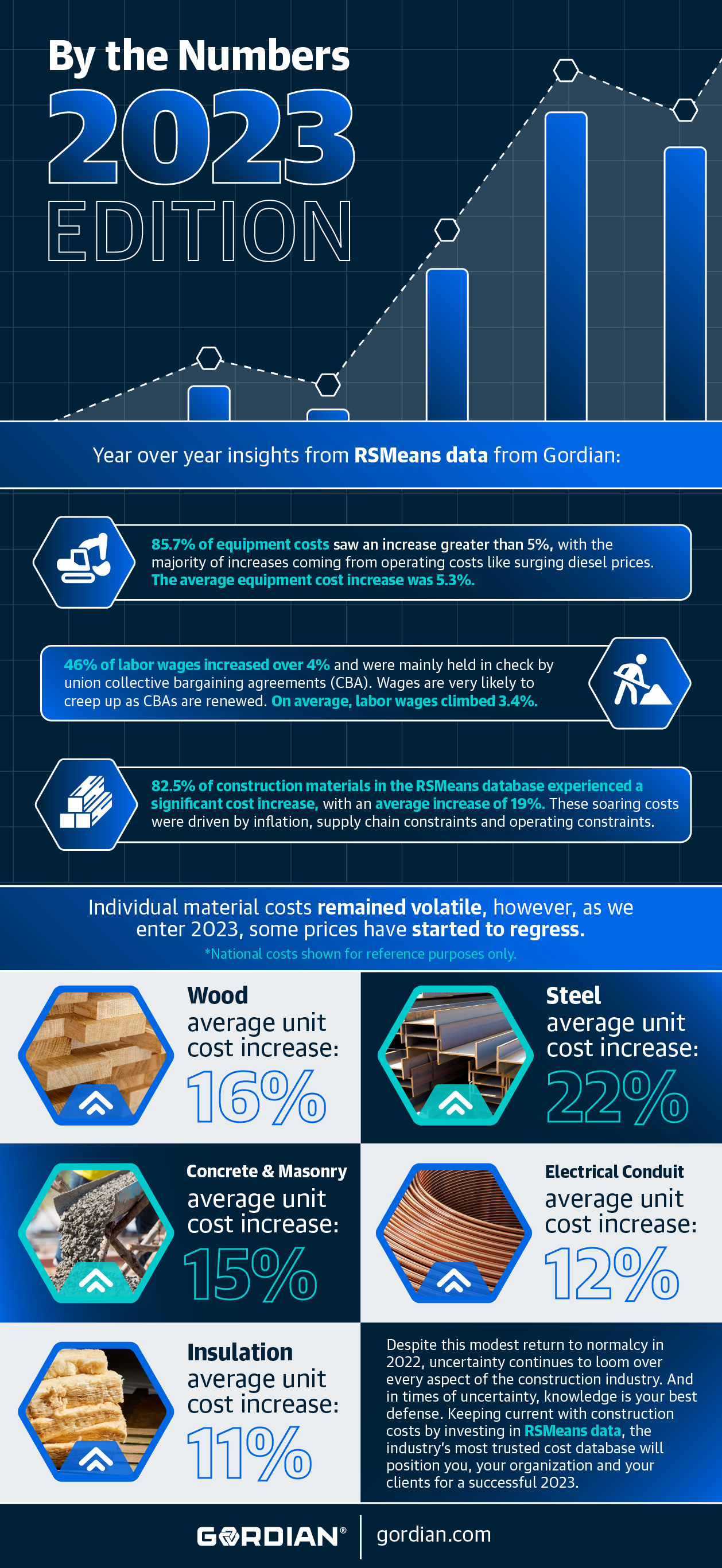
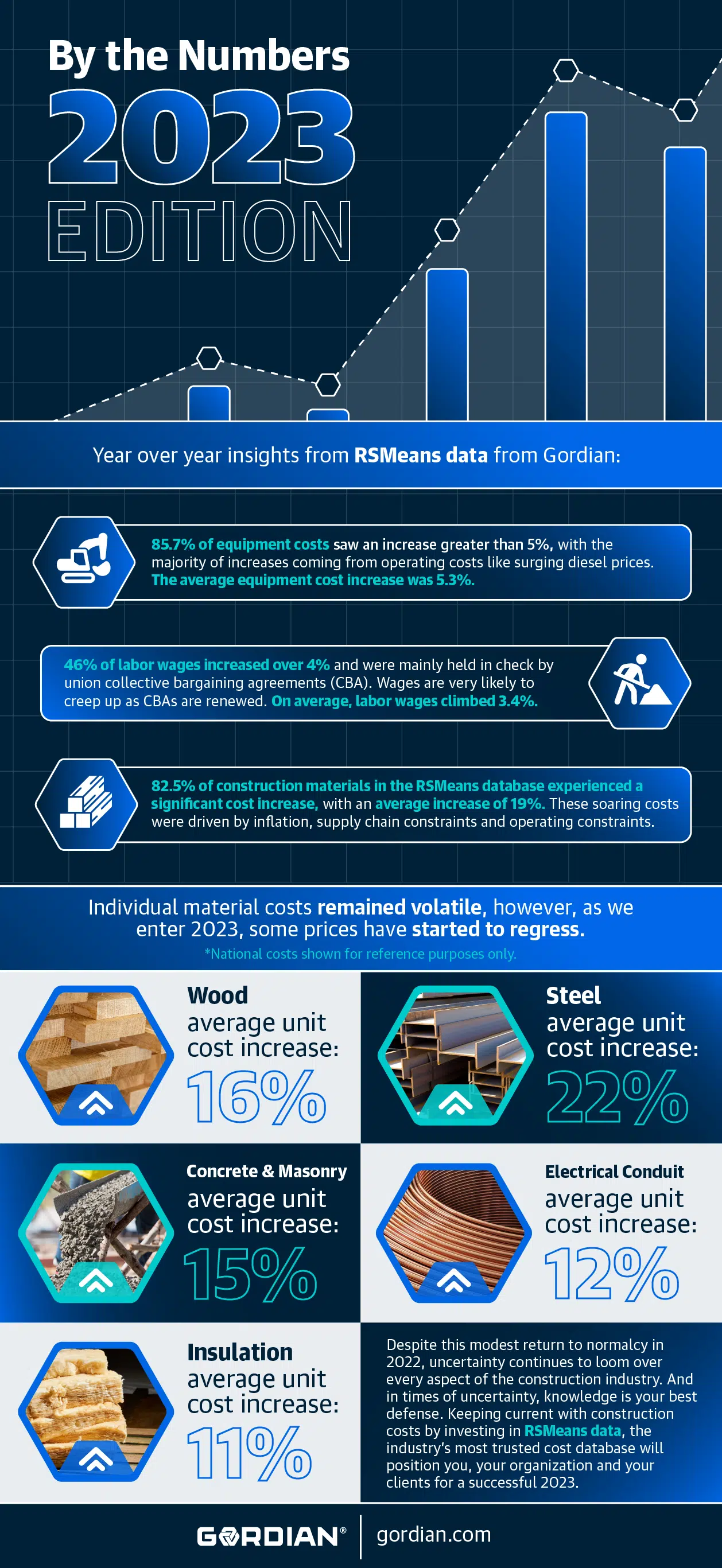
Tools like RSMeans are popular in the construction industry and are essentially detailed cost databases. These tools are used by professionals to estimate costs accurately and efficiently. They provide valuable insights into the costs of different materials, labor, and even the potential impact of economic factors on a project.
Having access to these tools can be a real advantage, especially for larger construction companies. It allows them to provide accurate quotes and plan projects effectively. For homeowners, it's a great way to get a realistic idea of what your renovation might cost.
Big Players and the Industry
The construction industry is diverse, with companies of all sizes. The big players often have the advantage of economies of scale, allowing them to take on larger projects and offer more specialized services. They might have access to better resources, like advanced cost databases and tools, which can give them an edge in the market.
However, smaller companies can offer a more personalized service and often have a strong local presence. It's a balance between size and specialization, and both types of companies play a vital role in the industry.
So, there you have it! The construction cost database is a valuable resource for anyone involved in construction, whether you're a homeowner, a contractor, or a company owner. It's a great way to get a handle on costs and plan effectively.