




Printable Planner For Young Overview
"I've been putting off those house repairs for too long, but I really need to get them done. Time to find a contractor for house repair!"
All About Hiring a Contractor
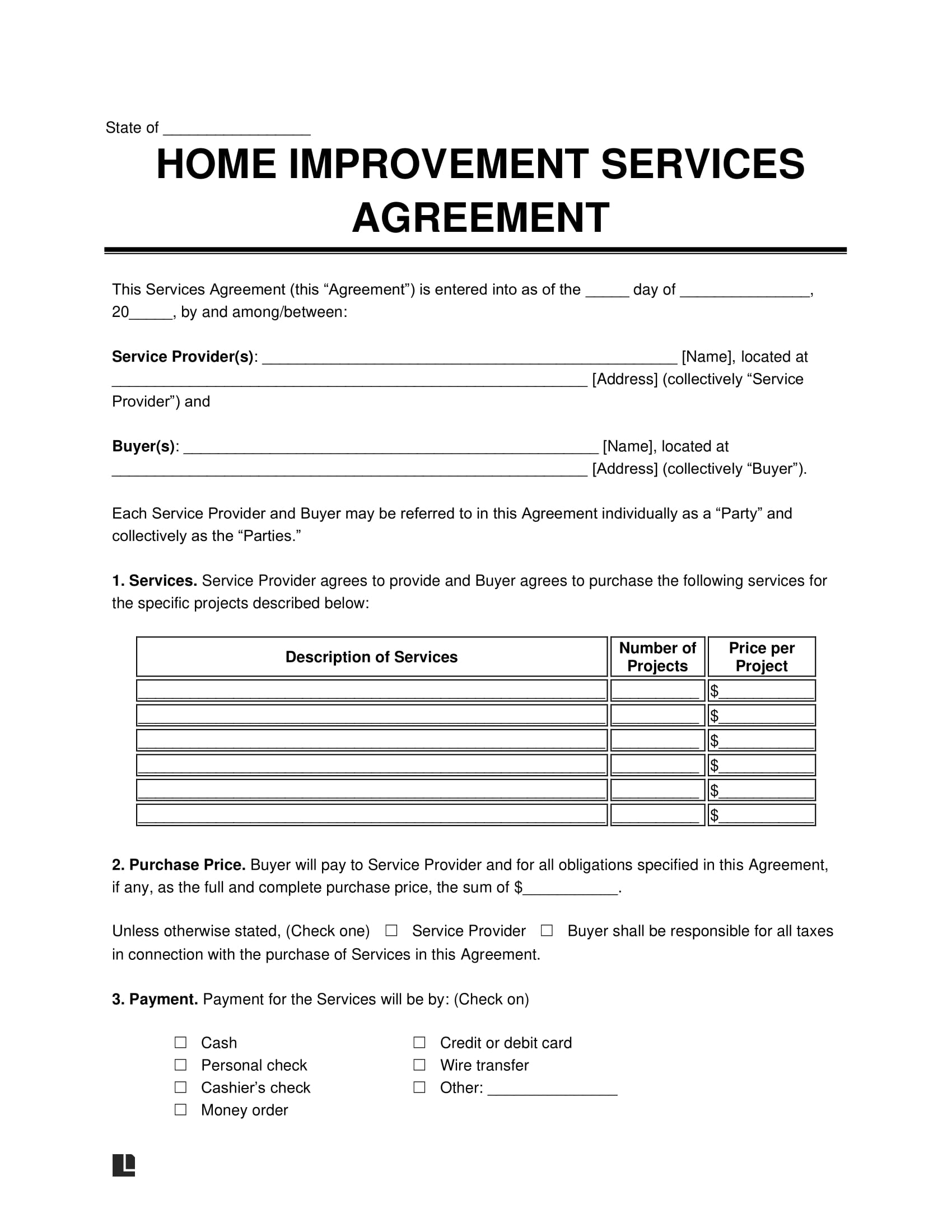
So, you've got some home repairs or renovations on your to-do list, and you're thinking about hiring a contractor to get the job done. It's a big step, and there's a lot to consider. A contractor for house repair can handle all sorts of jobs, from small fixes to major overhauls. They're the experts in construction and remodeling, and they'll have the skills and tools to get your project completed.
When it comes to costs, it's tricky to give an exact figure as it depends on so many factors. The size of the job, the materials needed, and the labor involved will all impact the price. It's a good idea to get quotes from a few different contractors to compare. Look for detailed quotes that break down the costs, so you can see what you're paying for. Don't just go for the cheapest option; consider the quality of the work and the contractor's reputation too.
Finding and Choosing the Right Contractor
There are lots of contractors and building companies out there, so how do you find the right one? Word of mouth is a great way to start - ask friends or family for recommendations. You can also search online for local contractors and read reviews to get an idea of their work. When you've found a few potential contractors, give them a call or send an email to ask some initial questions.
Find out about their experience and the types of projects they typically work on. Ask about their availability and how long they estimate the job will take. It's also worth asking about any potential extra costs or unexpected issues that might arise during the work. A good contractor will be transparent and give you an honest assessment.
Naming Your Construction Business
If you're thinking of starting your own construction business, you'll need a great name. The name should be memorable and reflect the nature of your work. It might include words like 'build', 'repair', 'remodel', or 'renovate'. It could also be a play on your own name or a unique combination of words. Here are a few ideas:
- Build-It-Better
- Renovate Right
- Fix-It-Fast
- Home Remedy
- Construction Solutions
- The Repair Crew
Remember to check the availability of the name you choose. You'll need to register it locally and secure the domain name for your website.
The Construction Industry and You
The construction industry offers a range of jobs, from general contractors and estimators to specialized roles like plumbers, electricians, and carpenters. If you're looking for work, these roles are often advertised online or through local recruitment agencies. The industry is always in need of skilled workers, so it's a great field to get into.
Estimators, for example, play a crucial role in construction. They use tools like RSMeans to calculate the costs of materials and labor for a project. It's a detailed and important job, and estimators are in high demand.
Big Companies and the Industry Outlook
The construction industry is made up of a mix of small, medium, and large companies. The bigger firms often have more resources and can take on larger, more complex projects. They might have a wider range of specialized staff and more advanced tools and equipment.
However, smaller companies can offer a more personalized service and often have a strong local reputation. It's a competitive industry, and companies of all sizes are always looking for ways to stand out and offer the best service.
So, there you have it! A contractor for house repair is a great option for getting those home improvements done. It's an exciting step, and with the right contractor, you'll be enjoying your renovated space in no time.
Related: What's the Right Pillow Size for You?
Many people assume that pillow sizes are a one-size-fits-all affair, but that's not the case! A pillow size chart is your go-to resource for understanding the diverse world of pillow dimensions. It's a simple yet powerful tool, offering a quick glance at the various sizes and their intended uses. From standard pillow dimensions to specialty sizes, this chart ensures you find the perfect fit for your needs.
Pillow Size Chart: A Quick Overview
A pillow size chart is a handy reference tool that provides a clear and visual guide to the various dimensions of pillows. It's like a map to help you navigate the world of pillow sizes, ensuring you get the right fit for your needs. This chart is a valuable resource for anyone looking to buy new pillows or pillowcases, as it offers a quick and easy way to understand the standard sizes available.
Comparing Standard and Custom Sizes
The beauty of a pillow size chart is that it presents both standard and custom sizes in a simple format. Standard sizes are the most common and widely used, and they often follow specific measurements and categories. These sizes are consistent across many brands and manufacturers, making it easy to find matching pillowcases or covers. On the other hand, custom sizes offer more flexibility and can accommodate unique preferences or specific requirements. Custom sizes might be necessary for specialty pillows, such as those designed for travel or medical purposes.
Step-by-Step Guide to Using the Chart
Using a pillow size chart is straightforward and can save you time and effort when shopping for pillows. Here's a simple process:
- Identify the Type: First, determine the type of pillow you need. Common types include standard, queen, king, and travel-sized pillows.
- Locate the Size: Find the corresponding size on the chart. The chart typically displays width and length measurements for each size.
- Check the Dimensions: Compare the chart's dimensions with the pillow or pillowcase you need. Ensure you match the width and length accurately.
- Consider Depth: Some charts also provide depth measurements, which is especially useful for pillows with varying thicknesses.
- Choose Your Size: Once you've found the size that matches your needs, you're ready to make an informed purchase.
Avoiding Common Misreadings
While a pillow size chart is user-friendly, it's essential to avoid a few common pitfalls:
- Unit Confusion: Always check the units of measurement. Some charts use inches, while others might use centimeters. Ensure you're comparing like with like.
- Rounding Errors: Charts often provide rounded measurements for simplicity. Be aware that actual products might have slight variations, so always check the exact specifications if precision is critical.
- Size Labels: Pay attention to size labels. For example, a "standard" size might not always be the same across different charts or regions.
Factors Affecting Accuracy
Several key factors can influence the accuracy of a pillow size chart and its real-world application:
- Regional Differences: Pillow sizes can vary between regions and countries. For instance, a "king" size in the US might differ from a "king" in Europe.
- Manufacturer Variations: Even within a region, manufacturers might have slight variations in their standard sizes. Always check the brand's specifications.
- Pillow Type: Different pillow types, like decorative or orthopedic pillows, might have unique size categories.
- Materials: The materials used can affect the overall size and shape of a pillow, especially over time as it ages and settles.
Choosing the Right Format for Your Needs
When it comes to pillow size charts, one size doesn't fit all. Here are some tips for choosing the right format:
- Standard vs. Custom: If you're looking for a quick and easy solution, a standard size chart is ideal. However, for specialized needs, a custom size chart might be more suitable.
- Online vs. Physical: Online charts are convenient, but having a physical chart or reference guide can be handy when shopping in-store.
- Visual Aids: Some charts use visual representations, like images or diagrams, to show size differences. These can be especially helpful for visual learners.
Keeping Your Reference Reliable
To ensure your pillow size chart remains a reliable reference, consider the following:
- Update Regularly: Pillow size standards can evolve over time. Periodically check for updated charts to ensure you have the latest information.
- Multiple Sources: Cross-reference charts from different sources to verify the accuracy of the measurements.
- Manufacturer Guides: Many pillow manufacturers provide their own size guides. Refer to these for specific product lines.
- Personal Notes: If you have unique pillow requirements, make a note of the sizes you need and keep them with your chart for easy reference.
So, there you have it! A handy pillow size chart can be a real game-changer for getting the perfect fit and comfort. But remember, it's always a good idea to double-check your specific needs and measurements to ensure you're getting the right size for your bed and sleeping style.
Feel free to explore our other guides and resources on similar topics. We've got plenty of practical tips and tricks to help you create a cozy and comfortable sleep space. Happy snoozing!
Related: match formula excel easy guide for data lookups
Match formula Excel can save you hours when you need to find something in a long list. Say you’ve got a sheet with hundreds of product IDs, and you need to know the position of a specific one. Instead of scrolling forever, you type in =MATCH(lookup_value, lookup_array, [match_type]), and Excel does the heavy lifting. It’s not just for numbers—it works with text, dates, and even wildcards if you set it up right.
It’s one of those formulas that feels like a secret weapon once you get the hang of it. Sure, XLOOKUP is flashier, but match formula Excel is faster for grabbing a position, not a value. Plus, it plays well with INDEX for more advanced lookups. If you’re still manually searching for data, this is your cue to stop.
Find positions, not just values
The match formula in Excel is all about locating where something sits in a list. It’s perfect for anyone who needs to map data between sheets or check if an item exists. Marketers use it to match campaign IDs to results, inventory managers track stock locations, and HR teams map employee IDs to departments.
Set up your sheet with two columns: one for your lookup list (e.g., product IDs) and one for the data you’re matching against (e.g., sales numbers). Keep the lookup list sorted if you’re using match_type 1 (exact or next smallest). Add a third column for the formula itself, and a fourth for any error handling with IFERROR.
| Product ID | Sales | Position | Formula |
|---|---|---|---|
| 101 | 250 | =MATCH(101, A2:A100, 0) |
|
| 102 | 300 | =MATCH(103, A2:A100, 1) |
|
| 103 | 150 | =MATCH("104", A2:A100, 0) |
The first formula returns 1 because 101 is the first item in the list. The second returns 5 since 103 isn’t there, but 105 is the next smallest. The third returns #N/A because "104" (as text) doesn’t match 104 (as a number).
Common mistake: Using match_type 1 on unsorted data. Excel won’t throw an error, but it’ll give you wrong results. Fix it by sorting the lookup array or switching to match_type 0 for exact matches.
Pair it with INDEX for dynamic lookups
The real power of match formula Excel comes when you combine it with INDEX. Together, they let you pull values from a table based on a lookup, without hard-coding cell references. This is how you build dynamic dashboards or reports that update automatically.
Create a table with Ctrl+T, then add a separate cell for your lookup value (e.g., "Q1 Sales"). Below it, set up a formula like =INDEX(table_array, MATCH(lookup_value, lookup_column, 0), return_column). Use IFERROR around it to catch missing data.
| Quarter | Region | Sales | Formula |
|---|---|---|---|
| Q1 | East | 500 | |
| Q1 | West | 700 | |
| Q2 | East | 600 |
Formula in D2: =IFERROR(INDEX(B2:B4, MATCH("Q1", A2:A4, 0), 2), "Not Found"). Returns 500 for Q1 East sales.
Common mistake: Forgetting to lock cell references with $. If you drag the formula down, A2:A4 should be $A$2:$A$4 to keep it anchored.
Handle errors and wildcards
Match formula in Excel breaks if it can’t find what you’re looking for. Wrap it in IFERROR to show a custom message instead of #N/A. If you’re working with partial matches, use wildcards by switching to match_type 0.
Add a data validation dropdown in your lookup cell to avoid typos. Go to Data > Data Validation > List, and point it to your lookup array. This keeps inputs consistent.
| Item | Price | Lookup | Result |
|---|---|---|---|
| Apple | 1.50 | p | 1 |
| Banana | 0.75 | n | 2 |
| Cherry | 2.00 | Peach | Not Found |
Formula in D2: =IFERROR(MATCH(C2 & "", A2:A4, 0), "Not Found"). For p, it returns 1 because "Apple" contains “p”.
Common mistake: Storing numbers as text. If your lookup value is 101 (number) but your array has "101" (text), the formula fails. Fix it with Data > Text to Columns > Finish to convert.
Build a lookup tracker
Turn match formula Excel into a reusable tracker by adding conditional formatting and filters. This works great for inventory logs, expense trackers, or project checklists. Highlight matches with Home > Conditional Formatting > New Rule > Use a formula.
Set up a filter on your lookup column (Ctrl+Shift+L) so you can narrow down results. Freeze the top row (View > Freeze Panes) if your sheet is long.
| Task ID | Status | Due Date | Priority |
|---|---|---|---|
| 001 | Done | 2023-10-15 | High |
| 002 | Pending | 2023-10-20 | Medium |
| 003 | Done | 2023-10-25 | Low |
Formula in E2: =IF(ISNUMBER(MATCH(A2, $A$2:$A$4, 0)), "Found", ""). Add conditional formatting to highlight “Found” cells.
Common mistake: Merging cells in your lookup array. Merged cells break formulas. Unmerge them with Home > Merge & Center > Unmerge Cells.
Try building a simple inventory tracker next. Use match formula Excel to flag low-stock items, and pair it with COUNTIFS to tally quantities.