

Science Worksheets For Grade 2 Overview
I was thinking about starting a names for concrete business the other day, you know, something to do with construction and building. It got me wondering about the right name, something that would stand out and be memorable. So, I did some research and here's what I found...
Choosing a Name for Your Concrete Business
When it comes to naming your concrete business, you want something that reflects the strength and durability of the industry. A name that is catchy and easy to remember will help your business stick in people's minds. Consider words like "solid", "foundation", or "build" to convey a sense of stability and reliability.
What Makes a Good Name?
A good name for a concrete business should be unique and not too generic. Avoid common terms like "construction" or "builders" as these can be used by many different companies. Instead, focus on creating a name that is specific to your business and the services you offer. You could also consider using a play on words or a clever combination of words to make your business name memorable.
Example Names
Here are a few ideas to get you started:
- Solid Foundations
- Rock-Solid Builders
- Concrete Creations
- Build-It-Right
- Stronghold Construction
- Everlast Builders
Remember, these are just a few suggestions, and you can always get creative and come up with your own unique name.
Registering Your Business Name
Once you've settled on a name, you'll need to check its availability and register it. This process varies depending on your location, so it's best to contact your local business registration office or check their website for guidance. You'll also want to secure a domain name for your website and any social media handles to ensure your online presence is consistent.
Hiring a Contractor
If you're hiring a contractor for your project, whether it's a home renovation or a new build, it's important to do your research. Check their qualifications, experience, and references. Ask for a detailed quote, including a breakdown of costs, and compare it with other quotes to ensure you're getting a fair price. Don't be afraid to ask questions and seek clarity on any aspects of the quote you don't understand.
The Cost of Renovations
Renovation costs can vary greatly depending on the scope of the project, the materials used, and the location. It's always a good idea to get multiple quotes from different contractors to compare prices and ensure you're getting a competitive rate. Remember, the cheapest quote might not always be the best option, so consider the quality of the work and the reputation of the contractor too.
Industry Tools and Resources
There are various tools and resources available to help with construction and remodeling projects. RSMeans, for example, is a popular cost database used by professionals to estimate project costs. It provides accurate data on materials, labor, and other construction-related expenses. These tools can be beneficial for both contractors and homeowners to ensure projects stay on budget.
Construction Jobs and Salaries
The construction industry offers a range of job roles, from general contractors and estimators to specialized tradespeople. Salaries can vary depending on experience, qualifications, and the specific role. If you're looking for construction jobs, online job boards and local employment agencies are great places to start your search.
So, there you have it! A few insights into the world of names for concrete business. It's an exciting industry to be a part of, and with the right name and approach, you can build a successful business. Good luck!
Related: easy paper craft for kindergarten fun creative ideas
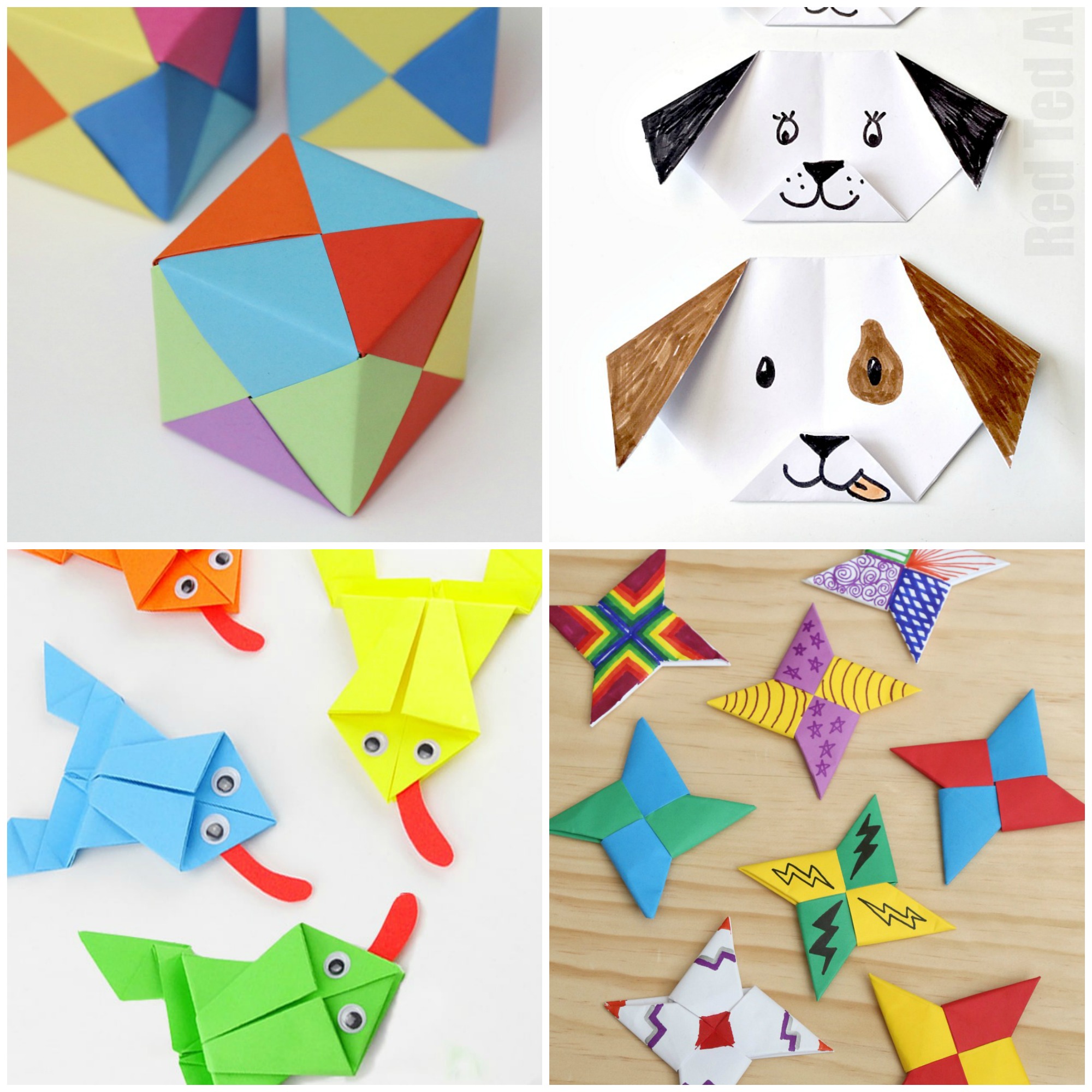
Easy paper craft for kindergarten is a fun and simple way to get creative with your little ones, and it's something I've really enjoyed doing with my kids. It's a great activity to keep them entertained and engaged, and it's so satisfying to see their little faces light up with pride when they've made something cool.
So, what is this all about? Well, it's basically a collection of craft ideas that use paper as the main material. These crafts are designed to be accessible and fun for kids, with simple steps and minimal supervision needed. It's a brilliant way to encourage their creativity and fine motor skills, and it's an affordable activity too!
You can find a whole range of ideas online, from the classic paper chain to more intricate pop-up cards. Some ideas are seasonal, like making paper snowflakes for Christmas, while others are more general and can be done anytime. The best part is that these crafts often require very few materials - paper, scissors, glue, and maybe some crayons or markers.
Getting Started
If you're new to this, I'd recommend starting with some basic folding and cutting activities. You can teach them how to make simple shapes like squares and triangles, and then use those to create fun designs. For example, folding a piece of paper into a fan shape is a great way to introduce the concept of symmetry and pattern-making.
Step It Up
Once they've got the hang of the basics, you can introduce more complex crafts. One of my favorites is making paper boats. It's a classic for a reason - it's easy, and kids love seeing their creations float in water! You can also try making paper hats, which is a fun way to encourage imagination and role-play.
The beauty of easy paper craft for kindergarten is that it's so adaptable. You can tailor the difficulty level to your child's age and abilities, and you can often use these crafts as a springboard for other activities. For instance, making a paper doll might lead to a fun dress-up game, or creating a paper city could inspire some imaginative play.
So, why not give it a go? It's a brilliant way to spend some quality time with your kids, and you might just discover a new hobby together!
Related: remove duplicates excel Easy guide for clean data
Ugh, duplicates in Excel. We've all been there, staring at a massive spreadsheet with rows and rows of data, only to realize there are multiple entries for the same thing. Remove duplicates Excel to the rescue! Let's get into how this handy feature works and why it's a lifesaver for anyone dealing with data.
So, you've got your Excel sheet open, and it's a mess of similar entries. Maybe it's a list of contacts, products, or sales data, and you need to clean it up. The "Remove Duplicates" feature is like a magic wand, but it's not as simple as clicking a button. You've got to set it up right to get the results you need.
First, let's talk about how Excel identifies duplicates. It looks at the values in the cells and compares them. But here's the catch: by default, it only checks the active column. So, if you have duplicate entries across multiple columns, you need to tell Excel which columns to consider. You do this by selecting the range of cells you want to check, then heading to the "Data" tab and clicking "Remove Duplicates." A pop-up will appear, showing you the columns Excel will check. Make sure to select all the relevant columns, and voila! You're on your way to a cleaner sheet.
Setting it Up: A Step-by-Step Guide
Now, let's get into the nitty-gritty. After selecting your range, click "Remove Duplicates," and that pop-up will appear. Here, you can choose which columns to check. But be careful! If you have multiple columns with similar data, Excel might remove entries you want to keep. For example, if you have a contact list with names and email addresses, and someone has the same name but a different email, Excel might see it as a duplicate and remove one entry. To avoid this, you can use a formula like =IF(ISERROR(MATCH(B2,$B$2:$B$100,0)),"","Duplicate") in a helper column. This formula checks if the email address in column B is a duplicate within the range B2 to B100. If it is, it returns "Duplicate"; otherwise, it leaves the cell blank. This way, you can easily identify and keep the entries you need.
Another tip: before removing duplicates, consider using conditional formatting to highlight potential duplicates. This way, you can visually inspect the data and make sure you're not losing important entries. Excel's "Conditional Formatting" feature lets you format cells based on their values, so you can quickly spot and address any issues.
Keeping Your Data Clean
Maintaining a tidy spreadsheet is crucial, and remove duplicates Excel is just one tool in your belt. Regularly review and clean your data to avoid messy formatting and broken cells. Use Excel's built-in tools like SUMIFS for quick calculations and XLOOKUP for finding specific values. These formulas, along with drop-down lists and other features, can keep your sheet organized and efficient.
In a nutshell, remove duplicates Excel is a powerful feature, but it's just one part of the Excel toolkit. With a bit of practice and these tips, you'll be a pro at managing your data and keeping your spreadsheets shipshape. So, next time you open that massive contact list, remember these tricks and tackle those duplicates like a boss!