


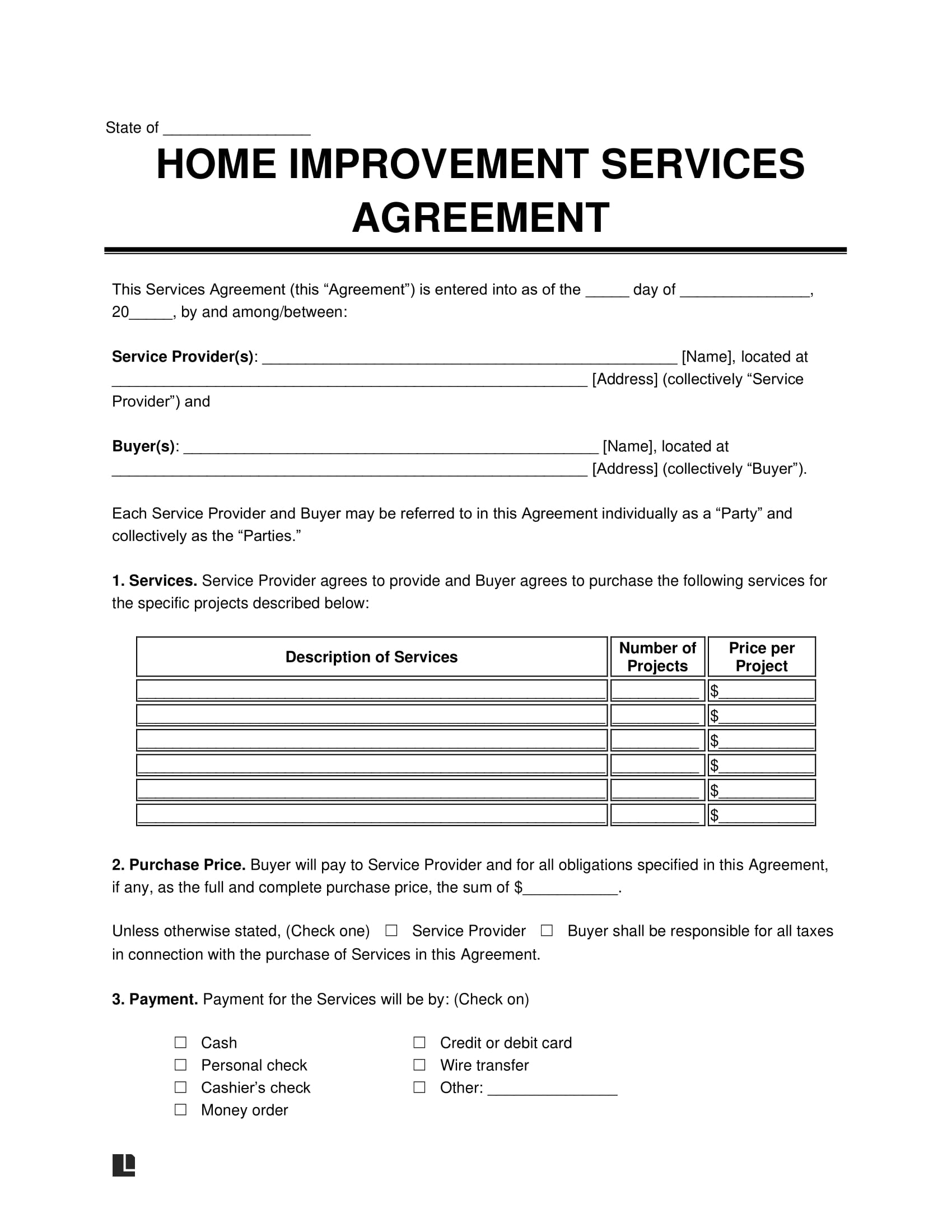


Clean Auto Repair Invoice Template Overview
"I've been putting off those house repairs for too long, but I really need to get them done. Time to find a contractor for house repair!"
All About Hiring a Contractor
So, you've got some home repairs or renovations on your to-do list, and you're thinking about hiring a contractor to get the job done. It's a big step, and there's a lot to consider. A contractor for house repair can handle all sorts of jobs, from small fixes to major overhauls. They're the experts in construction and remodeling, and they'll have the skills and tools to get your project completed.
When it comes to costs, it's tricky to give an exact figure as it depends on so many factors. The size of the job, the materials needed, and the labor involved will all impact the price. It's a good idea to get quotes from a few different contractors to compare. Look for detailed quotes that break down the costs, so you can see what you're paying for. Don't just go for the cheapest option; consider the quality of the work and the contractor's reputation too.
Finding and Choosing the Right Contractor
There are lots of contractors and building companies out there, so how do you find the right one? Word of mouth is a great way to start - ask friends or family for recommendations. You can also search online for local contractors and read reviews to get an idea of their work. When you've found a few potential contractors, give them a call or send an email to ask some initial questions.
Find out about their experience and the types of projects they typically work on. Ask about their availability and how long they estimate the job will take. It's also worth asking about any potential extra costs or unexpected issues that might arise during the work. A good contractor will be transparent and give you an honest assessment.
Naming Your Construction Business
If you're thinking of starting your own construction business, you'll need a great name. The name should be memorable and reflect the nature of your work. It might include words like 'build', 'repair', 'remodel', or 'renovate'. It could also be a play on your own name or a unique combination of words. Here are a few ideas:
- Build-It-Better
- Renovate Right
- Fix-It-Fast
- Home Remedy
- Construction Solutions
- The Repair Crew
Remember to check the availability of the name you choose. You'll need to register it locally and secure the domain name for your website.
The Construction Industry and You
The construction industry offers a range of jobs, from general contractors and estimators to specialized roles like plumbers, electricians, and carpenters. If you're looking for work, these roles are often advertised online or through local recruitment agencies. The industry is always in need of skilled workers, so it's a great field to get into.
Estimators, for example, play a crucial role in construction. They use tools like RSMeans to calculate the costs of materials and labor for a project. It's a detailed and important job, and estimators are in high demand.
Big Companies and the Industry Outlook
The construction industry is made up of a mix of small, medium, and large companies. The bigger firms often have more resources and can take on larger, more complex projects. They might have a wider range of specialized staff and more advanced tools and equipment.
However, smaller companies can offer a more personalized service and often have a strong local reputation. It's a competitive industry, and companies of all sizes are always looking for ways to stand out and offer the best service.
So, there you have it! A contractor for house repair is a great option for getting those home improvements done. It's an exciting step, and with the right contractor, you'll be enjoying your renovated space in no time.
Related: remove duplicates excel Easy guide for clean data
Ugh, duplicates in Excel. We've all been there, staring at a massive spreadsheet with rows and rows of data, only to realize there are multiple entries for the same thing. Remove duplicates Excel to the rescue! Let's get into how this handy feature works and why it's a lifesaver for anyone dealing with data.
So, you've got your Excel sheet open, and it's a mess of similar entries. Maybe it's a list of contacts, products, or sales data, and you need to clean it up. The "Remove Duplicates" feature is like a magic wand, but it's not as simple as clicking a button. You've got to set it up right to get the results you need.
First, let's talk about how Excel identifies duplicates. It looks at the values in the cells and compares them. But here's the catch: by default, it only checks the active column. So, if you have duplicate entries across multiple columns, you need to tell Excel which columns to consider. You do this by selecting the range of cells you want to check, then heading to the "Data" tab and clicking "Remove Duplicates." A pop-up will appear, showing you the columns Excel will check. Make sure to select all the relevant columns, and voila! You're on your way to a cleaner sheet.
Setting it Up: A Step-by-Step Guide
Now, let's get into the nitty-gritty. After selecting your range, click "Remove Duplicates," and that pop-up will appear. Here, you can choose which columns to check. But be careful! If you have multiple columns with similar data, Excel might remove entries you want to keep. For example, if you have a contact list with names and email addresses, and someone has the same name but a different email, Excel might see it as a duplicate and remove one entry. To avoid this, you can use a formula like =IF(ISERROR(MATCH(B2,$B$2:$B$100,0)),"","Duplicate") in a helper column. This formula checks if the email address in column B is a duplicate within the range B2 to B100. If it is, it returns "Duplicate"; otherwise, it leaves the cell blank. This way, you can easily identify and keep the entries you need.
Another tip: before removing duplicates, consider using conditional formatting to highlight potential duplicates. This way, you can visually inspect the data and make sure you're not losing important entries. Excel's "Conditional Formatting" feature lets you format cells based on their values, so you can quickly spot and address any issues.
Keeping Your Data Clean
Maintaining a tidy spreadsheet is crucial, and remove duplicates Excel is just one tool in your belt. Regularly review and clean your data to avoid messy formatting and broken cells. Use Excel's built-in tools like SUMIFS for quick calculations and XLOOKUP for finding specific values. These formulas, along with drop-down lists and other features, can keep your sheet organized and efficient.
In a nutshell, remove duplicates Excel is a powerful feature, but it's just one part of the Excel toolkit. With a bit of practice and these tips, you'll be a pro at managing your data and keeping your spreadsheets shipshape. So, next time you open that massive contact list, remember these tricks and tackle those duplicates like a boss!