




Refill Pages For Happy Planner Overview
"I've been putting off those house repairs for too long, but I really need to get them done. Time to find a contractor for house repair!"
All About Hiring a Contractor
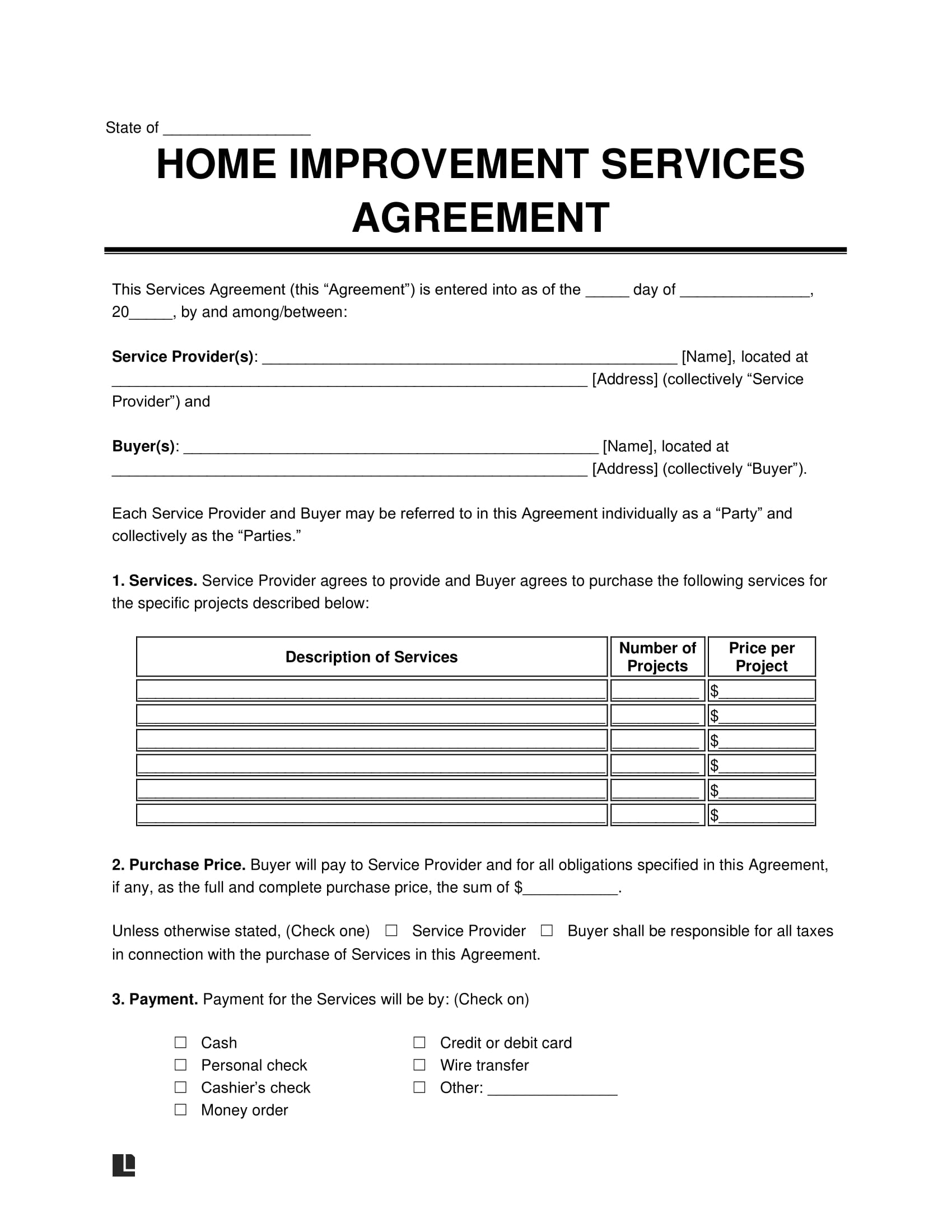
So, you've got some home repairs or renovations on your to-do list, and you're thinking about hiring a contractor to get the job done. It's a big step, and there's a lot to consider. A contractor for house repair can handle all sorts of jobs, from small fixes to major overhauls. They're the experts in construction and remodeling, and they'll have the skills and tools to get your project completed.
When it comes to costs, it's tricky to give an exact figure as it depends on so many factors. The size of the job, the materials needed, and the labor involved will all impact the price. It's a good idea to get quotes from a few different contractors to compare. Look for detailed quotes that break down the costs, so you can see what you're paying for. Don't just go for the cheapest option; consider the quality of the work and the contractor's reputation too.
Finding and Choosing the Right Contractor
There are lots of contractors and building companies out there, so how do you find the right one? Word of mouth is a great way to start - ask friends or family for recommendations. You can also search online for local contractors and read reviews to get an idea of their work. When you've found a few potential contractors, give them a call or send an email to ask some initial questions.
Find out about their experience and the types of projects they typically work on. Ask about their availability and how long they estimate the job will take. It's also worth asking about any potential extra costs or unexpected issues that might arise during the work. A good contractor will be transparent and give you an honest assessment.
Naming Your Construction Business
If you're thinking of starting your own construction business, you'll need a great name. The name should be memorable and reflect the nature of your work. It might include words like 'build', 'repair', 'remodel', or 'renovate'. It could also be a play on your own name or a unique combination of words. Here are a few ideas:
- Build-It-Better
- Renovate Right
- Fix-It-Fast
- Home Remedy
- Construction Solutions
- The Repair Crew
Remember to check the availability of the name you choose. You'll need to register it locally and secure the domain name for your website.
The Construction Industry and You
The construction industry offers a range of jobs, from general contractors and estimators to specialized roles like plumbers, electricians, and carpenters. If you're looking for work, these roles are often advertised online or through local recruitment agencies. The industry is always in need of skilled workers, so it's a great field to get into.
Estimators, for example, play a crucial role in construction. They use tools like RSMeans to calculate the costs of materials and labor for a project. It's a detailed and important job, and estimators are in high demand.
Big Companies and the Industry Outlook
The construction industry is made up of a mix of small, medium, and large companies. The bigger firms often have more resources and can take on larger, more complex projects. They might have a wider range of specialized staff and more advanced tools and equipment.
However, smaller companies can offer a more personalized service and often have a strong local reputation. It's a competitive industry, and companies of all sizes are always looking for ways to stand out and offer the best service.
So, there you have it! A contractor for house repair is a great option for getting those home improvements done. It's an exciting step, and with the right contractor, you'll be enjoying your renovated space in no time.
Related: excel sum formula easy guide for fast totals
Understanding the Excel Sum Formula
The Excel Sum Formula is an essential tool for any Excel user, providing a simple yet powerful way to calculate sums and totals. Its versatility allows users to perform basic arithmetic operations and more advanced calculations with ease. By understanding and utilizing this formula, you can transform raw data into valuable insights, aiding in decision-making processes.
When employing the Excel Sum Formula, you initiate a series of calculations that aggregate data based on your specified criteria. This formula is particularly useful when dealing with large datasets, as it automates the process of adding up values, saving time and reducing the risk of errors. For instance, consider a scenario where you have a dataset containing sales data for various products over a month. You want to calculate the total sales for each product to identify the top-performing ones. The Excel Sum Formula comes to the rescue, allowing you to quickly sum up the sales figures for each product, providing a clear overview of your sales performance.
A Practical Example
Let's dive into a real-world application of the Excel Sum Formula in the context of a sales analysis. Imagine you're a marketing analyst, and you have a spreadsheet with columns for "Product", "Units Sold", and "Price per Unit". You want to calculate the total sales for each product to determine which products are performing well.
Here's a step-by-step guide:
- In a new column, labeled "Total Sales", input the formula
=SUM(Units Sold Price per Unit). - Ensure that the formula correctly references the "Units Sold" and "Price per Unit" columns. For example, if your data starts in row 2, the formula could be
=SUM(B2:B100C2:C100)where B and C represent the columns for "Units Sold" and "Price per Unit" respectively. - Drag the formula down to apply it to each row, calculating the total sales for each product.
Now, you have a column with the total sales for each product, allowing you to identify the top-selling products and make informed decisions regarding marketing strategies.
Common Mistake and How to Avoid It
One common mistake when using the Excel Sum Formula is failing to use absolute references when copying formulas across rows or columns. This can lead to incorrect calculations as the formula may reference unintended cells.
To avoid this mistake, use absolute references by adding a dollar sign ($) before the column and row references. For instance, if you want to lock the reference to column A and row 2, you would use $A$2. This ensures that when you copy the formula, it always refers to the same cell, regardless of its position in the spreadsheet.
Enhancing Your Excel Skills
Excel offers a wide range of features to enhance your data analysis capabilities. One such feature is the drop-down list, which can greatly improve the usability of your spreadsheets. By creating a drop-down list using the Data Validation feature, you can allow users to select from a predefined list of options, reducing data entry errors and ensuring consistency.
Additionally, the IF function is a powerful tool for conditional calculations. This function allows you to check a condition and return different values based on whether the condition is true or false. For example, you can use the IF function to highlight cells that meet certain criteria, automate data validation, or perform dynamic calculations based on specific conditions.
Final Thoughts
The Excel Sum Formula is a fundamental tool for data analysis, offering a simple and efficient way to calculate sums and totals. Its versatility and ease of use make it an indispensable skill for anyone working with data. As you continue to explore Excel's capabilities, you'll discover a wealth of advanced functions and features that will further enhance your data analysis skills. Remember, practice and experimentation are key to mastering Excel, so don't hesitate to dive deeper into its vast toolkit. Happy spreadsheeting and happy data analysis!
Related: How to use a weight chart for yarn?
Many crafters, especially beginners, often overlook the importance of understanding weight chart yarn and how it can impact their projects. While it may seem like a simple reference, it's a crucial tool to ensure your knitting or crocheting turns out just right.
The weight chart provides a clear indication of yarn thickness, and while the values might vary slightly, it offers a consistent guide to help you choose the right yarn for your pattern. Think of it as a roadmap, guiding you to the perfect yarn weight for your next creation, be it a cozy scarf or a delicate lace shawl.
What is a Weight Chart for Yarn?
A weight chart for yarn is a valuable tool that helps knitters, crocheters, and other yarn crafters understand the thickness or "weight" of different yarn types. It's like a map that guides you through the world of yarn, ensuring you choose the right thickness for your project.
Key Details and Categories
The weight chart typically consists of categories or ranges that describe the thickness of the yarn. These categories are often represented by numbers or symbols, and they provide a standardized way to compare and choose yarns. For example, you might see categories like "Lace," "Fingering," "Sport," "Worsted," and "Bulky." Each category has a specific range of thicknesses, and the chart helps you visualize and understand these differences.
How to Read and Apply the Weight Chart
Reading a weight chart is straightforward. First, identify the category or range that best describes the thickness of your yarn. You can do this by referring to the label on the yarn ball or skein, which often includes the weight category. If you're not sure, you can also measure the thickness of the yarn with a gauge tool or by comparing it to known thicknesses. Once you've identified the category, you can use the chart to understand the yarn's characteristics and choose the appropriate needle or hook size for your project. For instance, if you're working with a worsted-weight yarn, you'll typically use a 4.5-5.5 mm needle or a 5.0-5.5 mm hook.
Variations and Differences
It's important to note that weight charts can vary depending on the standard being used. The most common standards are the Craft Yarn Council (CYC) Standard Yarn Weight System, which is widely used in the US, and the International Standard (metric system). These systems may have slightly different categories and ranges, so it's crucial to know which standard your chart is based on. Additionally, some yarn manufacturers may use their own proprietary systems, so always double-check the specific weight category and its range if you're unsure.
Common Mistakes and How to Avoid Them
One common mistake is assuming that all yarns within a category are exactly the same thickness. While the categories provide a useful guide, there can be variations within each range. Always check the specific gauge or thickness of your yarn, especially if you're substituting one brand or type for another. Another mistake is ignoring the recommended needle or hook size. Using the wrong size can result in a project that's too loose or too tight, affecting the overall look and feel of your work.
Practical Tips for Accurate Results
When choosing yarn, always refer to the weight chart and the specific weight category of your yarn. If you're working from a pattern, ensure the recommended yarn weight matches the weight of the yarn you've chosen. If you're substituting yarn, compare the thickness and weight category of your new yarn to the original yarn specified in the pattern. This ensures your project will turn out as intended. Additionally, always check the gauge or tension of your work early on in the project to ensure you're achieving the desired results. If your gauge is off, adjust your needle or hook size accordingly.
Hey there, I hope this guide has given you a clear understanding of weight chart yarn and its practical uses. Remember, while the basics remain the same, the exact details can differ slightly based on your specific needs and the standards you're working with.
Feel free to explore our other guides; we've got a range of topics covered to help you navigate the world of yarn and crafts with ease. Happy crafting!